How Sublimation Printing Works for T-Shirts
How Sublimation Printing Works for T-Shirts
A complete guide to the best sublimation printers for T-shirts, how to sublimate a shirt, supplier options, and what these printers cost.
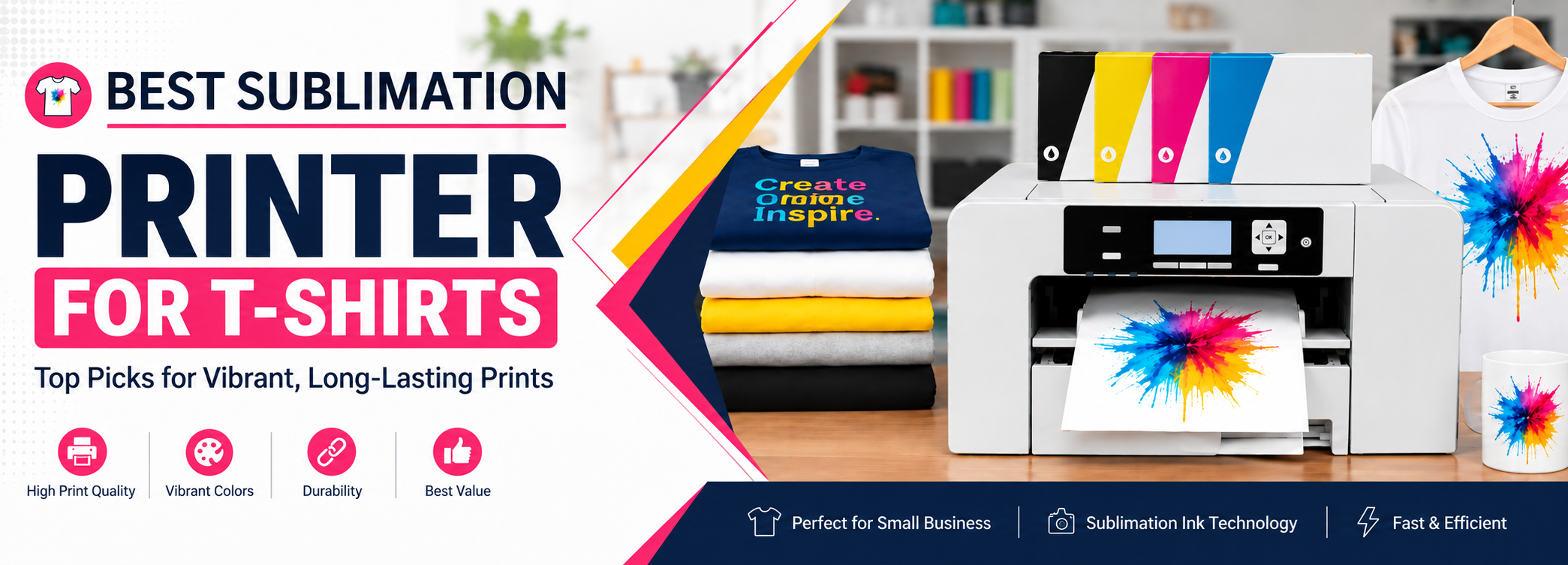
Sublimation printers for T-shirts have become an important part of custom T-shirt printing, used for events, businesses, teams, and personal projects.
Sublimation printers for T-shirts have become an important part of custom T-shirt printing. People want T-shirts designed for events, businesses, teams, and personal use. By using a sublimation printer, you can create printed T-shirts at home or use one for a T-shirt printing business.
The details about various sublimation printers for T-shirts and their uses are given below.
On This Page
Quick Takeaways
- Sublimation printers for T-shirts range from purpose-built models like the Sawgrass SG500/SG1000 to converted inkjet printers like the Epson EcoTank series.
- A 100% polyester shirt gives the brightest, most vibrant sublimation results.
- Sublimating a shirt involves printing the design on transfer paper, then pressing it onto the shirt with heat.
- Businesses often choose different printers than hobbyists, depending on volume, budget, and print size needs.
- Printer costs range from under $400 to over $2,000 depending on print size and type.
List of Sublimation Printers for T-Shirts




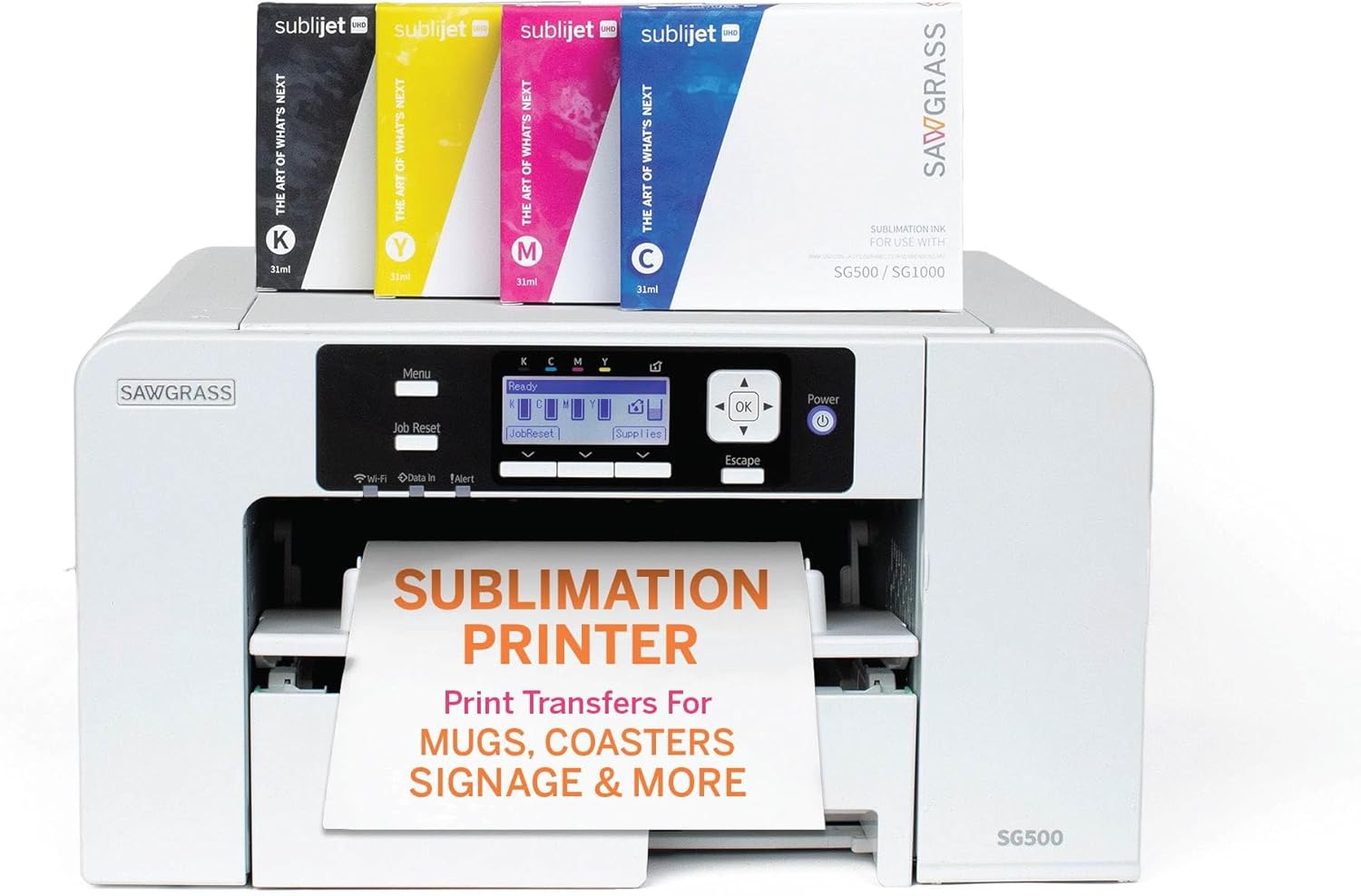
Sawgrass Virtuoso SG500 Sublimation Printer
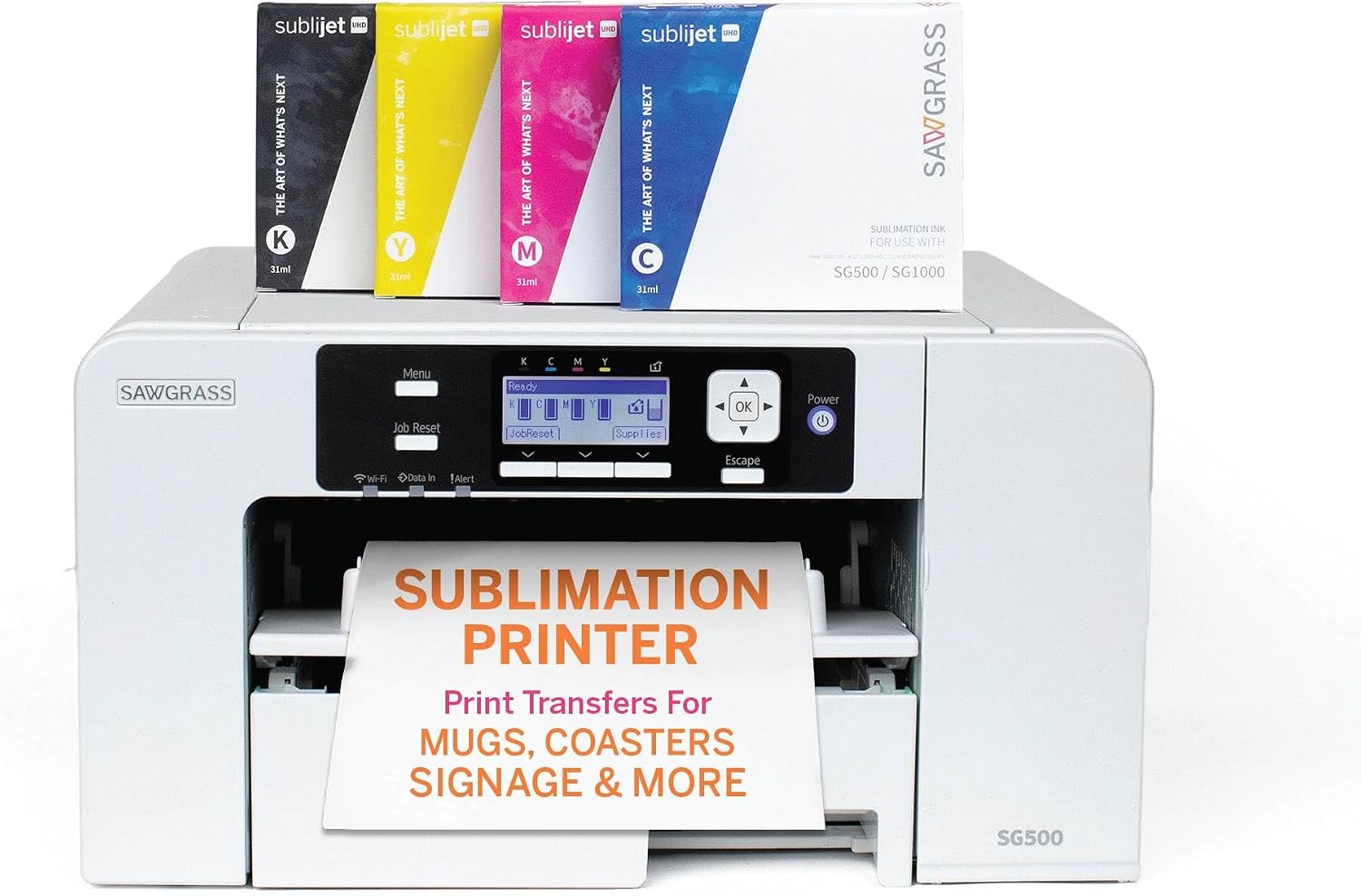
Sawgrass Virtuoso SG500 gives highly defined, high-quality, and bright images on T-shirts. It is a complete sublimation system for producing products such as drinkware, coasters, picture frames, plaques, signs, T-shirts, and more.
It is a true sublimation printer and is not a converted regular printer. The printhead has a self-maintenance system that helps prevent it from drying up. It also provides accurate print colors through its color management system.
The main tray can handle paper up to A4/legal size. The bypass tray allows printing on larger surfaces and paper sizes larger than 8.5 × 14 inches.
Sawgrass Virtuoso SG1000 Sublimation Printer
Sawgrass Virtuoso SG1000 can be used for hard materials such as mugs and glasses, as well as soft materials such as T-shirts and other fabrics. It is a larger-format version of the SG500 and can be useful for different types of sublimation businesses.
It comes with sublimation ink options such as SubliJet UHD, EasySubli, and ChromaBlast, which can be used for different products and applications.
The main tray can handle A3/Tabloid-size paper, while the bypass tray allows printing on media up to 13 × 19 inches. This makes it a useful option for larger T-shirt designs.
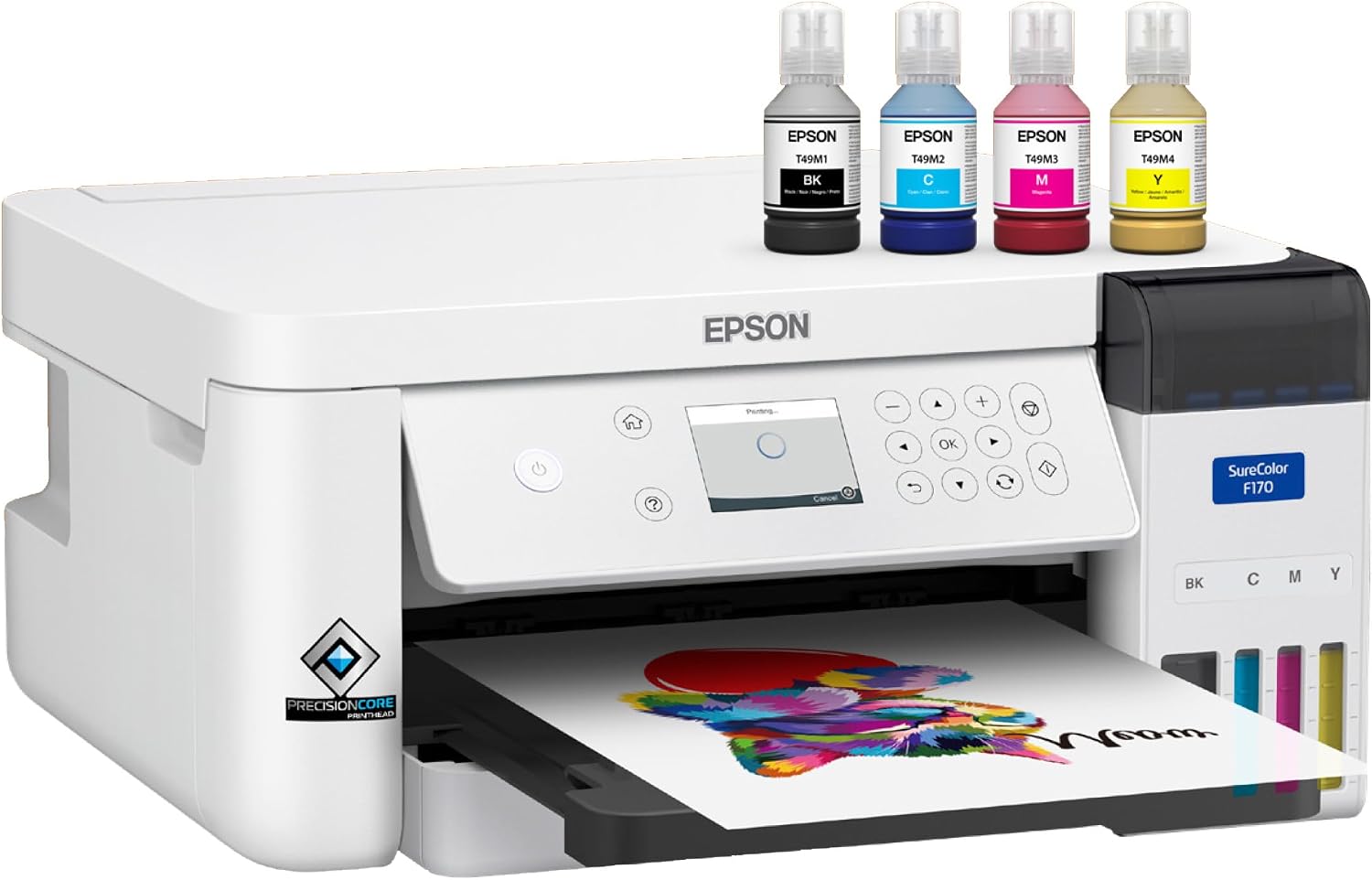
Epson SureColor F170 Sublimation Printer
The Epson SureColor F170 is ideal for small sublimation projects and provides professional-quality images on T-shirts, mouse pads, mugs, awards, and other products.
It uses PrecisionCore technology for printing and is designed specifically for dye-sublimation printing. You can get customized T-shirts by using this printer, and it is relatively simple to set up.
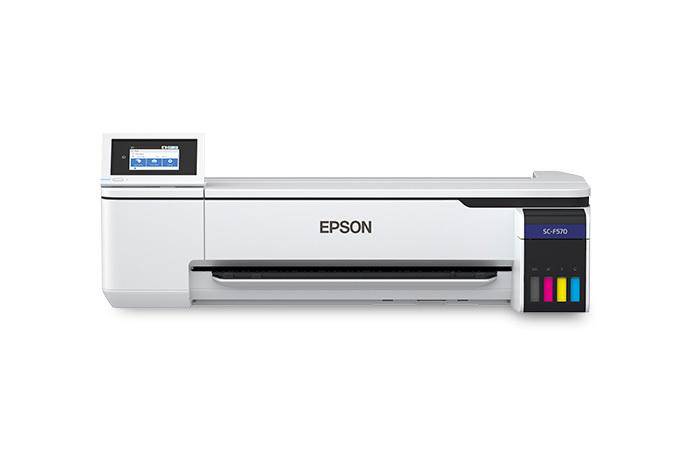
Epson SureColor F570 Pro Sublimation Printer
The Epson SureColor F570 Pro is chosen for its accuracy in color reproduction. It is a larger-format sublimation printer designed for businesses and users who need larger transfer sizes.
It can be used for mugs, mouse pads, awards, T-shirts, glasses, and other products. Its larger format makes it suitable for bigger designs and higher-volume sublimation work.
Epson ET-2400
The Epson ET-2400 has high-capacity ink tanks that can be filled with sublimation ink when the printer is converted for sublimation use.
It is a low-cost option for people who want to start sublimation printing. It can print on paper up to 8.5 × 14 inches and can be used for products such as towels and T-shirts.
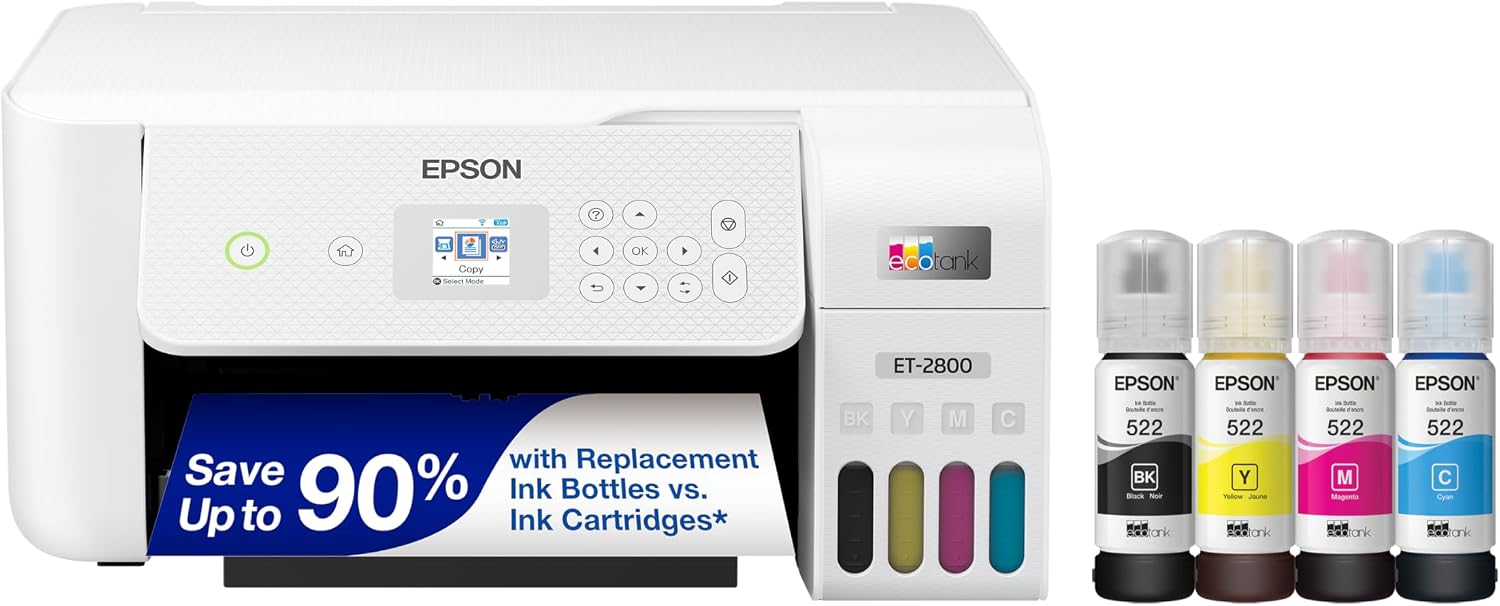
Epson ET-2800 / ET-2803
The Epson ET-2800 and ET-2803 are affordable EcoTank printers that can be converted for sublimation printing.
They are regular inkjet printers, not purpose-built sublimation printers. For sublimation, the regular ink must be replaced with compatible dye-sublimation ink.
Both printers are suitable for smaller sublimation projects and can print up to 8.5 × 14 inches.
Epson ET-15000
If you want to print larger T-shirt designs, the Epson ET-15000 can be a useful option after conversion for sublimation printing.
It is a wireless printer that can print up to 13 × 19 inches and scan up to 8.5 × 14 inches. It has four ink colors—cyan, magenta, yellow, and black—and two paper trays, one in the front and one in the back.
Its 13 × 19-inch printing capability makes it useful for larger T-shirt designs.
Epson ET-8550
The Epson EcoTank ET-8550 is a wireless, high-speed printer that produces lab-quality photos and can print up to 13 × 19-inch borderless photos.
Its EcoTank system helps reduce ink waste and running costs compared with traditional cartridges. It can produce vibrant, high-quality images for photos and other projects.
For sublimation, the ET-8550 is a regular inkjet printer and must be converted before using sublimation ink.
How to Sublimate a Shirt?
To sublimate a shirt, you need a sublimation printer, sublimation transfer paper, sublimation ink, and a shirt suitable for sublimation.
The shirt should ideally be made from 100% polyester. Polyester provides the brightest and most vibrant sublimation results. Shirts with a lower polyester percentage can also be used, but the colors may not be as sharp or vibrant.
First, the design is printed onto sublimation transfer paper. The printed design is then placed on the shirt and transferred using a heat press. The heat turns the sublimation ink into a gas, allowing it to embed into the polyester fibers.
In this way, the image becomes part of the fabric instead of sitting on top of it, so a properly sublimated design does not peel off easily.
Sublimation Printers for T-Shirts Suppliers
For a T-shirt printing business, you need a sublimation printer that is affordable, easy to operate, and capable of producing the type and quantity of transfers you need.
Some printers associated with T-shirt sublimation include:
- Epson Artisan 1430
- Epson WorkForce WF-7710
- Epson WorkForce WF-7720
- DNP DS-RX1HS
- Sawgrass SG400
- Sawgrass SG500
- Canon PIXMA MG3620
Epson Artisan 1430
The Epson Artisan 1430 is a regular inkjet printer that can be converted for sublimation because it is not a purpose-built sublimation printer.
The regular ink is replaced with dye-sublimation ink, and special transfer paper is used for printing. It gives vibrant and high-quality images and can handle prints up to 13 × 19 inches.
Because of its larger print size, it can be used for T-shirt designs that require more coverage.
Epson WorkForce WF-7710
The Epson WorkForce WF-7710 does not give exactly the same results as the Epson Artisan 1430, but it can produce good-quality images and handle print sizes up to 13 × 19 inches.
It can hold about 100 sheets and has greater capacity than the Artisan 1430. It can also be converted for sublimation printing.
Epson WorkForce WF-7720
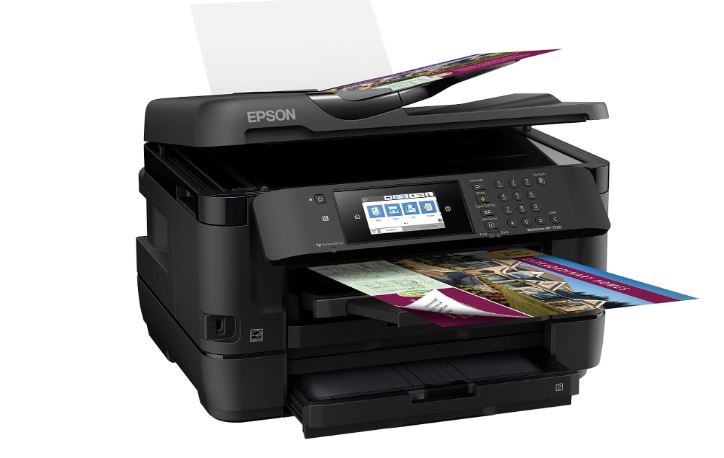
The Epson WorkForce WF-7720 is similar to the WF-7710 but provides greater paper-handling capacity.
It can hold up to 500 sheets, making it a useful choice for printing T-shirt designs in greater numbers. It can also be converted for sublimation printing.
DNP DS-RX1HS
The DNP DS-RX1HS was originally used for printing photographs and has also been used for sublimation applications.
One of its advantages is its fast printing speed. It can print around 290 4 × 6-inch prints per hour, or approximately one print every 12.4 seconds.
However, its print size is limited. It does not print dimensions greater than approximately 6 × 8 inches, so it is not suitable for large T-shirt designs.
Sawgrass SG400
Sawgrass SG400 is a purpose-built sublimation printer. Using a purpose-built printer can minimize some of the problems associated with converting a regular printer.
It uses special sublimation transfer paper on which the image is printed before being transferred to the T-shirt.
The SG400 can be a good starting option for people who want to begin a small sublimation business and mainly need smaller T-shirt designs.
Sawgrass Virtuoso SG500
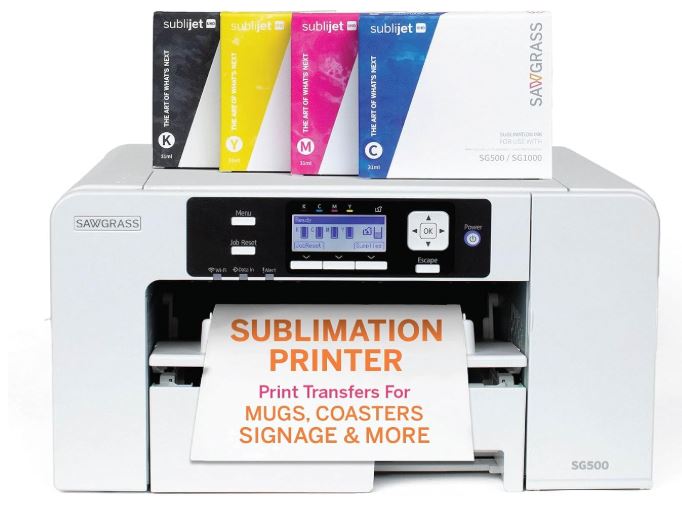
Sawgrass Virtuoso SG500 gives highly defined, high-quality, and bright images on T-shirts. It is a true sublimation printer rather than a converted regular printer.
It can also be used to produce drinkware, coasters, picture frames, plaques, signs, T-shirts, and other products.
The main tray can handle standard paper sizes, while the bypass tray provides additional media-size options.
Canon PIXMA MG3620
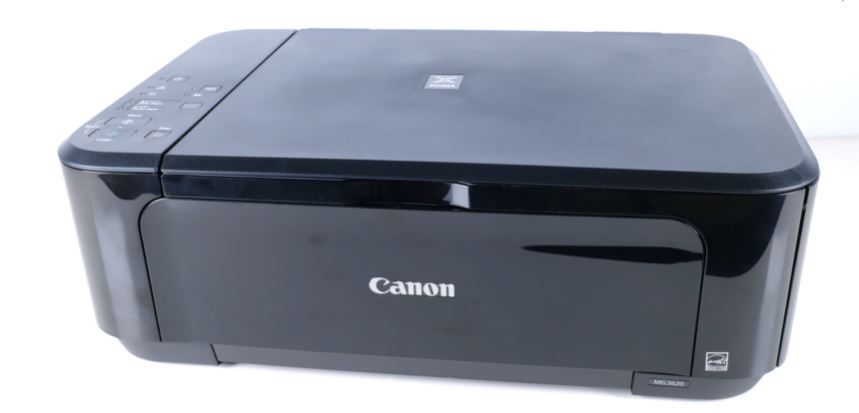
Canon PIXMA MG3620 is a wireless printer that can be used for printing shirts and other fabrics after conversion for sublimation.
It offers convenient wireless printing and can produce good-quality images. Its relatively low cost has made it an option for people starting small T-shirt printing projects.
How to Use a Sublimation Printer for T-Shirts?
For sublimation printing, first select the design that you want to print on the T-shirt. You will need sublimation transfer paper and a polyester T-shirt.
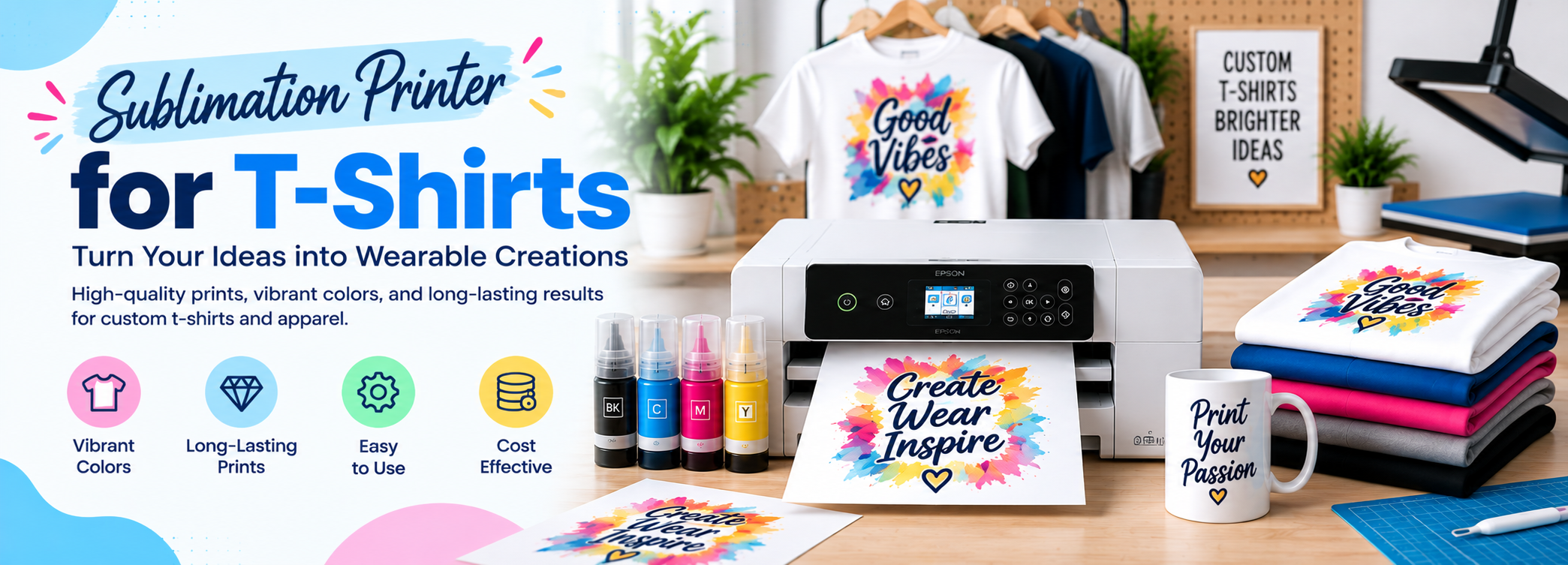
Print the design on the transfer paper using your sublimation printer. When the print is completed, allow it to dry according to the instructions for the ink and transfer paper.
Trim the unwanted part of the paper and place the image correctly on the T-shirt. Then use a heat press with the recommended temperature, time, and pressure for your particular shirt, ink, and transfer paper.
The heat converts the ink into a gaseous state so that it can embed into the polyester fibers.
There are a few steps that can help you print a sublimation design on a T-shirt.
Get or Prepare a Sublimation Shirt Design
You can make your own sublimation designs or get designs from a source that you have permission to use. Select the design according to the size of your T-shirt and the area you want to print.
Once you have selected the design, print it on high-quality sublimation paper using the appropriate printer settings.
Trim the extra part of the paper with scissors to help prevent unwanted lines or marks around the design.
Set the heat press according to the manufacturer’s recommended temperature for your sublimation paper, ink, and T-shirt. Many sublimation applications use temperatures between 385°F and 400°F, which is about 196°C to 204°C.
A traditional heat press should be used rather than a household iron because it provides more consistent heat and pressure. Keep the area properly ventilated when using a heat press.
Print the Design on the T-Shirt
For the best sublimation results, use a 100% polyester T-shirt. Polyester shirts provide brighter and more vibrant colors. Shirts with a lower polyester percentage can be used, but the results may be less vibrant and may fade more quickly after repeated washing.
Clean the shirt before pressing so dust and lint do not cause marks or dots on the fabric.
Place the printed design on the T-shirt according to the instructions provided with your transfer paper. Make sure the design is positioned correctly before pressing.
Press Your Sublimation Print
Set the heat press to the recommended temperature and time for your particular sublimation materials.
A common temperature range is 385°F to 400°F, but you should follow the instructions supplied with the sublimation paper, ink, and blank T-shirt.
Apply the required heat and pressure to the design so that the ink transfers properly to the polyester fabric.
After the pressing cycle is complete, carefully remove the transfer and allow the T-shirt to cool according to the instructions for your materials.
The sublimation ink becomes part of the polyester fibers, so the finished design does not sit as a separate layer on top of the shirt.
Sublimation Printers for T-Shirts Cost
The cost of a sublimation printer depends on its print size, printing speed, ink system, and whether it is a purpose-built sublimation printer or a converted inkjet printer.
| Name of Printer | Cost | Print Size | Type of Printer |
| Sawgrass Virtuoso SG500 | $599.99 + ink | 8.5 × 11″ | Purpose-built |
| Sawgrass Virtuoso SG1000 | $1,499.99 | 13 × 19″ | Purpose-built |
| Epson F170 | $399.99 | 8.5 × 11″ | Purpose-built |
| Epson F570 | $2,499.99 | Up to 24″ wide | Purpose-built |
| Epson ET-2400 | $249.99 | 8.5 × 14″ | Converted |
| Epson ET-2800 | $199.99 + ink | 8.5 × 11″ | Converted |
| Epson ET-2803 | $199.99 + ink | 8.5 × 11″ | Converted |
| Epson ET-15000 | $699.99 + ink | 13 × 19″ | Converted |
| Epson ET-8550 | $799.99 | 13 × 19″ | Converted |
Prices can change, so check the current price before purchasing.
Which Sublimation Printer Should You Buy for T-Shirts?
The best sublimation printer for T-shirts depends on the size of your designs, your budget, the number of shirts you plan to print, and whether you want a purpose-built sublimation printer or are comfortable using a converted printer.
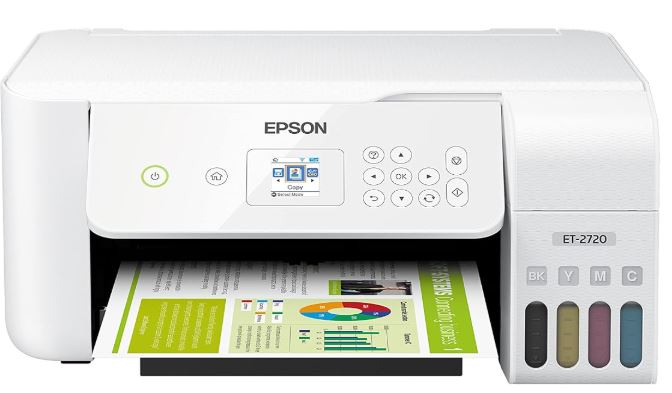
If you are starting with a limited budget, the Epson SureColor F170 is a practical option. It is made specifically for sublimation, so you do not have to convert a regular inkjet printer or deal with the extra work involved in changing an ink system. It is better suited to smaller T-shirt designs and other small sublimation products.
If your main requirement is 13 × 19-inch T-shirt transfers, the Sawgrass SG1000 is the stronger choice from this list. Its larger paper size gives you more room for bigger designs, making it suitable for large T-shirt graphics. The higher purchase price is easier to justify if you regularly need larger transfers.
For someone who wants lower ink costs and a 13 × 19-inch print size, the Epson ET-15000 can be considered as a converted sublimation printer. Its EcoTank system can be economical for regular printing, but conversion requires more work and care than using a purpose-built sublimation printer.
If you are running a T-shirt printing business with a heavier workload, the Epson SureColor F570 Pro is worth considering. It costs considerably more than the smaller models, but its larger-format printing capability makes it more suitable for higher-volume work and larger transfers.
For easy setup and less maintenance, a purpose-built printer such as the Epson F170 or Sawgrass SG1000 makes more sense than converting a regular EcoTank. If initial price and running costs are more important and you are comfortable with a converted setup, an Epson EcoTank can be a more affordable route.
Before buying a printer, also consider the cost of sublimation ink, transfer paper, a heat press, polyester T-shirts, maintenance, and replacement supplies. The printer is only one part of the setup, and choosing a model based only on its purchase price can make the overall cost higher than expected.
For most beginners, the Epson SureColor F170 is a practical starting point. For 13 × 19-inch T-shirt designs, the Sawgrass SG1000 is the better fit. If you expect a larger workload and need a wider production setup, the Epson SureColor F570 Pro is the stronger choice. If keeping running costs down is important and you are comfortable with printer conversion, the Epson ET-15000 is another option for 13 × 19-inch work.
Your final choice should depend on your budget, required print size, print quality, workload, ink costs, T-shirt material, and the type of designs you plan to produce. A smaller printer can handle simple chest designs and personal projects, while a 13 × 19-inch printer gives you more room for larger T-shirt transfers. For regular business production, a higher-priced purpose-built printer can be worth the investment if it saves time and avoids the complications of converting a standard inkjet printer.
Frequently Asked Questions
Can any printer be used for sublimation T-shirts?
No. A regular printer cannot produce sublimation transfers simply by changing the paper. You need a printer designed for sublimation or a compatible inkjet printer that has been properly converted to use dye-sublimation ink.
What type of T-shirt is best for sublimation?
A 100% polyester white or light-colored T-shirt is generally best for sublimation. Polyester allows the sublimation ink to bond with the fibers and produce bright colors.
Can you sublimate on cotton T-shirts?
Standard sublimation printing is not suitable for 100% cotton because sublimation ink bonds with polyester fibers. Special sublimation-compatible coatings or another transfer method are needed when working with cotton.
What size sublimation printer do I need for T-shirts?
For small designs, an 8.5 × 11-inch printer can be sufficient. If you want larger T-shirt designs, a 13 × 19-inch sublimation printer gives you more printing area. Larger commercial printers are available for businesses that need even bigger transfers.
Is a sublimation printer good for T-shirt printing?
Yes. Sublimation printers are well suited to polyester T-shirts because the ink bonds with the fabric instead of sitting on top of it. This produces colorful designs that do not peel like some surface-applied prints.
How long do sublimation T-shirt prints last?
A properly made sublimation print can last for a long time because the ink becomes part of the polyester fibers. The durability also depends on the shirt, ink, transfer paper, pressing process, and washing conditions.
Can you use a household iron for T-shirt sublimation?
A household iron is not recommended for standard sublimation T-shirt printing. A heat press provides more consistent temperature and pressure across the entire design, which is important for getting an even transfer.
What is the best sublimation printer for 13 × 19 T-shirts?
A printer capable of handling 13 × 19-inch transfer paper is the better option for large T-shirt designs. Among the printers listed above, the Sawgrass SG1000 is a purpose-built sublimation printer designed for larger-format transfers, while the Epson ET-15000 is a converted option that can also handle 13 × 19-inch printing.

FAQ Quick Links
- Can any printer be used for sublimation T-shirts?
- What type of T-shirt is best for sublimation?
- Can you sublimate on cotton T-shirts?
- What size sublimation printer do I need for T-shirts?
- Is a sublimation printer good for T-shirt printing?
- How long do sublimation T-shirt prints last?
- Can you use a household iron for T-shirt sublimation?
- What is the best sublimation printer for 13 × 19 T-shirts?