Printer Category
3D Printers
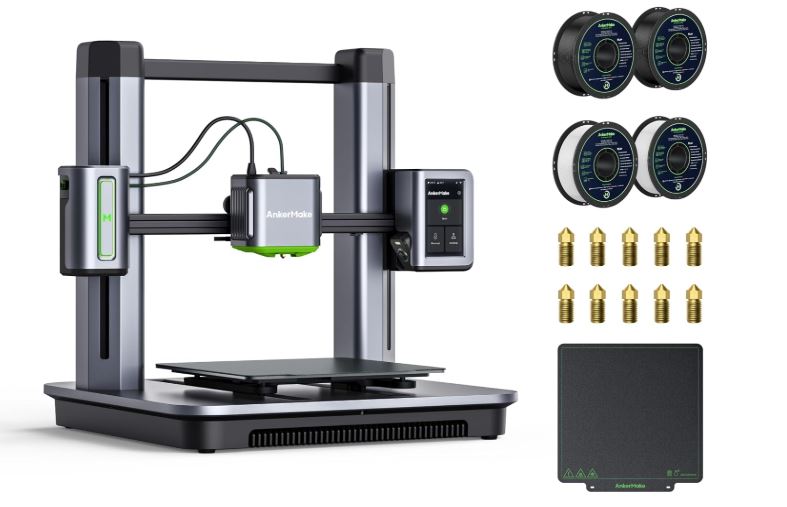
3D printers build physical objects layer by layer from a digital design file — used for prototyping, hobby models, replacement parts, and small-batch manufacturing.
✓ Builds Objects Layer by Layer
✓ FDM and Resin Are the Two Main Types
✓ Great for Prototyping & Hobby Projects
✓ Running Costs Vary by Material
Quick Answer
What Is a 3D Printer? A Quick Answer
A 3D printer is a machine that builds a physical object layer by layer from a digital design file, rather than printing onto a flat page. Instead of depositing ink on paper, a 3D printer deposits or solidifies material in thin layers that fuse together, gradually forming a three-dimensional object from the bottom up.
Consumer 3D printers are used for prototyping product designs, printing hobby models and miniatures, making replacement parts, and small-batch manufacturing of custom items. The two technologies most home users encounter are FDM, which melts and extrudes plastic filament, and resin printing, which cures liquid photopolymer with light.
Unlike a document printer, a 3D printer typically requires a 3D model file, software to prepare that file for printing, and some understanding of the chosen material’s print settings. This makes the learning curve steeper than plugging in an inkjet printer, but the range of objects a single machine can produce is far broader.
Our guide to what 3D printing is covers the underlying process in more depth, including its history and industrial applications.
The Basics
How 3D Printing Works
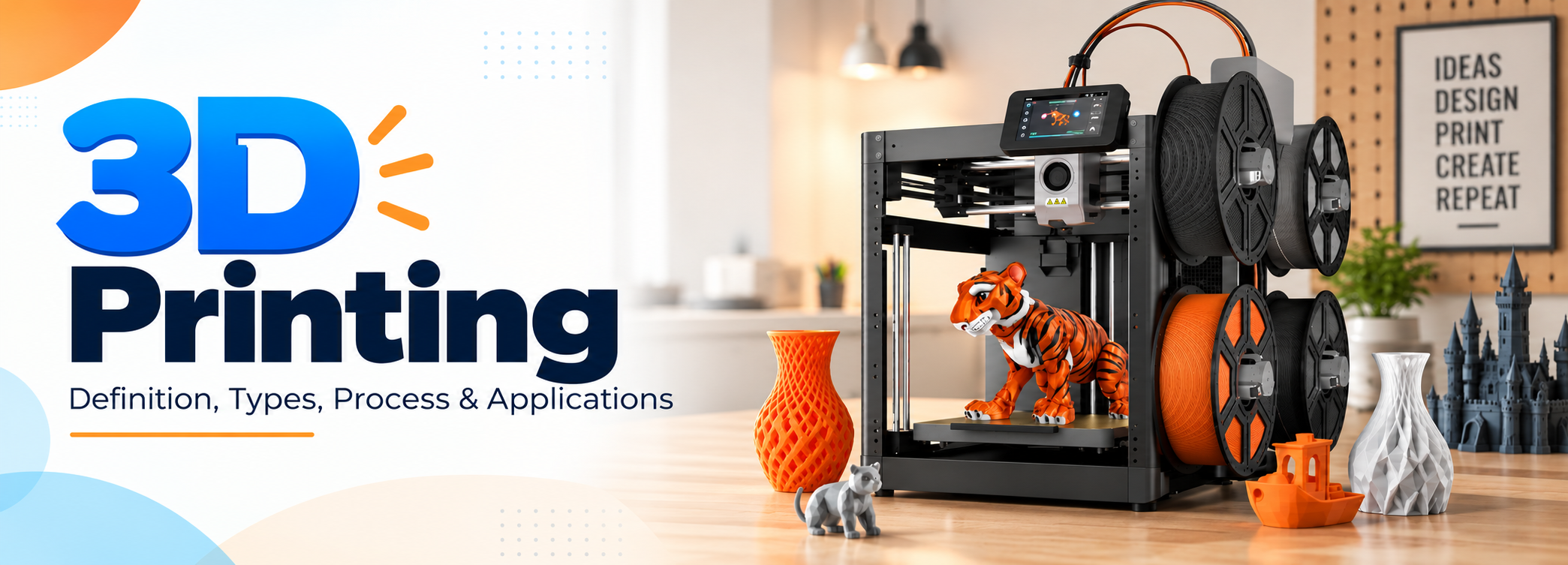
Every 3D print starts as a digital 3D model, which is run through slicing software that converts it into thin horizontal layers and generates a set of machine instructions (G-code) the printer follows.
FDM vs. Resin: How Each Technology Works
The two most common consumer 3D printing technologies work quite differently.
FDM (Fused Deposition Modeling)
Melts a spool of plastic filament and extrudes it through a heated nozzle, building the object one layer at a time as the nozzle and/or bed move in a programmed path.
Resin (SLA / MSLA / DLP)
Uses a vat of liquid photopolymer resin that is cured layer by layer with light, typically from a UV LED array or laser, producing much finer surface detail than FDM.
From File to Finished Part
- Model or download a design. A 3D model is created in CAD software or downloaded from a model-sharing site.
- Slice the model. Slicing software converts the 3D model into layers and generates printer instructions, with settings for layer height, supports, and infill.
- Print layer by layer. The printer deposits or cures material one thin layer at a time, building upward until the object is complete.
- Post-process the part. Depending on the technology, this can include removing support material, washing and curing resin prints, or sanding and painting FDM prints.
Slicer software exposes dozens of adjustable settings, but layer height, print speed, infill percentage, and support generation are the ones that matter most for everyday prints. Most beginners start from a printer or filament manufacturer’s recommended profile and adjust from there rather than tuning every setting from scratch.
The Lineup
Types of 3D Printers
Most hobbyists and small businesses choose between FDM and resin printers, while industrial technologies serve professional manufacturing needs that go well beyond desktop budgets and footprints.
🧵
FDM 3D Printers
The most common consumer type, extruding melted plastic filament (PLA, PETG, ABS, and others) through a heated nozzle. Affordable, widely supported by a large community, and good for functional parts, larger prints, and everyday prototyping.
💧
Resin 3D Printers
Use liquid photopolymer resin cured by light for much finer detail than FDM, popular for miniatures, jewelry patterns, and dental or hobby models that need smooth surfaces and intricate geometry.
🏭
Industrial & SLS Printers
Technologies like selective laser sintering (SLS) fuse powdered material with a laser and are used in professional and industrial settings for durable, support-free parts at a cost well beyond typical consumer budgets.
🖨️
Multi-Material & Multi-Color Printers
Newer consumer and prosumer systems can switch between multiple filament spools or colors automatically within a single print, opening up multi-color models without manual filament swaps.
New buyers typically start with a single FDM printer, since it covers the widest range of everyday projects, and add a resin printer later if their work calls for finer detail.
Where It Fits
Best Use Cases for 3D Printing
3D printing spans a wide range of applications, from one-off prototypes to ongoing small-batch production, which is part of why it has found a place in both hobbyist workshops and professional design studios.
🧩
Prototyping
Product designers and engineers use 3D printing to quickly turn a CAD design into a physical part for fit-testing and iteration, far faster and cheaper than traditional tooled manufacturing for a single test piece.
🎲
Hobby Models & Miniatures
Tabletop gaming miniatures, collectibles, and display models are one of the most popular hobbyist uses, especially with resin printers for fine detail and crisp facial features.
🔧
Replacement Parts
Printing a replacement bracket, clip, or knob at home can be faster and cheaper than ordering a part, provided a model or scan of the part is available or can be designed from measurements.
🎭
Cosplay & Props
Large-format FDM printing is widely used for cosplay armor, props, and costume pieces that are later sanded, primed, and painted to a finished look.
🎓
Education & STEM
Schools and makerspaces use 3D printers to teach design, engineering, and manufacturing concepts hands-on, turning abstract CAD lessons into physical objects students can hold.
🏷️
Small-Batch Manufacturing
Small businesses use 3D printing to produce custom or low-volume products, such as jewelry, phone accessories, or personalized gifts, without the tooling costs of injection molding.
Many owners start with one use case in mind, such as printing miniatures or fixing a broken part, and then expand into other applications once they are comfortable with the printer and slicer software.
Compare Specs
Key Features to Compare
Before buying, weigh these features against the kinds of objects you plan to print most often. Specifications matter less in isolation than how well they match your intended projects.
Before buying, weigh these features against the kinds of objects you plan to print most often.
Budget Planning
Running Costs of 3D Printing
Beyond the printer’s purchase price, ongoing costs depend heavily on which technology and materials you use.
Filament or Resin
FDM filament is typically sold by the spool and priced per kilogram; resin is sold by the bottle. Specialty materials generally cost more than standard PLA or basic resin.
Replacement Parts
Nozzles, build plates, and FEP film (for resin printers) wear out over time and are a routine ongoing cost.
Post-Processing Supplies
Resin printing requires isopropyl alcohol for washing and a curing station; FDM post-processing may involve sandpaper, paint, or support-removal tools.
Electricity & Ventilation
Long print jobs add to electricity use, and resin printing benefits from proper ventilation or an air filtration setup due to fumes.
As a rough guide, FDM printing tends to have the lowest material cost per object, while resin printing costs more per print once consumables like isopropyl alcohol and replacement FEP film are factored in, but delivers finer detail in exchange.
Budgeting for 3D printing works best when you treat the printer price as only the starting cost. A realistic first-year budget should also include extra nozzles or a spare hotend, a spool or two of a second material, and basic tools such as a scraper, flush cutters, and calipers.
Weigh the Trade-offs
3D Printer Pros and Cons
As with any manufacturing method, 3D printing involves real trade-offs between flexibility, cost, speed, and finish quality.
Advantages
✓ Turns a digital design into a physical object without tooling or molds
✓ Affordable entry point for prototyping, hobbies, and custom parts
✓ Wide range of materials and colors to choose from, especially with FDM
✓ Resin printers can achieve very fine detail for miniatures and models
✓ Active online communities make troubleshooting and finding designs easy
Disadvantages
✗ Print times can be long, especially for larger or more detailed objects
✗ Requires some learning curve around slicer settings and calibration
✗ Resin printing involves handling liquid resin and extra post-processing steps
✗ Surface finish from FDM often shows visible layer lines unless post-processed
✗ Not well suited to producing large quantities quickly compared with injection molding
The Two Main Options
FDM vs. Resin 3D Printers
FDM and resin are the two dominant consumer 3D printing technologies, and the right choice depends on what you print most. Both have active communities, extensive online tutorials, and a wide range of machines at different price points.
FDM and resin are the two dominant consumer 3D printing technologies, and the right choice depends on what you print most.
| FDM | Resin | |
|---|---|---|
| Detail level | Good, visible layer lines at typical settings | Excellent, very fine detail and smooth surfaces |
| Typical uses | Functional parts, prototypes, larger prints | Miniatures, jewelry patterns, dental and hobby models |
| Material cost | Generally lower cost per print | Resin and consumables typically cost more per print |
| Mess and fumes | Minimal; filament is a solid material | Liquid resin requires careful handling, gloves, and ventilation |
| Post-processing | Optional sanding or painting | Required washing and UV curing after every print |
Decision Guide
How to Choose a 3D Printer
Work through these questions in order to narrow down the right printer for your situation. Most first-time buyers can make a confident choice after the first two or three questions.
01
What will you print most? Larger functional parts point toward FDM; small, highly detailed models point toward resin.
02
How much build volume do you need? Check the maximum print size against the largest object you realistically plan to print in one piece.
03
Do you have space for ventilation? Resin printing needs a well-ventilated area or air filtration due to fumes; this matters more than it might seem.
04
How important is auto bed leveling? Automatic leveling saves setup time and reduces failed first layers, especially for beginners.
05
What is your total budget? Factor in the printer, filament or resin, replacement nozzles or FEP film, and post-processing tools, not just the printer price.
06
Do you want an enclosed or open-frame design? An enclosure helps with warping-prone materials like ABS and contains resin fumes and odors more effectively.
The Market
Popular 3D Printer Brands and Types
The 3D printing market includes a wide range of manufacturers at every price point, from sub-hobbyist kits to professional engineering systems. These are some of the most recognized names by category, not a ranked recommendation, since exact specifications, pricing, and model lineups change frequently as manufacturers release new versions.
🧵
Entry-Level FDM Brands
Brands such as Creality and AnkerMake are widely used entry points into FDM printing, known for accessible pricing, large spare-parts ecosystems, and strong community support for troubleshooting.
⚙️
Prosumer FDM Brands
Brands such as Bambu Lab and Prusa are known for faster multi-color printing, more refined calibration systems, and more polished out-of-box setups aimed at serious hobbyists and small studios.
💧
Resin Printer Brands
Brands such as Elegoo and Anycubic are common choices for hobbyist resin printing, including miniatures, model kits, and small jewelry or prop patterns that benefit from fine surface detail.
🦷
Professional Resin Systems
Brands such as Formlabs make professional-grade resin printers used in dental, jewelry, and engineering applications where dimensional accuracy and material certification matter.
Within any of these categories, the gap between the least and most expensive model often comes down to build volume, automation features like auto-leveling and filament runout detection, and bundled software quality rather than raw print quality alone.
For the broader technology context behind these machines, see our guide to what 3D printing is.
Avoid These
Common 3D Printing Mistakes
Most failed or disappointing prints trace back to one of these setup or process issues, and nearly all of them are preventable once you know what to check.
📏
Skipping Bed Leveling
An unlevel or poorly adhered first layer is the single most common cause of failed prints on FDM printers, and it is one of the first things to check when prints keep failing.
⚙️
Wrong Print Settings
Using the wrong temperature, speed, or layer height for a given material often causes warping, stringing, or weak layer adhesion that ruins an otherwise good design.
🧱
Ignoring Supports
Overhangs and bridges printed without adequate support structures often sag or fail mid-print, especially on complex or organic-shaped models.
🌬️
Poor Ventilation for Resin
Printing resin in an unventilated space exposes you to fumes that are meant to be managed with airflow or filtration, which matters even for occasional hobby use.
💧
Not Washing/Curing Resin Fully
Skipping or rushing the wash-and-cure steps leaves resin prints tacky, weak, or not fully hardened, and can also leave uncured resin residue that remains an irritant.
🧵
Using the Wrong Filament for the Job
Printing an outdoor part in plain PLA, which softens in heat and degrades in sunlight, is a common mismatch between material choice and intended use.
Keep It Running
Maintenance and Care
3D printers, whether FDM or resin, run more reliably with a small amount of routine upkeep rather than being left completely untouched between prints.
- Keep the nozzle and bed clean. Residue buildup on an FDM nozzle or print bed can cause adhesion problems and uneven extrusion.
- Replace worn parts. Nozzles wear down over time, especially with abrasive filaments, and FEP film on resin printers needs periodic replacement.
- Store filament properly. Many filaments absorb moisture from the air, which can cause stringing and poor print quality; airtight storage with desiccant helps.
- Filter and store resin correctly. Strain leftover resin back into its bottle through a filter and keep it away from direct light and heat.
- Check belts and rails. On FDM printers, loose belts or dirty linear rails can cause layer shifting and reduced print quality over time.
FAQ
Frequently Asked Questions
Next Step
Is a 3D Printer Right for You?
It is less suited to anyone who needs to produce large quantities of identical parts quickly, since traditional manufacturing methods like injection molding are far faster and cheaper at scale once tooling costs are spread across thousands of units.
A 3D printer is a strong choice if you want to prototype designs, make hobby models or replacement parts, or produce small batches of custom items, and are willing to learn some basic slicer settings and routine maintenance.
On This Page
Table of Contents
Related Printer Categories
Learn More
What Is 3D Printing?
A deeper look at the definitions, process, and applications behind 3D printing technology.
Read the GuideCommon Materials at a Glance
PLA: Easiest FDM filament to print, biodegradable, lower heat resistance.
PETG: More durable and heat-resistant than PLA, still fairly easy to print.
ABS: Stronger and more heat-resistant, but prone to warping without an enclosure.
Standard Resin: Fine detail for models and miniatures, more brittle than tough or flexible resin blends.
Still Deciding?
Explore Our Printers Hub
Not sure a 3D printer is the right fit? Compare it with other printer categories before you decide.