
Printer Categories
Thermal Printers
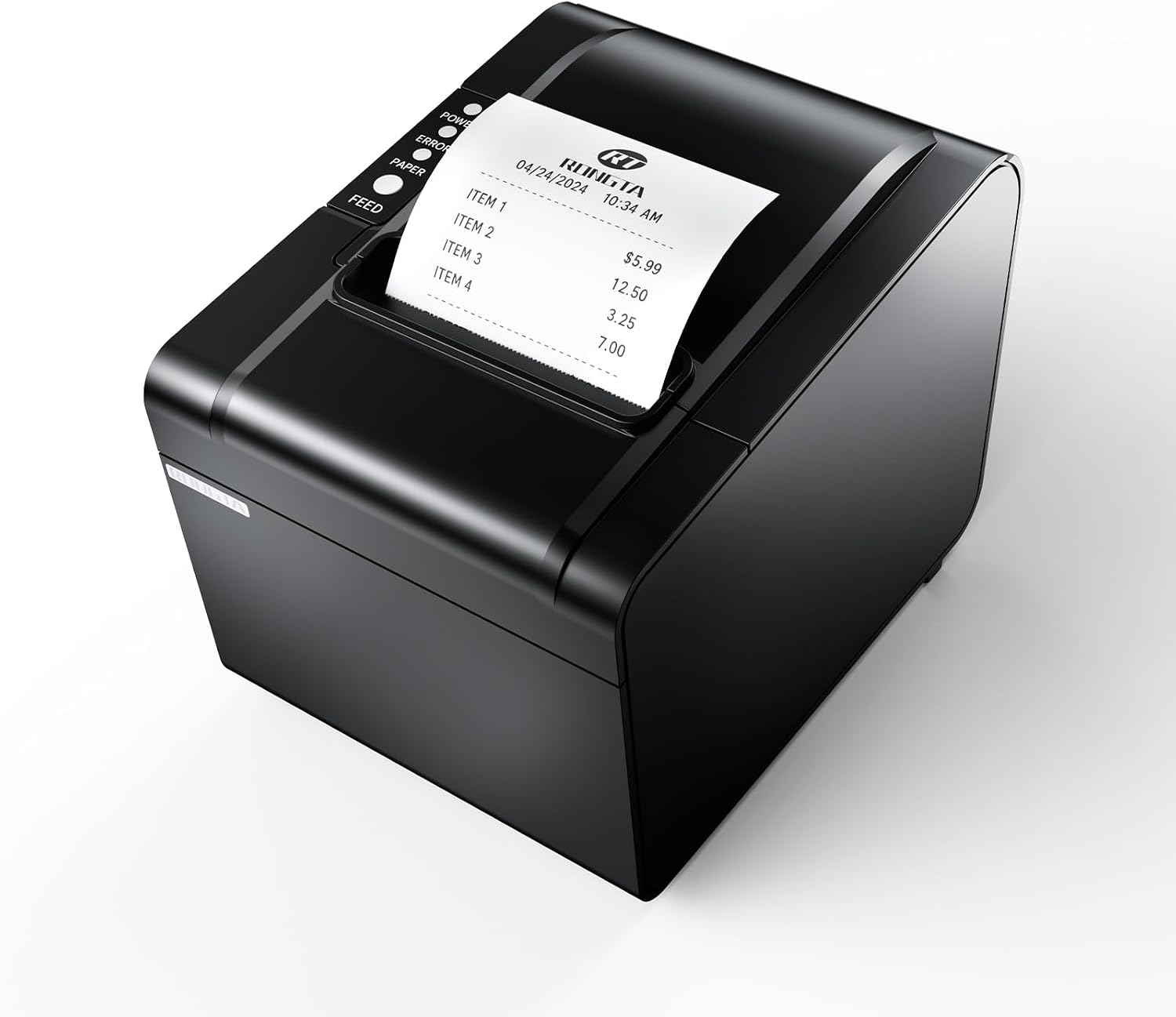
Thermal printers use heat instead of ink to create an image, making them fast, low-maintenance, and ideal for receipts, shipping labels, barcodes, and other high-volume, repetitive print jobs.
⚡
No Ink or Toner
Prints using heat on coated media
🧾
Best For
Receipts, labels, barcodes, tickets
💰
Running Cost
Paper only (direct thermal) or paper + ribbon (transfer)
🛠️
Maintenance
Minimal — occasional print head cleaning
Category Basics
What Is a Thermal Printer?
A thermal printer creates an image by applying heat to specially coated media through a row of tiny heating elements, rather than using liquid ink or toner. Because there is no ink supply to manage, thermal printers tend to be compact, fast, and well suited to repetitive, high-volume printing tasks such as shipping labels and receipts.
The category covers a wide range of hardware, from small countertop receipt printers at checkout counters to rugged mobile units carried by delivery drivers and large industrial label printers running on a warehouse floor. What they share is the underlying print method: heat, not liquid ink, is what forms the image on the page.
Because thermal printing skips cartridges and toner cycles entirely, many businesses choose it specifically to cut the ongoing cost and hassle of consumables on devices that print the same type of document thousands of times a month, such as a receipt, a shipping label, or a kitchen ticket.
The Technology
How Thermal Printers Work: Direct Thermal vs. Thermal Transfer
Nearly every thermal printer uses one of two distinct processes to put an image on the page. Knowing the difference matters when buying, because it affects both the printer needed and the ongoing cost of running it.
Direct Thermal
Heat is applied directly to chemically treated paper, which darkens where it is heated. No ribbon or ink is involved. Common on receipt printers and many shipping-label printers. Prints can fade over time with heat or sunlight exposure, so it is not ideal for labels that need to last for years.
Thermal Transfer
Heat melts wax- or resin-based ink from a ribbon onto plain label stock. Produces sharper, longer-lasting prints that resist smudging, moisture, and fading, making it the standard choice for barcode labels, asset tags, and anything that needs to stay legible for months or years.
In both cases, the printer thermal print head contains a row of hundreds of microscopic heating elements that switch on and off at precise moments as the media feeds past, building up text, barcodes, and graphics one thin horizontal line at a time. There are no nozzles to clog and no toner to fuse, which is a big part of why thermal printers are known for reliability and low day-to-day maintenance.
Print speed and resolution are usually specified in inches per second and dots per inch (dpi). Receipt printers commonly print at 150 to 250 millimeters per second, while label and barcode printers are typically rated at 203, 300, or 600 dpi depending on how small and precise the barcodes or text need to be.
Category Breakdown
Types of Thermal Printers
Thermal printers are generally grouped by the job they are built for rather than by brand. Here is how the main types compare.
🧾
POS & Receipt Printers
Small countertop or under-counter units that print point-of-sale receipts in seconds. Usually direct thermal, compact, and inexpensive to run since there is no ribbon to replace.
🏷️
Label & Barcode Printers
Desktop or industrial units built for shipping labels, product labels, and barcode tags. Often support both direct thermal and thermal transfer printing. See our dedicated Label Printers guide for a deeper look at this group.
📱
Mobile & Portable Printers
Battery-powered, handheld or belt-clip units used by delivery drivers, field technicians, and warehouse staff to print labels or receipts on the move.
🏭
Industrial Thermal Printers
Heavy-duty, high-volume printers built for 24/7 operation on a production or distribution line, usually thermal transfer for maximum durability and often rated for tens of thousands of labels a day.
Who Uses These
Best Use Cases for Thermal Printers
Thermal printing shows up anywhere a business needs fast, unattended, repetitive printing without babysitting ink or toner levels.
🛒
Retail Checkout & POS
Fast, reliable receipt printing at the register, often integrated with a cash drawer and barcode scanner.
📦
Shipping & Fulfillment
High-volume shipping label printing for e-commerce, warehouses, and fulfillment centers, usually paired with a label printer.
🍽️
Restaurant Kitchens
Order tickets printed instantly in the kitchen or bar, keeping staff coordinated during busy service.
🚚
Mobile & Field Service
Delivery drivers, technicians, and inspectors printing receipts or labels on-site using a handheld unit.
🏦
ATMs & Self-Service Kiosks
Compact embedded thermal mechanisms print transaction receipts and tickets inside unattended machines.
🏷️
Inventory & Asset Tracking
Durable barcode and asset labels for warehouses, libraries, and equipment tracking programs.
Shopping Guide
Key Features to Compare
Thermal printer specs look different from the ink and toner specs you may be used to. These are the ones that actually affect day-to-day use.
| Feature | Why It Matters |
|---|---|
| Print Method | Direct thermal (cheaper, fades over time) or thermal transfer (ribbon required, more durable) |
| Print Width | 2 to 4 inches for receipts and small labels; wider industrial units handle 4 to 8 inch labels |
| Resolution (DPI) | 203 dpi is standard for general labels; 300 or 600 dpi for small text and dense barcodes |
| Print Speed | Rated in inches per second (ips); higher speeds matter for high-volume shipping and warehouse use |
| Connectivity | USB, Ethernet, Bluetooth, and Wi-Fi options; POS integration often needs serial or Ethernet support |
| Duty Cycle | How many labels or receipts per day the printer is rated to handle reliably |
| Media Sensors | Detect label gaps, black marks, or receipt paper-out to prevent misprints and jams |
Cost of Ownership
Running Costs of Thermal Printing
One of the biggest draws of thermal printing is how little it costs to keep running. Direct thermal printers need only specially coated paper or label stock, with no ink or toner cartridge at all. Thermal transfer printers add the cost of a ribbon, but that ribbon typically lasts for hundreds of labels per roll and still tends to work out cheaper per label than inkjet or laser consumables for the same job.
Coated thermal paper and label stock cost more per sheet than plain paper, so the savings come from skipping ink and toner entirely rather than from cheaper media. For a business printing thousands of receipts or labels a month, that trade-off usually favors thermal printing by a wide margin.
Budget for the printer itself, a supply of the correct media width and type for your model, a ribbon if you are using thermal transfer, and occasional print head cleaning supplies. There are no cartridges, toner bottles, or maintenance kits to factor in the way there would be with an inkjet or laser printer.
Weighing The Trade-offs
Advantages and Disadvantages
Thermal printing is excellent at a narrow set of jobs and a poor fit for everything outside that niche. Here is the honest trade-off.
Advantages
✓ No ink or toner to buy, store, or replace
✓ Fast print speeds well suited to high-volume tasks
✓ Compact, reliable mechanisms with few moving parts
✓ Low day-to-day maintenance requirements
✓ Quiet operation compared to impact or laser printers
Disadvantages
✗ Direct thermal prints fade with heat, light, or age
✗ Limited to monochrome output (no color printing)
✗ Specialty media costs more per sheet than plain paper
✗ Thermal transfer adds ribbon cost and changeovers
✗ Not suited to general documents, photos, or reports
How It Compares
Thermal vs. Inkjet Printers
Thermal and inkjet printers solve different problems, and most businesses end up needing both rather than choosing one over the other. For a full side-by-side breakdown, see our dedicated Thermal vs. Inkjet Printers comparison.
| Factor | Thermal | Inkjet |
|---|---|---|
| Color Output | No, monochrome only | Yes, full color |
| Running Cost | Very low, media only | Higher, ink cartridges or tanks |
| Best For | Receipts, labels, barcodes | Documents, photos, general printing |
| Speed | Very fast for its media size | Slower, especially for photos |
| Maintenance | Minimal | Occasional clogs, cartridge changes |
In practice, a retail business might run a thermal printer at the register for receipts alongside an inkjet or laser printer in the back office for invoices, flyers, and general paperwork. The two categories complement each other rather than compete.
Step By Step
Buying Guide: How to Choose a Thermal Printer
Thermal printers are purchased for a specific job far more often than general-purpose printers are. Work through these questions before buying.
1
What will you be printing? Receipts and tickets point to a POS printer; shipping or barcode labels point to a label printer; both might mean two separate devices.
2
Direct thermal or thermal transfer? Choose direct thermal for short-lived receipts and basic labels. Choose thermal transfer if labels need to survive months of handling, moisture, or sunlight.
3
What print width do you need? Standard receipts use 2 to 3 inch paper; most shipping labels use 4 inch stock; industrial tags may need wider media.
4
How many prints per day? Match the printer duty cycle to your real volume. A light-duty desktop unit will wear out quickly under industrial workloads.
5
What connectivity do you need? USB is fine for a single desktop setup; Ethernet or Wi-Fi matters for networked POS systems or shared warehouse stations.
6
Does it integrate with your software? Check that your POS, shipping, or inventory software explicitly supports the printer model and its label/receipt size before buying.
For curated model recommendations, see our Best Thermal Printers roundup.
Behind The Scenes
Software, Drivers, and Platform Integration
A thermal printer is only as useful as the software that drives it, so compatibility is worth checking before you buy rather than after. Receipt printers usually connect to point-of-sale software through standard printer command languages such as ESC/POS, which most POS platforms already support out of the box.
Label printers typically rely on a dedicated Windows or macOS driver plus a labeling application, or they integrate directly with shipping platforms, marketplace tools, and warehouse management systems through built-in printer support. Many popular shipping and e-commerce platforms publish a list of certified or recommended thermal printer models, which is worth checking against your shortlist before purchasing.
For businesses running multiple registers, workstations, or warehouse stations, network-capable printers (Ethernet or Wi-Fi rather than just USB) make it far easier to share a single printer, manage it remotely, and keep configurations consistent across locations. If your software setup already dictates a specific printer language or driver requirement, confirm that compatibility first, since it will narrow your choice of hardware more than any other single factor.
Market Overview
Popular Thermal Printer Brands and Types
No single thermal printer dominates every use case, since receipt printing, label printing, and industrial printing call for different hardware. These are widely recognized options representative of each category, not an exhaustive or ranked list.
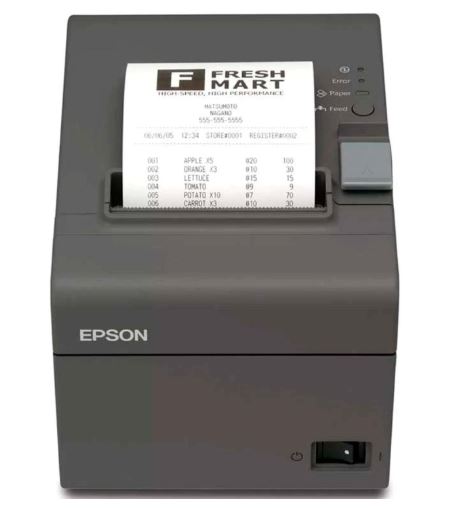
Epson TM-T Series
A long-running line of countertop POS receipt printers known for speed and broad point-of-sale software compatibility.
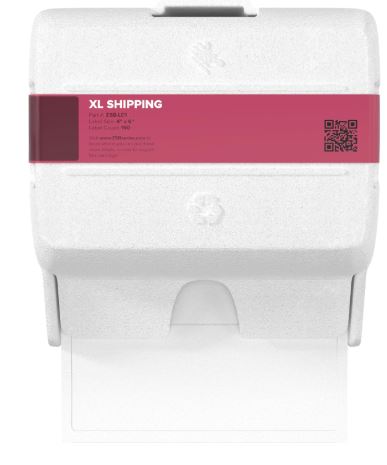
Zebra Label Printers
A dominant name in industrial and warehouse barcode label printing, with both direct thermal and thermal transfer models.
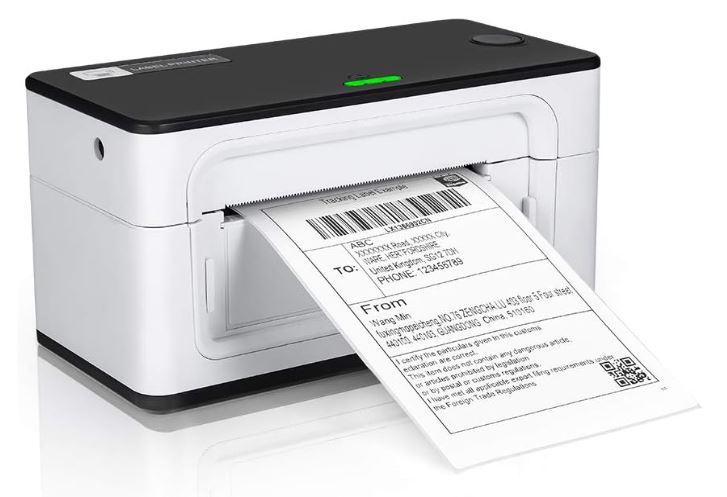
MUNBYN & Budget Label Printers
Budget-friendly desktop label printers popular with small e-commerce sellers for shipping labels on marketplaces like Etsy and eBay.
Whichever brand you consider, confirm the specific model supports the label or receipt width you need and is listed as compatible with your point-of-sale, shipping, or inventory software before buying.
Avoid These
Common Mistakes to Avoid
⚠️ Choosing Direct Thermal for Long-Term Labels
Direct thermal prints fade with heat and sunlight. Shipping labels for cold storage or outdoor exposure, and any label that must stay readable for months, need thermal transfer instead.
⚠️ Using the Wrong Media Width
Feeding label stock or paper that does not match the printer sensor and print head width causes misreads, jams, and wasted media.
⚠️ Buying a Desktop Unit for Industrial Volume
A light-duty desktop label printer run at warehouse volumes will wear out its print head far faster than a printer rated for that duty cycle.
⚠️ Skipping Print Head Cleaning
Dust and label adhesive residue build up on the print head over time, causing streaks and faded prints that are easy to prevent with routine cleaning.
Keeping It Running
Maintenance and Care
Thermal printers need far less upkeep than inkjet or laser printers, but a few habits keep print quality sharp and extend the life of the print head.
- Clean the print head periodically with an isopropyl alcohol swab or a dedicated cleaning card to remove adhesive and dust buildup.
- Keep media rolls stored away from direct sunlight and heat, which can prematurely darken direct thermal paper even before printing.
- Check the platen roller for debris, since a dirty roller can cause uneven feeding and print streaks.
- Use only media rated for your specific printer model, since the wrong thickness or coating can jam feed mechanisms or fail to print at all.
- Replace the ribbon before it fully runs out on thermal transfer models to avoid blank or streaked prints partway through a job.
Quick Answers
Frequently Asked Questions
The Bottom Line
Is a Thermal Printer Right for You?
A thermal printer makes sense if you print the same type of document over and over, in volume, and do not need color: receipts, shipping labels, barcodes, kitchen tickets, or asset tags. The combination of low running costs, speed, and minimal maintenance is hard to beat for those jobs.
It is the wrong tool if you need general office documents, photos, or any full-color output. In those cases, an inkjet or laser printer from our other category guides will serve you far better. Many businesses end up running a thermal printer for receipts or labels alongside a separate inkjet or laser printer for everything else, since the two categories solve different problems rather than compete with each other.
On This Page
- What Is a Thermal Printer?
- How Thermal Printers Work
- Types of Thermal Printers
- Best Use Cases
- Key Features to Compare
- Running Costs
- Advantages and Disadvantages
- Thermal vs. Inkjet Printers
- Buying Guide
- Software & Platform Integration
- Popular Brands & Types
- Common Mistakes
- Maintenance and Care
- FAQ
- Is It Right for You?
Related Categories
Featured Guide
Best Thermal Printers — our curated picks across receipt, label, and mobile thermal printers.
What Is a Thermal Printer? — a quick explainer post on the technology.
Thermal at a Glance
Best for: Receipts, shipping labels, barcodes
Running cost: Very low — media only
Weak spot: No color, limited to niche document types
See How Thermal Stacks Up Against Inkjet
Compare running costs, speed, and best use cases side by side before you buy.