Best Thermal Printers
Thermal printers are small and lightweight printers, which makes them portable and useful for small businesses, home offices, and other workplaces. They are commonly used to print receipts, labels, tags, and shipping labels.

Thermal printers are small and lightweight printers, which makes them portable and useful for small businesses, home offices, and other workplaces. They are commonly used to print receipts, labels, tags, shipping labels, stickers, and other materials. Thermal printers also require less maintenance because they do not use traditional ink or toner cartridges. Instead, they use heat from the printhead to create images on specially coated or heat-sensitive print media.
The heat helps create the printed image on the desired material without the need for traditional ink cartridges or toner. This makes thermal printers a practical choice for businesses that regularly print labels, receipts, and other documents.
Our expert team of reviewers has tested many thermal printers. Some of them are given below based on their print quality, printing speed, size, connectivity, and intended use. This list includes options for shipping labels, stickers, customized labels, receipts, and other common printing tasks.
Top Picks
Best Thermal Printers, Reviewed
MUNBYN ITPP941 Thermal Label Printer

The MUNBYN ITPP941 is a compact thermal label printer used to produce labels and stickers in larger quantities. It is available in different versions, including 203 dpi and 300 dpi models, with different connectivity options.
Specifications
|
Print Resolution: 203 dpi/8 dots per mm; 300 dpi/12 dots per mm on selected versions |
|
Maximum Print Speed: 6 in./152 mm per second at 203 dpi; 4 in./102 mm per second at 300 dpi |
|
Print Width: 4.09 in./104 mm for 203 dpi; 4.27 in./108 mm for 300 dpi |
|
Media Sensors: Full-width, movable reflective/black mark sensor; multi-position transmissive/gap sensor |
|
Connectivity: USB; USB-C adapter available on selected versions |
Pros
Cons
The MUNBYN ITPP941 is used to produce labels and stickers of various sizes in bulk and can be a practical choice for starting or running a small business. The 203 dpi version has a fast printing speed, while the 300 dpi version provides higher print resolution at a lower maximum speed.
Its compact design makes it suitable for small workspaces, and its thermal printing system means you do not need traditional ink cartridges or toner.
Check Current PriceDYMO LabelWriter 4XL

The DYMO LabelWriter 4XL is a compact thermal label printer designed mainly for mailing and shipping labels. Its small size makes it suitable for offices and home workspaces where desk space is limited.
Specifications
|
Color: Black |
|
Item: #1755120 |
|
Software Compatibility: DYMO Connect for Desktop with Windows and macOS |
|
Dimensions: 7 × 5.5 × 7.375 inches |
|
Label Compatibility: LabelWriter-compatible labels |
|
Recommended Use: Mailing and shipping |
|
Warranty: 2-year limited warranty |
Pros
Cons
The DYMO LabelWriter 4XL is an easy-to-use and easy-to-set-up printer available in a compact size. It produces clear labels and can be used in offices and small businesses for shipping and mailing tasks.
The printer does not occupy much space in a home or office and works quickly when you need to print shipping labels regularly.
Check Current PriceBrother P-touch CUBE Plus PT-P710BT

The Brother P-touch CUBE Plus PT-P710BT is a compact, lightweight, and portable label printer designed for creating customized labels. It connects through Bluetooth and USB and can be used with Windows, Mac, iOS, and Android devices.
Specifications
|
Connectivity: Bluetooth and USB |
|
Size: 2.6 × 5 × 5 inches |
|
Print Speed: 20 mm (0.78 inches) per second |
|
Resolution: 180 dpi |
|
Compatibility: Windows, Mac, iOS, and Android |
|
Maximum Label Width: 1 inch / 24 mm |
Pros
Cons
Brother P-touch software allows you to create customized labels with different fonts, graphics, barcodes, and other information. The printer supports TZe tapes in several widths and styles.
The Brother P-touch CUBE Plus PT-P710BT is a compact and lightweight portable label printer that can be connected through Bluetooth without wires. You can design and print customized labels for home and office use.
You can create your own label designs using different fonts and compatible apps or software. Its compact size also makes it convenient to keep on a desk or carry between locations.
Check Current PriceArkscan 2054A

The Arkscan 2054A is an affordable thermal label printer designed for businesses that need to produce labels up to 4.25 inches wide. It can be used for common 4 × 6-inch shipping labels and other business labels.
Specifications
|
Resolution: 203 dpi |
|
Print Speed: 127 mm/s |
|
Connectivity: USB; wireless version available |
|
Maximum Label Width: 4.25 inches |
|
Size: 8.3 × 9.5 × 6.5 inches |
|
Compatibility: Windows and Mac |
Pros
Cons
The Arkscan 2054A is an affordable, easy-to-use, and easy-to-set-up thermal printer that can be used for businesses producing labels in larger quantities. It can print at about 5 inches per second, making it suitable for shipping labels and other business labeling tasks.
It is bigger in size than some other thermal printers, but it has flexible features and can work with several printer languages. Its compatibility with Zebra printer languages can also make it useful in workflows that use other thermal label printers.
Check Current PriceBrother QL-600B

The Brother QL-600B is a direct thermal label printer designed for creating customized labels from a computer. It supports labels up to 2.4 inches wide and provides high-resolution printing.
Specifications
|
Resolution: 300 dpi |
|
Print Speed: 71 mm/s |
|
Size: 5 × 8.7 × 6 inches |
|
Connectivity: USB |
|
Maximum Label Width: 2.4 inches |
|
Compatibility: Windows and Mac |
Pros
Cons
The Brother QL-600B is a useful choice for beginners who need to create customized labels. It can connect to a computer through USB and is designed for Brother DK labels.
Its high print resolution is useful when labels contain small text, barcodes, or detailed graphics. It can also print different label sizes and shapes for different labeling tasks.
Check Current Price (QL-600, US Equivalent)Rollo Wireless Printer X1040

The Rollo Wireless Printer X1040 is a wireless thermal printer designed for shipping and business labels. It can connect through Wi-Fi or USB, allowing users to print labels from compatible devices.
Specifications
|
Size: 8 × 4 × 4 inches |
|
Print Speed: 150 mm/s |
|
Resolution: 203 dpi |
|
Maximum Label Width: 4.1 inches |
|
Connectivity: Wi-Fi and USB |
|
Compatibility: Windows, Mac, iOS, Android, Chromebook, and Linux |
Pros
Cons
The Rollo Wireless Printer X1040 is designed for shipping workflows and can be used to print 4 × 6-inch shipping labels. Its wireless connection is useful for businesses that need to print labels from different devices.
Rollo’s shipping tools can also help businesses manage shipping labels and shipping workflows. This can be useful for small businesses and beginners who regularly ship products to customers.
Check Current PriceBrother VC-500W

The Brother VC-500W is a compact full-color label printer that can be used to print labels, stickers, and photos. It uses ZINK Zero-Ink technology, so traditional ink cartridges are not required.
Specifications
|
Size: 4.5 × 4.6 × 3.8 inches |
|
Print Speed: 8 mm/s |
|
Resolution: 313 dpi |
|
Maximum Print Width: 1.96 inches / 50 mm |
|
Connectivity: Wireless and USB |
|
Compatibility: Windows, Mac, iOS, and Android |
|
Label Width: 9 to 50 mm |
Pros
Cons
The Brother VC-500W is a versatile printer that can be used for printing labels, stickers, and photos in full color. It can print labels in different sizes, from 9 to 50 mm in width, and can produce labels up to 50 cm long.
It uses ZINK technology, with the color-forming material contained in the compatible ZINK paper. This allows the printer to produce color images without traditional ink cartridges.
Epson TM-T20II Direct Thermal Receipt Printer
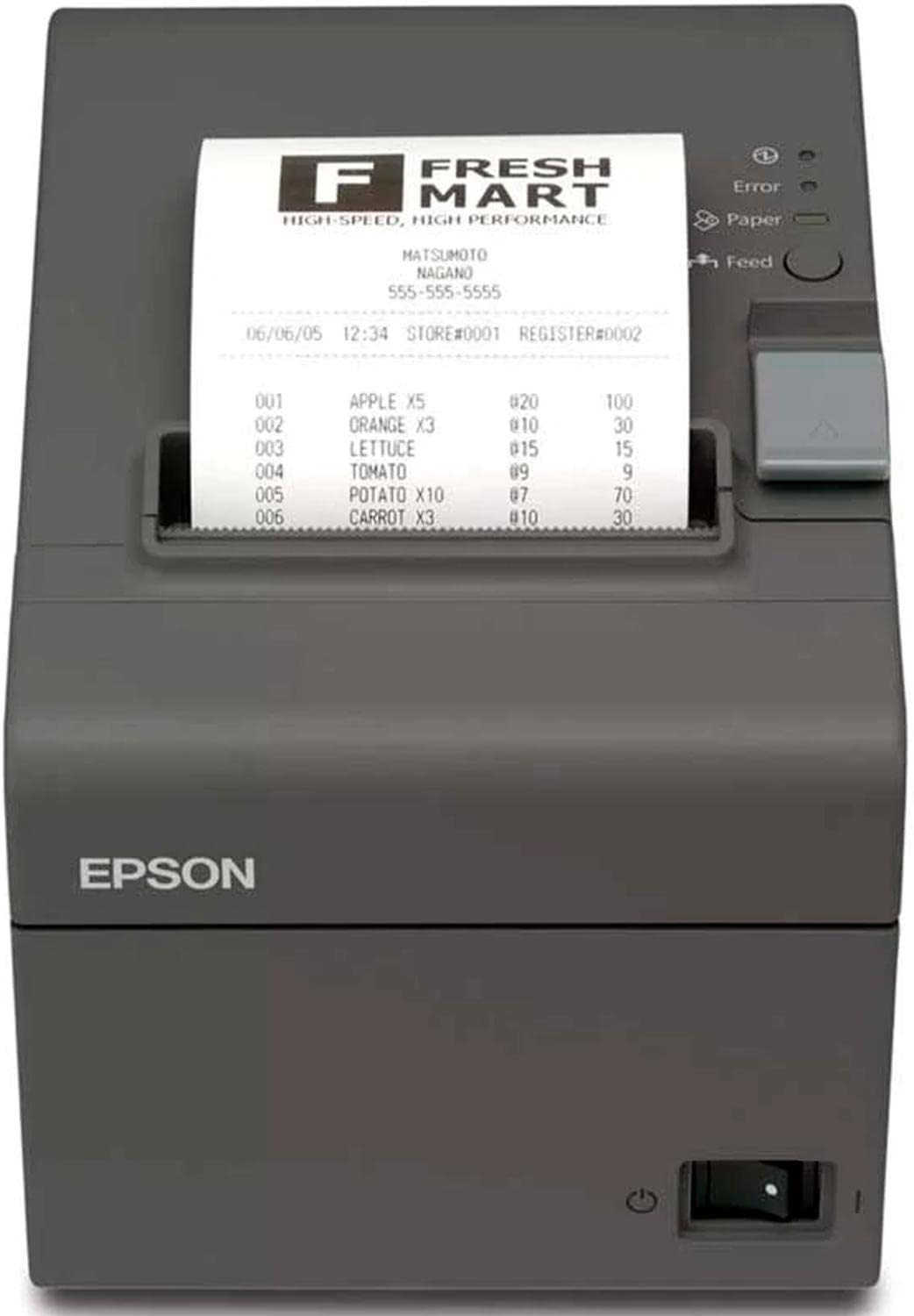
The Epson TM-T20II is a direct thermal printer designed primarily for receipt printing. It can print at speeds of up to 200 mm per second and is commonly used in retail and point-of-sale environments.
Specifications
|
Resolution: 203 dpi |
|
Size: 5.51 × 5.75 × 7.83 inches |
|
Print Speed: Up to 200 mm/s |
|
Paper Width: 58 mm or 80 mm |
|
Connectivity: USB and serial, depending on configuration |
|
Compatibility: Windows and other supported systems |
Pros
Cons
The Epson TM-T20II is designed for businesses that need reliable receipt printing. Its high printing speed makes it useful in retail stores, restaurants, and other point-of-sale environments where receipts need to be printed quickly.
It also has paper-saving functions that can reduce paper use by up to 30% in supported configurations. Its main purpose is receipt printing, so it is not the right choice for businesses that need a general-purpose label printer.
Phomemo PM-246 PRO

The Phomemo PM-246 PRO is a compact thermal label printer designed for producing labels in higher volumes. It uses USB connectivity and supports Windows and Mac computers.
Specifications
|
Print Speed: 150 mm/s |
|
Resolution: 203 dpi |
|
Compatibility: Windows and Mac |
|
Size: 8.66 × 4.13 × 3.54 inches |
|
Connectivity: USB |
|
Maximum Label Width: 4.1 inches |
Pros
Cons
The Phomemo PM-246 PRO is an easy-to-use printer designed for users who need to print a large number of labels from a computer. Its 150 mm/s printing speed and compact design make it suitable for shipping labels and other business labeling tasks.
It can also be used to produce customized labels from a compatible computer. Users who want to print directly from a phone or tablet may prefer a wireless model.
Zebra 4-Inch Thermal Printer
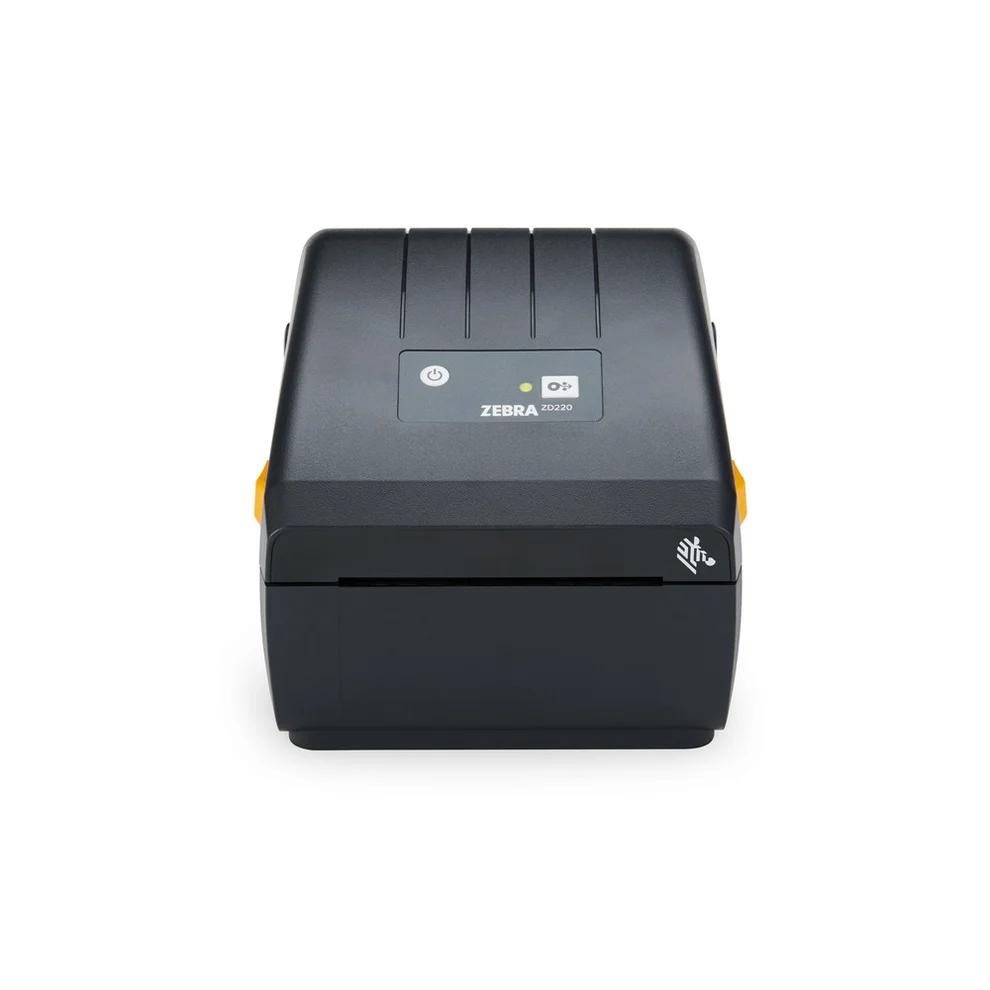
Zebra offers several 4-inch desktop thermal printers, so the exact specifications depend on the model. These printers are available with different printing methods, resolutions, speeds, and connectivity options.
Specifications
|
Print Width: Up to 4 inches |
|
Resolution: 203 dpi or 300 dpi, depending on the model |
|
Print Speed: Up to 6 inches per second on selected models |
|
Connectivity: USB, with wireless and Bluetooth available on selected models |
|
Compatibility: Windows and supported Zebra software and printer languages |
Pros
Cons
A Zebra 4-inch desktop thermal printer can be useful for businesses that need to produce labels quickly and consistently. Zebra offers several desktop models, so the exact resolution, connectivity, printing method, and speed depend on the model you choose.
A model such as the Zebra ZD421 is available with 203 dpi and 300 dpi resolution options and can print at speeds of up to 6 inches per second. The exact features depend on the selected configuration.
Which Thermal Printer Should You Choose?
The right thermal printer depends on what you need to print and how you plan to use it.
For 4 × 6-inch shipping labels, the MUNBYN ITPP941, Rollo Wireless Printer X1040, Arkscan 2054A, Phomemo PM-246 PRO, and similar 4-inch thermal printers are practical choices.
For smaller customized labels, the Brother P-touch CUBE Plus PT-P710BT and Brother QL-600B are more suitable.
For full-color labels, stickers, and small photos, the Brother VC-500W is a better fit because it can produce full-color prints.
For receipts, the Epson TM-T20II is designed specifically for point-of-sale printing.
Businesses that need more control over label formats, printer languages, print volume, printing methods, or connectivity may prefer a Zebra desktop thermal printer.
What Should You Consider Before Buying a Thermal Printer?
Print Size
Check the maximum label width before buying a printer. A printer designed for small address labels may not support the 4 × 6-inch shipping labels commonly used by online sellers.
Print Resolution
A 203 dpi printer is usually sufficient for standard shipping labels, barcodes, and basic text. A 300 dpi model can provide sharper small text and detailed graphics, which can be useful for product labels and smaller labels.
Print Speed
Print speed matters more when you produce a large number of labels every day. A slower printer can be perfectly adequate for occasional home use, while a business handling many orders may benefit from a faster model.
Connectivity
USB is suitable for a printer that stays connected to one computer. Wi-Fi or Bluetooth can be more convenient when several devices need to access the printer.
Label Compatibility
Thermal printers do not all use the same labels or tapes. Check the supported media size, type, and format before buying. Some printers also require proprietary label cartridges or tape systems.
Intended Use
A shipping-label printer, receipt printer, and color label printer serve different purposes. Choose the printer according to the type of material you print most often rather than relying only on print speed or resolution.
Frequently Asked Questions
Conclusion
Thermal printers are useful for a wide range of printing tasks, from shipping labels and product tags to receipts and customized stickers. The right choice depends on the label size, print volume, resolution, connectivity, and type of media you need to use.
For shipping labels, a 4-inch direct thermal printer is usually a practical choice. Smaller label printers are better suited to customized tags and organization labels, while color models can handle applications where monochrome printing is not enough. Receipt printers such as the Epson TM-T20II are designed for a different purpose and are better suited to point-of-sale environments.
Before purchasing a thermal printer, check its supported media, maximum print width, connectivity, resolution, and printing method. These details will help you choose a printer that matches the work you actually need to do.
Related Guides
Stay Updated
Get the Latest Printer Guides & Tips
Join our newsletter for new reviews, guides, and expert tips.
No spam. Unsubscribe anytime.