Printer Category
Laser Printers
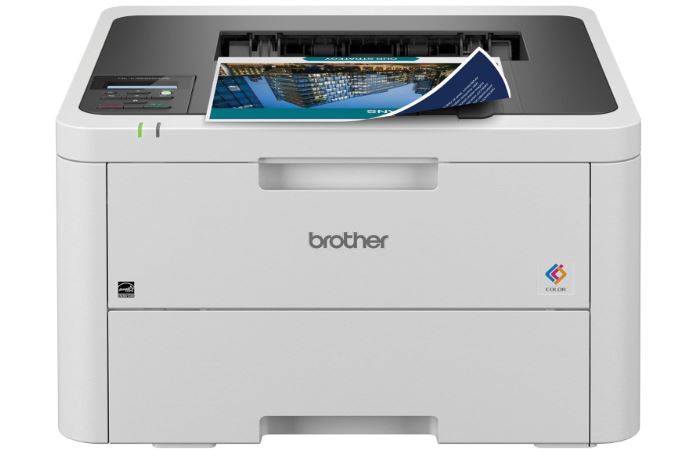
Laser printers use toner and heat to produce fast, sharp, high-volume prints — a common choice for offices, home workspaces, and anyone who prints mostly text documents.
✓ Fast, Sharp Text Printing
✓ Low Cost Per Page at Volume
✓ Great for Offices & Home Workspaces
✓ Mono & Color Options Available
Quick Answer
What Is a Laser Printer? A Quick Answer
A laser printer uses a laser beam to charge a rotating drum in the pattern of the text or image being printed. Fine powdered toner sticks to the charged areas of the drum, which then transfers the toner onto paper, where heat and pressure from a fuser permanently bond it to the page.
This process is different from inkjet printing, which sprays liquid ink directly onto the page. The dry-toner process is what gives laser printers their reputation for crisp text, fast output, and resistance to smudging, even on cheap plain paper.
Laser printers are the standard choice in most offices and are increasingly common in home workspaces where print volume is high enough that per-page cost and speed matter more than photo-printing quality.
The Basics
How Laser Printers Work
Every laser print goes through the same core sequence of steps, regardless of brand or model.
- Charging the drum. A laser selectively charges points on a rotating photosensitive drum, tracing the exact pattern of the page to be printed.
- Applying toner. Charged areas of the drum attract fine powdered toner from the toner cartridge.
- Transferring to paper. The drum rolls the toner pattern onto the paper as it passes through.
- Fusing. A heated fuser unit melts the toner into the paper under pressure, permanently bonding the print and leaving the page warm as it exits.
Mono vs. Color Laser Printers
Monochrome laser printers use a single black toner cartridge and are optimized for fast, low-cost text printing. Color laser printers use four toner cartridges (cyan, magenta, yellow, and black) and can print basic color graphics and charts, though they are generally not intended to replace a photo printer for high-quality photo output.
This entire cycle happens in seconds per page, which is why laser printers are able to print large documents so much faster than most inkjet printers, especially once the first page has started feeding.
The Lineup
Types of Laser Printers
Laser printers range from compact monochrome models for light home use to high-capacity color workgroup machines built for busy offices, with price and footprint scaling along similar lines.
⚫
Monochrome Laser Printers
Print only in black and white, optimized for fast, low-cost text documents. The most common choice for home offices and businesses that print mostly paperwork and invoices.
🌈
Color Laser Printers
Add cyan, magenta, and yellow toner alongside black, allowing basic color documents, charts, and graphics alongside sharp text, at a higher running cost than monochrome.
🖨️
Laser All-in-Ones
Combine printing with scanning, copying, and sometimes faxing in one machine, popular for small offices that need multiple functions without separate devices taking up desk space.
🏢
Workgroup & Office Laser Printers
Higher-capacity models built for shared office use, with larger paper trays, faster print speeds, and higher monthly duty cycles than entry-level home models.
Most home users and small offices do well with a monochrome or color laser all-in-one; dedicated workgroup printers are mainly worth considering once several people share one machine at high volume.
Where It Fits
Best Use Cases for Laser Printers
Laser printers are built around speed and low cost per page for text-heavy printing, which shapes where they make the most sense across homes, schools, and offices.
📄
Office Documents
Contracts, reports, invoices, and everyday paperwork print quickly and look sharp straight off a laser printer, without waiting for ink to dry or smudge.
🏠
Home Office & School Work
Students and remote workers rely on laser printers for fast, reliable printing of essays, forms, and worksheets at a low per-page cost over time.
📚
High-Volume Printing
Businesses that print hundreds or thousands of pages a month benefit from a laser printer’s lower cost per page and higher duty cycle compared with inkjet.
🏢
Shared Office Printing
Workgroup laser printers with network connectivity serve multiple employees from one shared, higher-capacity machine with centralized toner costs.
⚖️
Legal & Financial Documents
Laser toner resists smudging and water damage better than inkjet, which matters for documents that need to stay legible long after printing.
🎨
Basic Color Graphics
Color laser printers handle presentations, flyers, and charts well, though they are not a substitute for a dedicated photo printer for photographic prints.
If your printing is mostly documents rather than photos, and especially if you print often, a laser printer will typically save money and time compared with an inkjet printer over the life of the machine.
Compare Specs
Key Features to Compare
Before buying, weigh these features against your expected print volume and whether you need color output. Speed and duty cycle matter far more for this category than for an occasional-use home printer.
Before buying, weigh these features against your expected print volume and whether you need color output.
Budget Planning
Running Costs of Laser Printing
Laser printers generally have a higher upfront cost than comparable inkjet printers but a lower cost per page over time, especially at higher print volumes.
Toner Cartridges
Toner lasts far longer than inkjet cartridges per cartridge, and high-yield cartridges further lower the cost per page at volume.
Drum & Fuser Units
Some laser printers use separate drum and fuser units that need periodic replacement, usually after tens of thousands of pages.
Paper
Laser printers tolerate ordinary plain paper well and do not require special photo or inkjet paper for everyday documents.
Electricity
The fuser’s heating element uses more power than an inkjet printer, though this is a minor cost for typical home or office use.
As a rough rule, laser printing becomes more cost-effective than inkjet the more pages you print per month, which is why laser dominates office environments while inkjet remains common for light, mixed document-and-photo home use.
Buyers who print only occasionally may find the upfront cost difference between laser and inkjet is not worth it, since the running-cost advantage of laser printing only shows up once volume climbs.
Weigh the Trade-offs
Laser Printer Pros and Cons
Laser printers trade some upfront cost and footprint for speed, reliability, and lower running costs at volume.
Advantages
✓ Fast print speeds, especially for text documents
✓ Low cost per page at moderate to high print volumes
✓ Sharp, smudge-resistant text quality
✓ Toner does not dry out like ink, so performance holds up with infrequent use
✓ Higher duty cycles suited to shared or office printing
Disadvantages
✗ Higher upfront cost than comparable inkjet printers
✗ Larger and heavier than most inkjet printers
✗ Not well suited to high-quality photo printing
✗ Color laser printing is more expensive than monochrome for everyday use
✗ Replacement toner and drum units can be a significant cost at once
The Other Main Option
Laser vs. Inkjet Printers
Laser and inkjet are the two dominant printer technologies for home and office use, and the right choice depends heavily on what and how much you print.
| Laser | Inkjet | |
|---|---|---|
| Best for | Text documents, high volume, office use | Photos, mixed documents, lower-volume home use |
| Print speed | Generally faster, especially for text | Generally slower, especially for multi-page documents |
| Cost per page | Lower at moderate to high volumes | Higher per page, better suited to light use |
| Photo quality | Not designed for high-quality photo printing | Better suited to photo and fine-color printing |
| Idle performance | Toner does not dry out between prints | Ink can dry out or clog with infrequent use |
For a deeper comparison, see our full breakdown of inkjet vs. laser printers, including when each technology makes more sense.
Many households and small offices end up owning one of each: a laser printer for everyday documents and an inkjet or photo printer for occasional higher-quality color or photo prints.
Office Considerations
Networking and Security for Shared Printers
Laser printers shared across an office introduce a few considerations that a single-user home printer does not. Network printers are typically connected over Ethernet or Wi-Fi and managed through print-server software that queues jobs from multiple computers.
Businesses handling sensitive documents often look for features like secure print release, where a job only prints after the user authenticates at the printer itself, reducing the chance of sensitive pages sitting in an output tray unattended.
User authentication, access logging, and the ability to restrict color printing to specific users or departments are common features on higher-end office and workgroup laser printers, and are worth checking for if the printer will serve a shared environment.
Decision Guide
How to Choose a Laser Printer
Work through these questions in order to narrow down the right laser printer for your situation. Most buyers can settle on a short list after the first two questions.
01
How many pages do you print per month? Higher monthly volume favors investing in a laser printer with a higher duty cycle and lower cost per page.
02
Do you need color printing? If you only print text documents, a monochrome laser printer will have the lowest running cost; add color only if you need it.
03
Do you need scanning or copying? A laser all-in-one adds scan and copy functions without a separate device, useful for small offices and home workspaces.
04
Will multiple people share the printer? Shared use favors a networked printer with Wi-Fi or Ethernet and a larger paper tray.
05
What is your total budget? Factor in the printer price plus the cost of replacement toner cartridges over time, not just the upfront price.
06
Do you also need to print photos? If photo printing matters, consider pairing a laser printer for documents with a separate photo or inkjet printer rather than relying on laser alone.
The Market
Popular Laser Printer Brands
The laser printer market includes well-established manufacturers at every price point, from compact home-office models to industrial-grade workgroup systems. These are some of the most recognized names by category, not a ranked recommendation, since exact specifications and pricing change frequently as new models launch.
⚫
HP LaserJet Series
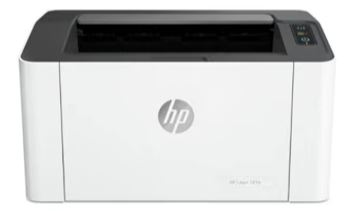
One of the most recognized monochrome and color laser lineups, widely used in both home offices and larger businesses for its broad model range and driver support.
🖨️
Brother Laser Printers
Known for compact, affordable monochrome and color laser all-in-ones popular with home offices and small businesses that want printing, scanning, and copying in one unit.
🏢
Canon imageCLASS Series
A common choice for small-office laser printing and all-in-one setups with scanning and copying built in, often bundled with mobile printing apps.
🏭
Xerox & Workgroup Brands
Brands such as Xerox are commonly found in higher-volume office and workgroup laser printers built for shared, heavy-duty use with advanced paper handling.
Within any of these brands, the gap between entry-level and higher-end models usually comes down to print speed, monthly duty cycle, and paper-handling capacity rather than basic print quality.
Avoid These
Common Laser Printer Mistakes
Most laser printer buying regrets come down to mismatched expectations about volume, color quality, or running costs, rather than a fault with the printer itself.
📈
Buying More Duty Cycle Than Needed
An expensive workgroup printer is overkill for light home use; matching the printer’s rated duty cycle to your actual volume saves money on both the printer and ongoing supplies.
💰
Ignoring Cost Per Page
Focusing only on the printer’s price while ignoring toner cartridge cost and yield can lead to a surprisingly expensive printer to run over its lifetime.
📄
Using Low-Quality Paper
Very thin or poor-quality paper can jam or feed poorly in some laser printers, especially duplexing models that pull paper through twice.
🖼️
Expecting Photo-Quality Output
Color laser printers handle charts and graphics well but are not a substitute for a dedicated photo printer when true photo-quality output is the goal.
💻
Skipping Firmware/Driver Updates
Outdated drivers or firmware can cause connectivity issues, especially on networked office printers shared across several computers.
🧯
Not Checking Replacement Part Costs
Some laser printers have separate drum and fuser units that are costly to replace; checking these costs upfront avoids an unpleasant surprise later in the printer’s life.
Keep It Running
Maintenance and Care
Laser printers need less frequent attention than inkjet printers, but a few habits keep print quality consistent over the printer’s life.
- Replace toner before it fully runs out. Print quality fades gradually as toner runs low; keeping a spare cartridge avoids interruptions.
- Clean the interior periodically. Stray toner dust can build up inside the printer over time and is usually best removed with a dedicated toner vacuum or dry cloth, per the manufacturer’s instructions.
- Replace drum and fuser units on schedule. These parts have their own rated lifespans separate from toner and affect print quality once worn.
- Use supported paper weights. Check the manufacturer’s supported paper weight range, especially for labels, cardstock, or envelopes.
- Keep firmware updated. Networked office printers benefit from occasional firmware updates for security and compatibility.
FAQ
Frequently Asked Questions
Next Step
Is a Laser Printer Right for You?
Think about your total monthly page count honestly, since overestimating it is a common reason people end up with a larger, more expensive printer than they actually need.
A laser printer is a strong choice if you print mostly text documents, print often enough that cost per page matters, or need fast, reliable output for an office or home workspace.
It is less suited to anyone whose printing is mostly photos, or who prints only occasionally, since an inkjet printer may serve those needs better and at a lower upfront cost.
If you are deciding between the two main printer technologies, see our full comparison of inkjet vs. laser printers. For a broader look at printer categories in general, visit our printers hub.
On This Page
Table of Contents
- What Is a Laser Printer?
- How Laser Printers Work
- Types of Laser Printers
- Best Use Cases
- Key Features to Compare
- Running Costs
- Advantages and Disadvantages
- Laser vs. Inkjet
- Networking & Security
- How to Choose a Printer
- Popular Brands
- Common Mistakes
- Maintenance and Care
- Frequently Asked Questions
- Is It Right for You?
Related Printer Categories
Featured Comparison
Inkjet vs. Laser Printers
A full side-by-side comparison of the two main printer technologies.
View ComparisonLaser at a Glance
Best for: Text-heavy, high-volume printing
Running cost: Low per page at volume
Weak spot: Photo printing quality
Still Deciding?
Compare Laser vs. Inkjet Printers
Not sure a laser printer is the right fit? See the full side-by-side comparison before you decide.