Printer Category
Photo Printers
Photo printers are built for accurate color, smooth tonal transitions, and fine detail — favored by photographers, designers, and anyone printing photos at home.
✓ Built for Color Accuracy & Detail
✓ Dye & Pigment Ink Options
✓ Great for Photographers & Hobbyists
✓ Compact Snapshot Models Available
Quick Answer
What Is a Photo Printer? A Quick Answer
A photo printer is a printer optimized for producing accurate colors, smooth tonal transitions, and fine detail in photographic prints, rather than general text documents. Many photo printers use additional ink colors beyond the standard four found in typical inkjet printers, which helps reproduce subtle shading and skin tones more accurately.
Photo printers range from small, portable snapshot printers that produce wallet- or postcard-size prints, up to professional-grade desktop printers capable of gallery-quality, large-format prints.
Unlike a general-purpose inkjet printer, a photo printer is judged primarily on color accuracy, print longevity, and how well it reproduces fine detail, rather than speed or document handling.
The Basics
Dye-Based vs. Pigment Photo Printing
Photo printers generally use one of two ink chemistries, each with different strengths.
Dye-Based Ink
Produces vivid colors and smooth gradients with a glossy finish, making it popular for everyday photo prints. Dye-based prints are generally more prone to fading over time, especially with sunlight exposure.
Pigment-Based Ink
Uses larger ink particles that sit on the paper surface rather than soaking in, producing prints that resist fading and water damage much better, favored by professional and archival photographers.
Why Extra Ink Colors Matter
Many dedicated photo printers add ink colors beyond the standard cyan, magenta, yellow, and black, such as light cyan, light magenta, or gray and photo black inks. These extra colors smooth out gradients and subtle tones, particularly in skin tones and skies, that a standard four-color printer can struggle to reproduce without visible banding.
Neither ink type is strictly better; the right choice depends on whether your prints are meant for everyday enjoyment and sharing or for long-term display and archiving.
The Lineup
Types of Photo Printers
Photo printers range from pocket-sized snapshot printers to professional archival systems, each suited to a different scale, budget, and purpose.
📸
Portable Snapshot Printers
Compact printers like the Canon SELPHY line produce small, instant-style prints, popular for parties, scrapbooking, and quick photo keepsakes without a computer.
🖼️
Dedicated Desktop Photo Printers
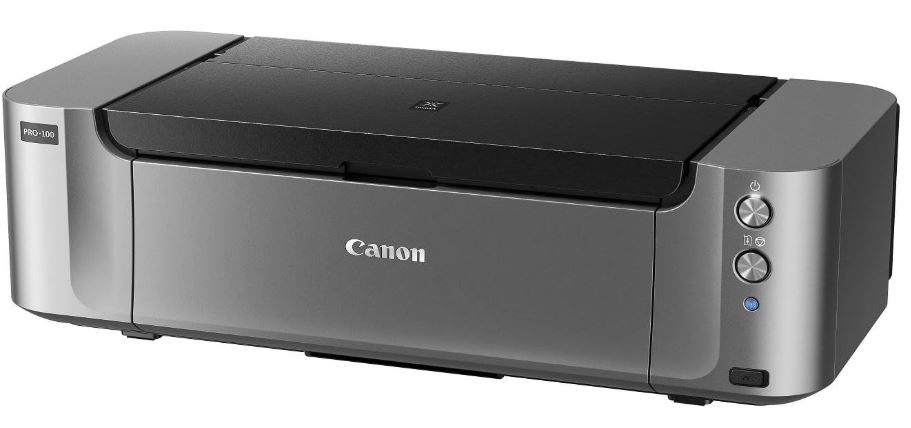
Larger inkjet printers with extra photo-specific inks, such as the Canon PIXMA Pro series, built for high-quality prints up to larger paper sizes for hobbyists and semi-professionals.
🎨
Professional/Archival Photo Printers
Pigment-based printers aimed at professional photographers and fine-art printing, prioritizing color accuracy and print longevity over speed or cost per print.
🖨️
All-in-One Printers with Photo Modes
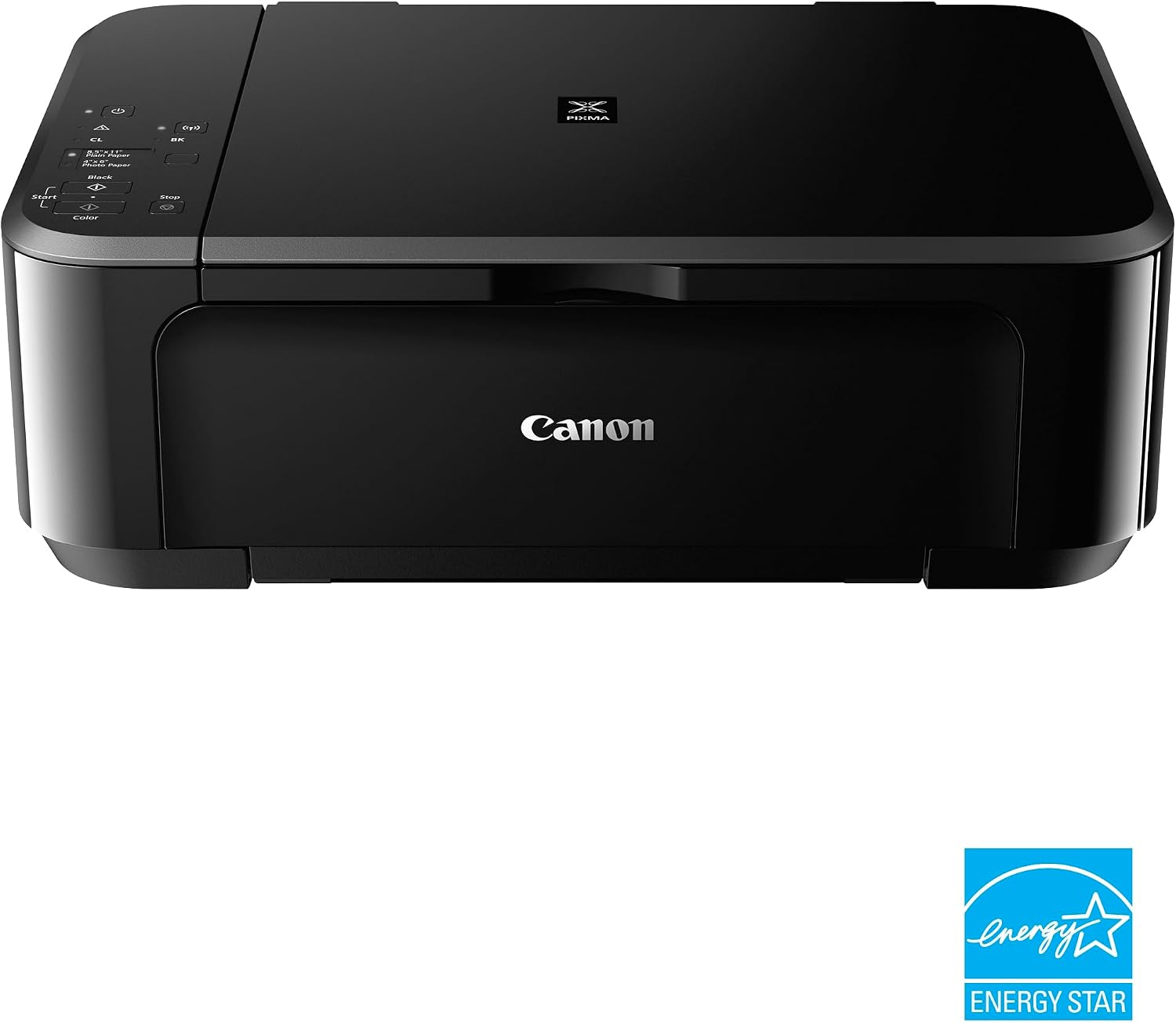
Standard inkjet all-in-ones with a dedicated photo-printing mode, offering decent photo quality alongside everyday document printing in a single machine.
Casual users printing occasional snapshots usually do well with a portable or all-in-one printer; serious hobbyists and professionals get more value from a dedicated desktop or archival photo printer.
Where It Fits
Best Use Cases for Photo Printers
Photo printers serve everyone from casual snapshot takers to professional photographers producing archival-quality fine art prints, which is part of why the category spans such a wide price range.
🖼️
Personal Photo Prints
Printing family photos, vacation pictures, and everyday snapshots at home instead of ordering prints from a lab or waiting for mail delivery.
✂️
Scrapbooking & Crafts
Hobbyists use photo printers to produce prints for scrapbooks, greeting cards, and craft projects with accurate, vivid color straight from home.
📷
Portrait & Event Photography
Photographers use high-quality photo printers to deliver physical prints for portrait sessions, weddings, and events without outsourcing to a lab.
🎨
Fine Art & Archival Printing
Artists and professional photographers use pigment-based photo printers for gallery-quality prints meant to last for decades without noticeable fading.
🎉
Instant Party Prints
Portable snapshot printers are popular at parties and events for instant, shareable photo keepsakes guests can take home the same day.
🏷️
Small Print-Business Use
Small businesses selling prints, greeting cards, or photo products rely on photo printers for consistent, professional-looking output at manageable cost.
The right photo printer depends heavily on how often you print and how long your prints need to last, more so than with most other printer categories.
Compare Specs
Key Features to Compare
Before buying, weigh these features against how often you print, how large, and how long the prints need to last. Color accuracy and longevity matter more here than raw print speed.
Before buying, weigh these features against how often you print, how large, and how long the prints need to last.
Getting the Finish Right
Choosing Photo Paper and Finishes
The paper you choose affects the final look of a photo print almost as much as the printer and ink do, which is why most photo printer manufacturers sell paper formulated specifically for their ink chemistry.
Glossy
Produces vivid color and strong contrast with a reflective shine, popular for everyday photos and vibrant subjects like travel and nature shots.
Matte
Has a non-reflective finish that reduces glare and fingerprints, often preferred for black-and-white prints, text-heavy pieces, and framed display prints.
Luster/Satin
A middle ground between glossy and matte, offering good color vibrancy with less glare, commonly used for professional portrait and event prints.
Fine Art/Textured
Heavier, textured papers used for gallery and fine-art prints, typically paired with pigment-based printers for maximum longevity and tonal range.
Mixing an incompatible paper and ink combination, such as using glossy dye-ink paper in a pigment-based printer, can lead to smudging, uneven drying, or dull color, so it is worth checking the printer manufacturer’s recommended paper list before buying in bulk.
Budget Planning
Running Costs of Photo Printing
Photo printing tends to cost more per print than everyday document printing, since photo ink and paper are both more specialized.
Ink
Photo printers with 6 or more ink colors cost more to keep stocked than a standard 4-color inkjet, since each color cartridge or tank needs replacing on its own schedule.
Photo Paper
Glossy, matte, or specialty photo paper costs significantly more per sheet than plain paper, and using the wrong paper can noticeably hurt print quality.
Cartridge-Based vs. Tank Systems
EcoTank-style refillable tank printers generally lower the cost per print compared with small cartridge-based photo printers, at a higher upfront printer cost.
Print Size
Larger prints use proportionally more ink and paper, so cost per print rises quickly with print size.
For anyone printing photos regularly, comparing cost per print across models is worth the extra research, since the gap between an efficient and an inefficient photo printer adds up quickly over hundreds of prints.
Many hobbyists manage cost by reserving their dedicated photo printer for prints they truly want to keep, and using a local print service or lab for very large batches where per-print cost matters more than full control over the process.
Weigh the Trade-offs
Photo Printer Pros and Cons
Photo printers trade some speed and running-cost efficiency for noticeably better color and detail than a general-purpose printer.
Advantages
✓ Produces more accurate color and finer detail than a standard document printer
✓ Pigment-based models offer excellent fade resistance for long-term prints
✓ Wide range of sizes, from pocket snapshot printers to professional desktop models
✓ Extra ink colors smooth out gradients and skin tones
✓ Lets you print and share photos at home on your own schedule
Disadvantages
✗ Photo ink and paper cost more than standard printing supplies
✗ Not optimized for fast, high-volume text document printing
✗ Higher-end photo printers can have a significant upfront cost
✗ Dye-based prints fade faster than pigment-based prints over time
✗ Color accuracy requires some setup, such as using the correct ICC profile
The Trade-off
Photo Printer vs. Standard Inkjet Printer
Many general-purpose inkjet printers can print acceptable photos, but a dedicated photo printer produces noticeably better color accuracy and detail.
| Photo Printer | Standard Inkjet Printer | |
|---|---|---|
| Best for | High-quality, color-accurate photo prints | Mixed documents and occasional photo printing |
| Ink colors | Often 6 or more for smoother gradients | Usually 4 standard colors |
| Cost per photo | Higher, reflecting specialized ink and paper | Lower, but with less accurate color and detail |
| Document printing | Usually slower and less cost-effective for text | Well suited to everyday document printing |
If you print photos only occasionally, a good all-purpose inkjet printer, such as those covered in our inkjet printers guide, may be enough. Frequent or professional photo printing is where a dedicated photo printer earns its higher cost.
There is no universally correct answer here; it comes down to how much you value consistent, accurate color against the convenience and lower cost of an all-purpose printer.
Decision Guide
How to Choose a Photo Printer
Work through these questions in order to narrow down the right photo printer for your situation. How often you print and how long the prints need to last usually settle the first two questions.
01
How often do you print photos? Occasional printing may be well served by an all-in-one with a photo mode; frequent printing justifies a dedicated photo printer.
02
What size prints do you need? Snapshot-size prints point toward a portable printer; larger prints need a desktop model with a bigger maximum paper size.
03
Do your prints need to last for decades? Archival or professional work calls for pigment-based ink; everyday prints can use dye-based ink without issue.
04
How many ink colors do you need? More ink colors generally produce smoother gradients and more accurate skin tones, which matters most for portraits.
05
What is your total budget? Factor in the printer, specialty photo paper, and replacement ink costs, not just the printer’s price tag.
06
Do you also print documents regularly? If so, consider whether a single all-in-one with a photo mode covers both needs well enough, or whether two printers make more sense.
Our Picks
Popular Photo Printers
These models cover the range from portable snapshot printers to professional desktop systems. See our full review for hands-on details where available.
Canon PIXMA Pro-100
A dedicated 8-color desktop photo printer well known among hobbyist and semi-professional photographers for accurate color.
Canon SELPHY CP1300
A popular compact snapshot printer for quick, portable photo prints, widely used at home and for events.

Canon SELPHY QX10
A small-format square photo printer aimed at casual, social-style photo prints.
🖨️
All-in-One Photo Modes
Many standard inkjet all-in-ones include a dedicated photo-printing mode that covers occasional photo needs reasonably well.
For general inkjet options that also handle decent photo output, see our inkjet printers guide.
As with other printer categories, exact model lineups and pricing change over time, so checking current availability and recent reviews before buying is always worthwhile.
Avoid These
Common Photo Printing Mistakes
Most disappointing photo prints trace back to a mismatch between ink, paper, color settings, or the source image itself, and nearly all of them are easy to avoid once identified.
📄
Using the Wrong Paper
Plain paper or the wrong photo paper type for the ink used can produce dull colors, smearing, or poor dot gain that undermines an otherwise good print.
🎨
Skipping Color Profiles
Printing without an ICC profile matched to the printer and paper can make colors look noticeably different from what was on screen.
☀️
Choosing Dye Ink for Archival Prints
Dye-based prints fade faster than pigment-based prints, which matters for photos meant to last decades in a frame or album.
🖨️
Letting the Printer Sit Idle
Infrequent use is a common cause of clogged print heads on inkjet-based photo printers, leading to streaky or banded prints that waste paper.
🔍
Printing at the Wrong Resolution
Using a low-resolution image for a large print leads to visible pixelation or softness that the printer cannot fix no matter how good the ink or paper is.
🖥️
Ignoring Monitor Calibration
An uncalibrated monitor can make printed colors look wrong even when the printer and paper are both set up correctly, leading to unnecessary reprints.
Keep It Running
Maintenance and Care
Inkjet-based photo printers need a bit more routine attention than a laser printer, mainly to keep the print heads from clogging between uses.
- Print regularly. Running at least one print every week or two helps keep inkjet-based photo printer heads from clogging.
- Run head-cleaning cycles. Use the printer’s built-in nozzle check if prints start showing streaks or banding.
- Store photo paper properly. Keep photo paper flat, away from humidity, and in its original packaging until use.
- Recalibrate color profiles periodically. Replacing ink or switching paper brands can shift color output, so re-check your ICC profile occasionally.
- Handle finished prints carefully. Let prints dry fully before stacking or placing them in albums, especially with dye-based inks.
FAQ
Frequently Asked Questions
Next Step
Is a Photo Printer Right for You?
Think honestly about how many prints you make in a typical month and how long you want them to last, since both factors matter more for photo printers than for almost any other printer category.
A photo printer is a strong choice if you print photos often, care about accurate color and fine detail, or need archival-quality prints that resist fading over time.
It is less suited to anyone who mostly prints documents, or who only prints photos occasionally, since a general-purpose inkjet printer or a local print service may be more cost-effective for light use.
If you print both documents and photos regularly, see our inkjet printers guide for well-rounded options. For a broader look at printer categories in general, visit our printers hub.
On This Page
Table of Contents
- What Is a Photo Printer?
- Dye vs. Pigment Ink
- Types of Photo Printers
- Best Use Cases
- Key Features to Compare
- Paper & Finishes
- Running Costs
- Advantages and Disadvantages
- Photo vs. Standard Printer
- How to Choose a Printer
- Popular Photo Printers
- Common Mistakes
- Maintenance and Care
- Frequently Asked Questions
- Is It Right for You?
Related Printer Categories
Featured Guide
Inkjet Printers
See our full guide to inkjet printers for everyday document and photo printing.
View GuidePopular Reviews
Still Deciding?
Explore Our Inkjet Printers Guide
Not sure you need a dedicated photo printer? See how general-purpose inkjet printers compare for everyday photo printing.