3D Printing: Definition, Types, Process, Applications, and 3D Printers
3D Printing: Definition, Types, Process, Applications, and 3D Printers
A complete guide to how 3D printing works, its real-world applications, the best 3D printers for different needs, and how 3D printing is used in dentistry.
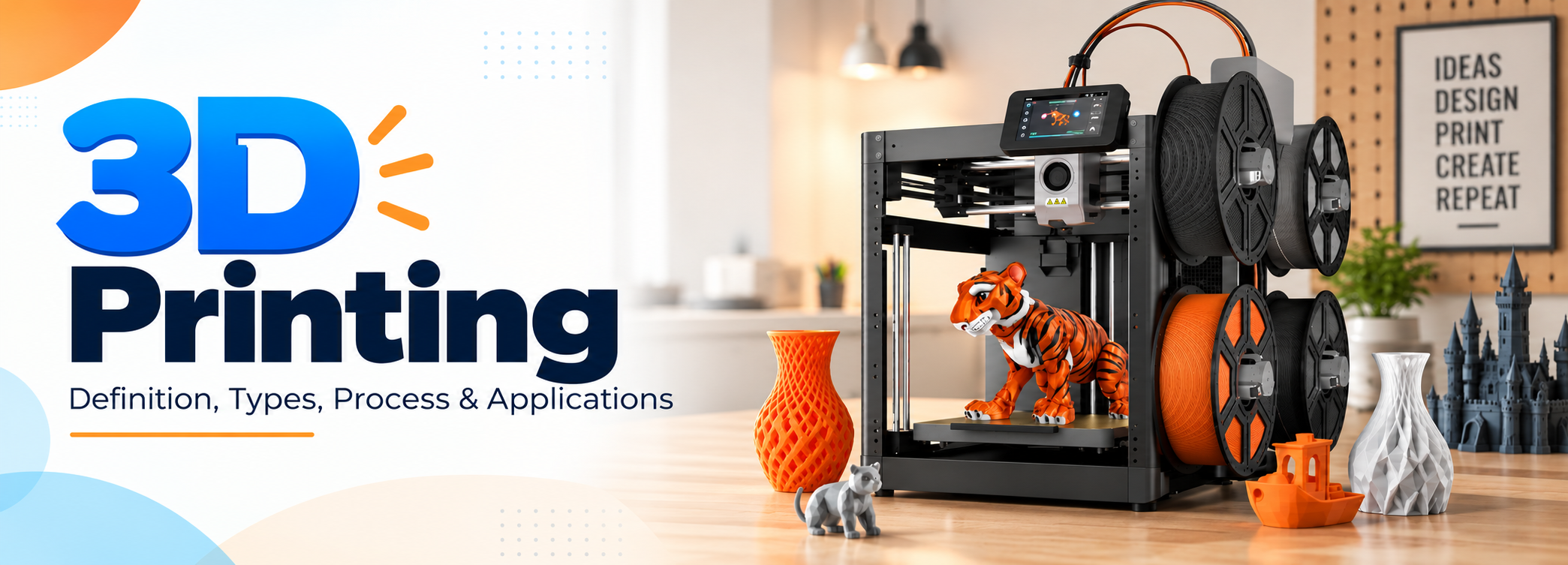
3D printing is a type of printing in which an additive manufacturing process is used to create a physical object from a digital design.
What is 3D Printing?
3D printing is a type of printing in which an additive manufacturing process is used to create a physical object from a digital design. In this process, thin layers of material, which can be in the form of plastic, powder, liquid, cement, or metal, are placed over each other and fused together to create a complete three-dimensional object.
What Is the Process of 3D Printing?
In 3D printing, a physical, solid, three-dimensional object is created from a digital design. This printing method is also known as additive manufacturing, and it has changed the way objects such as toys, tools, machine parts, and other products are manufactured.
Additive manufacturing allows manufacturers to make complicated parts for machines, cars, and airplanes. Today, 3D printers are also used in homes, schools, offices, businesses, and medical facilities.
First, you must create a digital design or blueprint of the object you want to print. This design can be created using modeling software such as Blender. Once the design is ready, it can be sent to the 3D printer.
Some printers, such as the MakerBot Replicator 2, use plastic filament stored on a spool. When the printer receives the design data, it pulls the material through a tube, melts it, and deposits it onto the print bed. The material cools and hardens as the printer continues to build the object layer by layer.
Plastic is one of the most commonly used materials in 3D printing. However, other materials can also be used, allowing 3D printers to produce many different products beyond simple tools and toys.
3D Printing Applications
3D printing is used to create many products beyond simple tools and toys. It is used in industries such as healthcare, education, construction, food, pharmaceuticals, fashion, automotive manufacturing, and aerospace.
3D printing is also being tested for food production, while the medical field is using different biomaterials for regenerative medicine. Researchers are also working with patient cells to create small biological structures such as ears and noses.
Some important applications of 3D printing are explained below.
Food
3D printing has also become part of food manufacturing. Researchers have explored 3D-printed foods, including products made from plant-based ingredients and lab-grown meat.
The technology is also being studied for producing customized food shapes and textures. Its use in food production continues to develop as manufacturers and researchers work on new methods.
Pharmaceuticals
Drugs can be produced through 3D printing in different sizes and shapes. 3D printing can help control the structure and dosage of certain medicines.
One well-known example is Spritam, a prescription drug produced using 3D printing technology. The technology allows the medicine to be manufactured with a porous structure that can dissolve quickly when taken with liquid.
Custom Clothing
3D printing is also used in custom clothing and has become an interesting part of the fashion industry. Footwear, jewelry, clothing components, and other fashion products can be manufactured using 3D printing.
Customers can request customized designs, and manufacturers can produce products according to specific shapes, sizes, and designs.
Educational Materials
3D printing has also changed the way educational materials are produced. Schools, teachers, and professors can use 3D printers to create physical models that help students understand different subjects.
Students can also create their own designs and turn digital models into physical objects. This makes 3D printing useful for subjects such as science, engineering, mathematics, architecture, and design.
Building Structures
3D printing can also be used to build houses and other structures. Large 3D printers can deposit concrete or other building materials layer by layer to create walls and structural components.
This method can reduce the amount of manual work required for some construction projects and can also be used to create designs that are difficult to produce using traditional construction methods.
3D Printers for Industrial Use
Whether you need prototypes, molds, or end-use parts, industrial 3D printers can be used to produce large and complex components.
The BigRep ONE is a large-format 3D printer designed for industrial applications. It can produce full-scale 3D-printed parts, which can help save time and reduce production costs.
The BigRep ONE comes equipped with a fiber-ready power extruder that can handle demanding and geometrically complex applications. Its interchangeable 0.6 mm, 1.0 mm, and 2.0 mm nozzles allow users to select the right setup for different levels of detail and material flow.
The printer can work with a range of BigRep materials, including biopolymers, soluble support materials, and fiber-reinforced filaments, as well as selected third-party materials. Its semi-automatic print bed leveling system helps with calibration and consistent printing.
The BigRep ONE is designed as a large-format 3D printing solution for manufacturers that require large parts, prototypes, and other industrial components.
Best 3D Printers for Beginners
Affordable 3D printers with good print quality and simple operation are suitable for people starting with 3D printing. Here are some popular 3D printers for beginners and their main features.
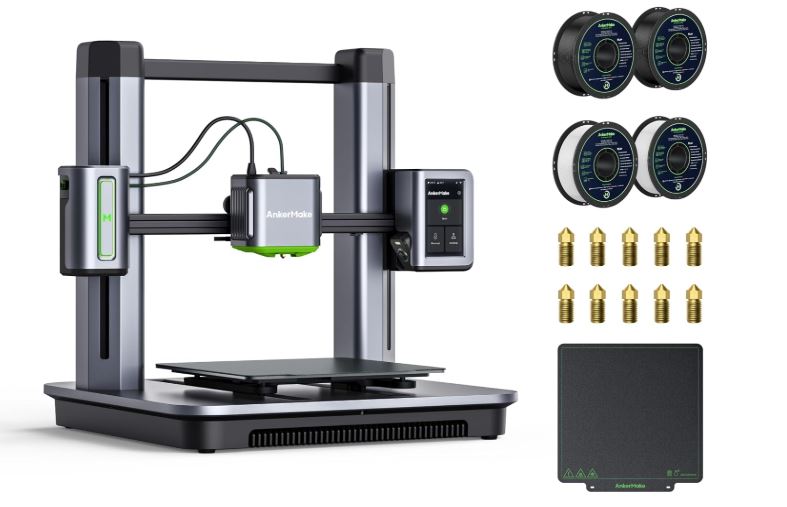
AnkerMake M5 3D Printer
The AnkerMake M5 3D printer is designed for fast and convenient 3D printing. It has an aluminum alloy structure and uses PowerBoost 2.0 technology to increase printing speed.
Its Z-axis design helps provide stability during printing, while its print resolution can reach about 0.1 mm. These features make the AnkerMake M5 a suitable option for beginners who want a printer with good speed and print quality.
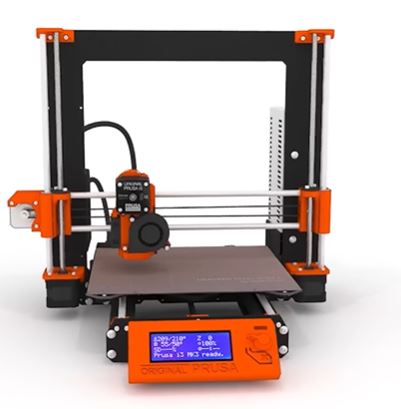
Original Prusa i3 MK3S
The Original Prusa i3 MK3S is a well-known 3D printer that can produce detailed objects and handle more complex printing tasks.
Its open-frame structure, automatic print bed leveling system, and reliable printing performance make it suitable for people starting with 3D printing. The printer can also be used for different types of projects as users become more familiar with 3D printing.
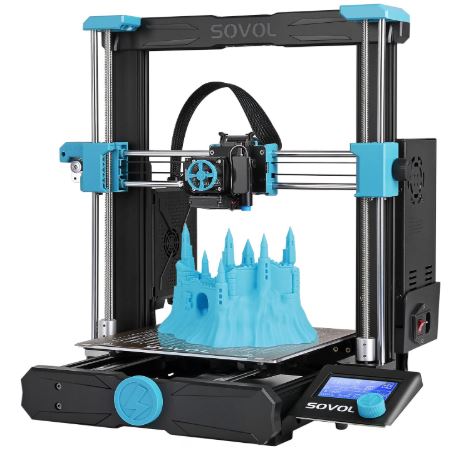
Sovol SV06
The Sovol SV06 is an affordable 3D printer for beginners and home users. It provides good print quality and includes an automatic leveling system.
The printer is suitable for enthusiasts who want to create durable 3D-printed products at home, in offices, or in educational environments.
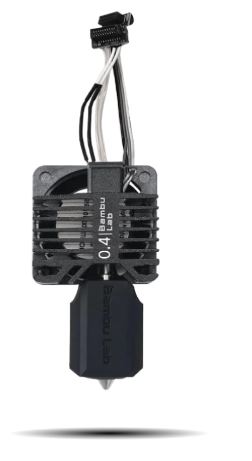
Bambu Lab P1P
The Bambu Lab P1P is another option for beginners because of its fast printing speed and simple setup. It uses CoreXY technology and can reach a printing speed of up to 500 mm/s, with acceleration of up to 20,000 mm/s².
It supports a wide range of filaments and provides accurate results at high printing speeds. Its combination of speed and print quality makes it suitable for different types of 3D printing projects.
Creality Ender 3 V2 Neo
The Creality Ender 3 V2 Neo provides beginners with a straightforward 3D printing experience. It uses CR Touch automatic leveling to improve print bed leveling and printing accuracy.
Its integrated design and easy setup make it suitable for home users and people starting their first 3D printing projects.
3D Printers for Schools
3D printing is also used in schools for educational purposes. Students can use 3D printers to create physical models and understand concepts related to design, engineering, science, and manufacturing.
Here are two 3D printers that can be used in educational environments.
MakerBot SKETCH Classroom
MakerBot SKETCH Classroom is a 3D printer designed for education. It is intended to be easy for teachers and students to use in classroom environments.
The MakerBot CloudPrint platform allows users to prepare and manage 3D printing projects. Classroom packages can also include filament spools, build plates, spatulas, and other tools required for 3D printing.
The printer can help teachers introduce students to 3D design and additive manufacturing through practical projects.
LulzBot TAZ Pro
The LulzBot TAZ Pro is a larger 3D printer that can produce designs that smaller desktop printers cannot handle.
Although it is designed for professional and industrial applications, it can also be used in educational environments where students need to work with larger models or different materials.
The printer supports various materials, and its software is compatible with operating systems such as macOS, Linux, and Windows.
3D Printers for Kids
3D printers have also become useful educational tools for children. They can help kids develop creativity, design skills, and an understanding of how digital designs are turned into physical objects.
Here are some 3D printers that have been used for children and young learners.
AnkerMake M5 3D Printer
The AnkerMake M5 3D printer provides high printing speed and a resolution of about 0.1 mm. Its aluminum alloy structure and PowerBoost technology provide stable and fast printing.
The printer can be used for different projects and can give children an opportunity to create physical objects from their own digital designs with appropriate adult supervision.
Monoprice Voxel
Monoprice Voxel is designed to provide a simple 3D printing experience. It can be connected through the internet and supports cloud-based control through Polar Cloud.
The automatic leveling feature makes setup easier, while its enclosed design provides an additional layer of protection around the printing area.
Toybox 3D Printer for Kids
Toybox 3D Printer is designed specifically for children and provides a simple way to create 3D-printed toys and designs.
Children can choose designs or create their own ideas and turn them into physical objects. The printer is designed to make the process easier for young users, although adult supervision is still recommended when children are using a 3D printer.
3D Printers for Miniatures
3D printing has become a popular method for producing miniatures, architectural models, decoration pieces, figures, and other small objects.
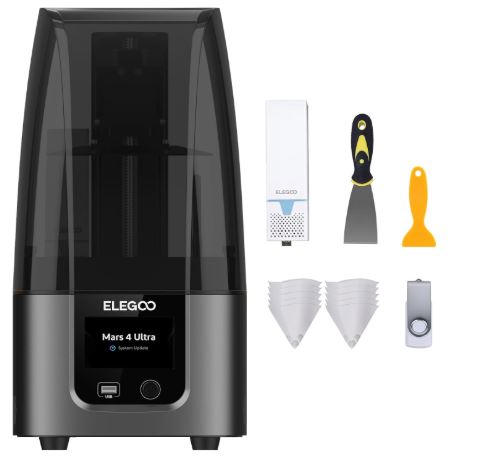
Resin 3D printers are particularly useful for miniatures because they can produce fine details and smooth surfaces.
AnkerMake M5 3D Printer
The AnkerMake M5 provides high printing speed while maintaining good print quality. Its aluminum alloy structure and 0.1 mm resolution make it suitable for different projects, including some larger miniature designs.
It is also suitable for beginners who are starting with 3D printing and want to create models at home.
Elegoo Mars 4 Max
The Elegoo Mars 4 Max is a resin 3D printer designed for producing detailed models and miniatures. It has a high-resolution monochrome LCD screen and can produce models with fine details.
Its resolution makes it suitable for architectural pieces, figures, decoration items, and other detailed models.
Anycubic Photon M3 Premium
The Anycubic Photon M3 Premium is a resin 3D printer designed for detailed miniature printing. It features a 10-inch monochrome LCD screen with 8K resolution.
The printer provides a large printing area for a resin printer in its class and can produce highly detailed miniatures and models. Its LightTurbo 2.0 technology is designed to provide consistent light exposure during the printing process.
3D Printing in Dentistry
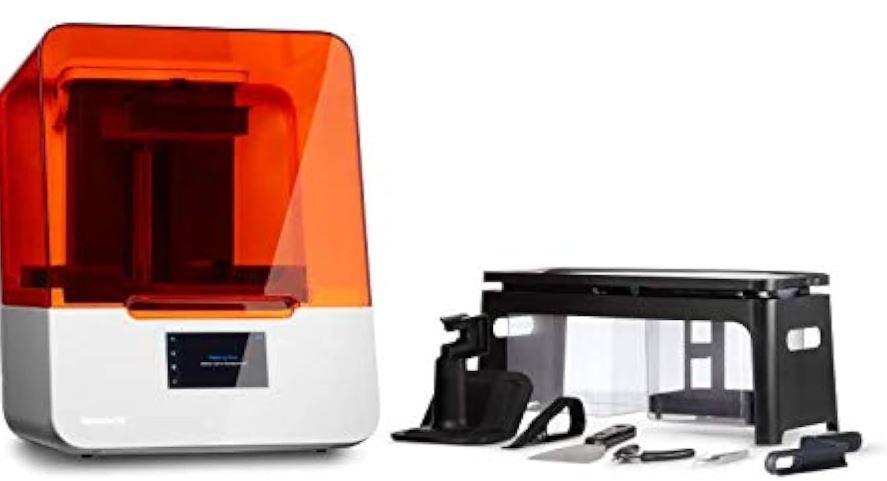
3D printing is also used in dentistry to produce dental models, surgical guides, aligners, dentures, splints, and other dental products.
Dental 3D printers have changed several parts of the dental manufacturing process. In earlier years, dental 3D printing equipment was mainly available in larger laboratories, but the technology is now also used by dental practices and smaller laboratories.
What Are the 3D Printers Used for in Dentistry?
Dental 3D printers can be used to produce models, surgical guides, splints, dentures, aligners, and other dental applications.
Form 3B 3D Printer
The Form 3B 3D printer is designed for dental and healthcare applications. It can be used to produce dental models, surgical guides, splints, dentures, and aligners for suitable cases.
The printer uses stereolithography technology and is designed to produce parts with detailed surfaces and high clarity. It can also be used to support digital dentistry workflows.
Stereolithography Technology (SLA)
Stereolithography, commonly known as SLA, is a 3D printing technology that uses a laser to cure liquid photopolymer resin layer by layer.
The laser follows the design data and selectively hardens the resin to create the required shape. SLA printers are known for producing detailed parts with smooth surfaces, which makes the technology useful for dental models, prototypes, jewelry, and other applications that require fine details.
Digital Light Processing Technology (DLP)
Digital Light Processing technology is similar to stereolithography because both technologies use light to cure liquid photopolymer resin.
The main difference is the way the light is applied. SLA printers use a laser that traces the shape of each layer, while DLP printers use a projector or light source to cure an entire layer at the same time.
Because a complete layer can be cured simultaneously, DLP printing can be faster for certain applications. DLP technology is used for complex designs in dentistry, jewelry, and other industries.
What Are the Advantages of 3D Printing in Dentistry?
Some important advantages of 3D printing in dentistry include:
Advantages
- 3D printers can be used to create dental models, surgical guides, dentures, aligners, and other dental products.
- 3D printing can produce dental products quickly compared with some traditional manufacturing methods.
- Dental 3D printing can reduce material waste because objects are produced layer by layer.
- Digital designs can be customized for individual dental applications.
- Dental laboratories and practices can produce certain products in-house instead of sending every design to an outside laboratory.
What Are the Disadvantages of 3D Printing in Dentistry?
3D printing also has some limitations in dental applications.
Disadvantages
- Some 3D printing materials require careful handling and proper disposal.
- The size of the print chamber limits the size of the dental parts that can be produced in one print.
- Parts produced layer by layer can have different mechanical properties depending on the printing technology, material, and printing direction.
- Dental 3D printers require proper calibration, maintenance, and material settings to produce consistent results.
- Some dental applications require certified or biocompatible materials and cannot be produced with ordinary 3D printing materials.
When Did 3D Printing Start in Dentistry?
3D printing began entering dentistry in the 1990s, particularly for dental models, implants, and customized prosthetic applications. Since then, improvements in digital scanning, CAD software, printing technology, and dental materials have expanded its use in dental laboratories and practices.
How Do Medical Devices and Dentistry Use 3D Printing?
3D printing is used in medical and dental fields to produce customized models, surgical guides, prosthetics, dental restorations, anatomical models, and other products.
In dentistry, a patient’s digital scan can be used to create a 3D model. The model can then be prepared using CAD software and sent to a compatible 3D printer.
This process allows dental laboratories and practices to produce customized products based on the patient’s measurements and treatment requirements.
Frequently Asked Questions
What are 3D printers used for in dentistry?
3D printers are used in dentistry to produce dental models, surgical guides, dentures, splints, aligners, temporary restorations, and other dental products. They can also be used to create physical models from digital scans of a patient’s teeth and mouth.
How is 3D printing changing dentistry?
3D printing has made it easier to produce customized dental products from digital designs. Dental practices and laboratories can use digital scans, CAD software, and 3D printers to create models and dental devices with greater control over size, shape, and design.
Is 3D printing the future of dentistry?
3D printing is expected to remain an important part of digital dentistry. Its ability to produce customized dental models and devices quickly makes it useful for dental laboratories, clinics, and manufacturers. However, traditional manufacturing methods will continue to be used for applications where they are more suitable.
What are the disadvantages of 3D printing in dentistry?
The main disadvantages include material limitations, printer size, maintenance requirements, post-processing, and the need for suitable dental-grade or biocompatible materials for certain applications.
What are the limitations of 3D printing in dentistry?
The limitations depend on the printer and material being used. Some printers cannot produce large objects, while some materials may not be suitable for permanent dental applications. Print accuracy, surface quality, strength, and durability can also vary according to the printing technology.
How much does it cost to get your teeth 3D printed?
There is no single price for 3D-printed dental products. The cost depends on the type of product, material, dental laboratory, printer, treatment, and dentist. A simple dental model costs much less than a customized dental appliance or restoration.
What material is used in dental 3D printing?
Dental 3D printers commonly use photopolymer resins designed for specific dental applications. Other materials can also be used depending on the printer and product being produced. Materials used for clinical applications must meet the requirements for their intended use.
How do medical devices and dentistry use 3D printing?
Medical and dental professionals use 3D printing to produce customized models, surgical guides, prosthetics, dental models, aligners, dentures, and other products. Digital scans can be converted into 3D designs and then printed according to the required dimensions.
When did 3D printing start in dentistry?
3D printing began to be used in dentistry during the 1990s. Since then, improvements in digital scanning, CAD/CAM systems, 3D printers, and dental materials have expanded its use in dental laboratories and practices.
On This Page
- What Is the Process of 3D Printing?
- 3D Printing Applications
- 3D Printers for Industrial Use
- Best 3D Printers for Beginners
- 3D Printers for Schools
- 3D Printers for Kids
- 3D Printers for Miniatures
- 3D Printing in Dentistry
- What Are the 3D Printers Used for in Dentistry?
- What Are the Advantages of 3D Printing in Dentistry?
- What Are the Disadvantages of 3D Printing in Dentistry?
- When Did 3D Printing Start in Dentistry?
- How Do Medical Devices and Dentistry Use 3D Printing?
- Frequently Asked Questions
Quick Takeaways
- In 3D printing, also known as additive manufacturing, a physical object is built layer by layer from a digital design.
- 3D printing is used across many industries, including food, pharmaceuticals, custom clothing, educational materials, and building structures.
- The right 3D printer depends on your needs, whether you are a beginner, a school, a parent buying for kids, or someone printing miniatures.
- 3D printing plays a growing role in dentistry, from creating dental models and aligners to producing surgical guides.
- Like any technology, 3D printing in dentistry has both advantages and disadvantages that are worth understanding before adopting it.
Related Guides
FAQ Quick Links
- What are 3D printers used for in dentistry?
- How is 3D printing changing dentistry?
- Is 3D printing the future of dentistry?
- What are the disadvantages of 3D printing in dentistry?
- What are the limitations of 3D printing in dentistry?
- How much does it cost to get your teeth 3D printed?
- What material is used in dental 3D printing?
- How do medical devices and dentistry use 3D printing?
- When did 3D printing start in dentistry?