What is a Printer
What is a Printer
A complete guide to what printers are, the different types of impact and non-impact printers, and how to choose the right one for you.
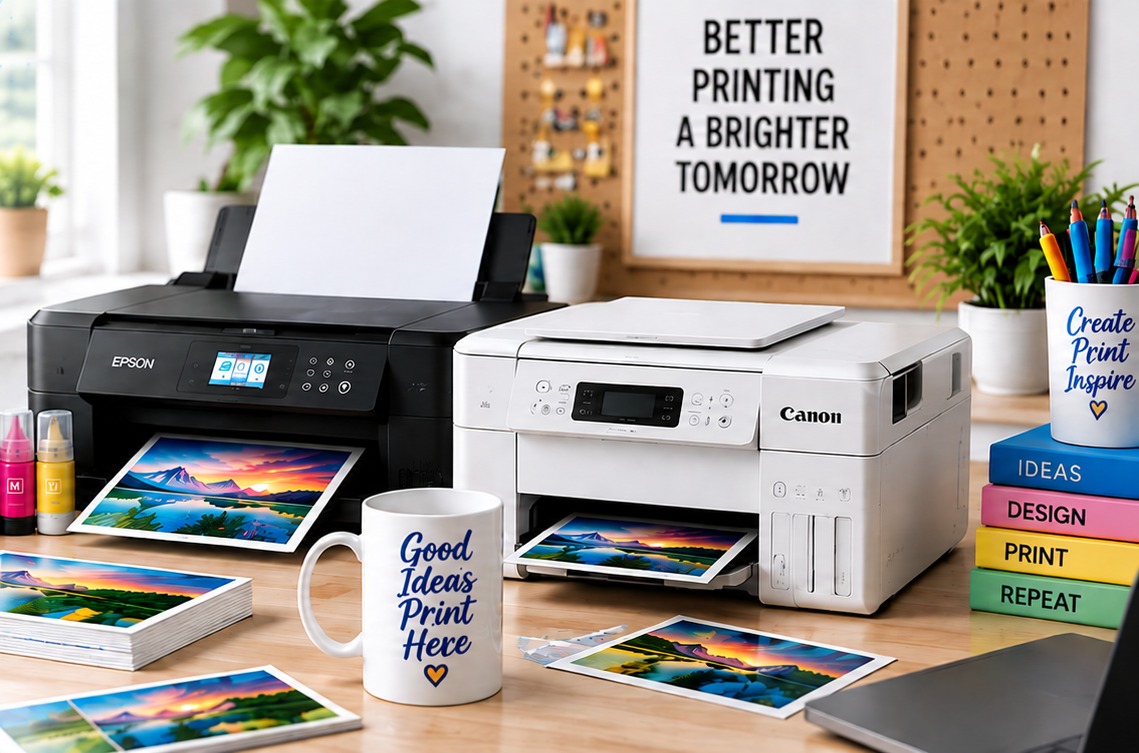
A printer is a peripheral output device that takes information from a computer or another digital device and produces a physical copy of it. The output may be text, images, graphics, or a combination of these. A printer can connect to a computer using a cable, such as USB, or wirelessly through Wi-Fi or Bluetooth, depending on the printer.
Printers are used in homes, offices, schools, businesses, stores, banks, hospitals, and many other places. However, printers are not all designed for the same purpose. Some are made mainly for text documents, while others are better suited for photographs, labels, receipts, graphics, or customized products.
Printers are generally divided into two main categories:
- Impact printers
- Non-impact printers
Dot matrix, daisy wheel, and line printers are examples of impact printers. Inkjet, laser, thermal, and sublimation printers are examples of non-impact printers.
The right printer depends on what you want to print, how often you print, the required print quality, printing speed, type of material, and the cost of ink, toner, paper, and other supplies.
Important Features of a Printer
Several features affect the performance and usefulness of a printer. Color, resolution, printing speed, and memory are some of the basic features to consider.
Color
Printers can produce monochrome or color prints.
A monochrome printer normally uses black ink or toner and is mainly used for text documents. These printers are common in offices where people print reports, invoices, forms, letters, and other documents that do not require color.
Color printers use multiple colors to reproduce photographs, graphics, charts, designs, and other colored documents. They are useful for home users, students, graphic designers, photographers, and businesses that need color output.
The price of a printer depends on several factors, including its printing technology, brand, features, print speed, connectivity, and intended use.
Resolution
Printer resolution refers to the amount of detail a printer can reproduce and is commonly measured in dots per inch (DPI).
A higher DPI can allow a printer to reproduce finer details, but DPI alone does not determine print quality. The type of ink or toner, paper or other media, printing technology, and original image also affect the final result.
For example, a high-resolution printer cannot produce a sharp photograph if the original image is low quality. The paper and ink also have an effect on the finished print.
Printing Speed
Printer speed is usually measured in pages per minute (PPM).
Laser printers are commonly used for high-volume document printing because many models can produce text pages quickly. Inkjet printer speeds vary between models and are often preferred when color documents, photographs, and graphics are important.
The actual printing speed can change depending on the document and print settings. A simple text document usually takes less time to print than a page containing large photographs or detailed graphics.
Printing speed can be affected by:
- Print quality settings
- Color or black-and-white printing
- Paper size and type
- Document complexity
- Printer technology
- Printer processing speed
Memory
Printers have their own internal memory and processing resources. When a computer sends a document to the printer, information from the print job can be temporarily stored while the printer processes it.
The amount of memory needed depends on the printer and the type of document being printed. A simple text document does not require the same amount of processing as a large document containing detailed graphics or images.
Types of Printers
Printers are broadly classified into impact printers and non-impact printers.
1. Impact Printers
Impact printers create characters or images by physically striking an ink ribbon against paper.
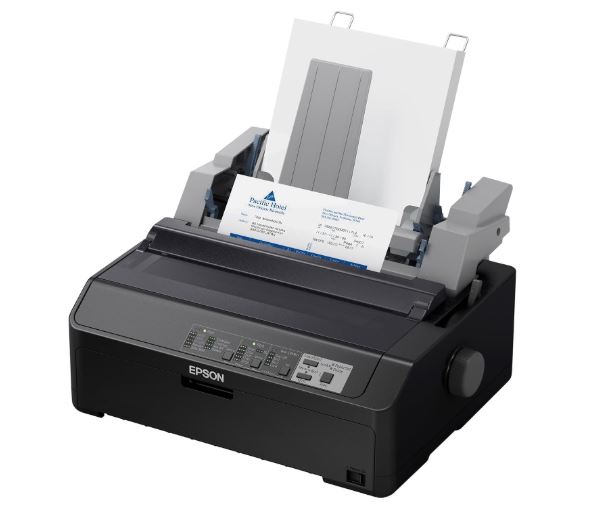
Because the printing mechanism makes physical contact during printing, impact printers are generally noisier than modern non-impact printers. They are much less common today for everyday home and office printing.
However, impact printers still have a useful purpose in certain situations. One of their main advantages is their ability to produce multiple copies using multi-part forms.
The main types of impact printers include:
- Dot matrix printers
- Daisy wheel printers
- Line printers
I. Dot Matrix Printers
A dot matrix printer creates characters and images using a print head containing a series of small pins. The pins strike an ink-coated ribbon, which transfers ink onto the paper.
Older dot matrix printers commonly use 9-pin or 24-pin print heads. A 24-pin printer can generally produce finer characters and graphics than a 9-pin model, although the actual print quality also depends on the printer and its printing mode.
When a document is printed, the print head moves across the page and selected pins strike the ribbon. The ribbon then presses against the paper and leaves small dots behind. These dots combine to form letters, numbers, symbols, and graphics.
This arrangement of dots is called a matrix, which is where the name dot matrix printer comes from.
Advantages
- Dot matrix printers can be inexpensive to operate.
- They can print on continuous forms.
- They can produce carbon or multi-part copies.
- They are useful for invoices, forms, tickets, and other documents where duplicate copies are required.
- They can work reliably in some demanding business environments.
Disadvantages
- They make considerable noise while printing.
- Their print quality is generally lower than modern inkjet and laser printers.
- They are not suitable for high-quality photographs.
- They are relatively slow for many modern printing jobs.
- Their use is much more limited today.
II. Daisy Wheel Printers
A daisy wheel printer is a mechanical impact printer that uses a rotating wheel containing individual characters.
The wheel looks similar to a daisy flower, which is why it is called a daisy wheel printer. The wheel rotates until the required character is positioned in front of the paper. A hammer then strikes that character against an ink-coated ribbon, transferring the character onto the paper.
Daisy wheel printers were mainly designed for text rather than graphics. The character wheel could be replaced when a different font or character set was required.
These printers were once used to produce letter-quality text, but newer printer technologies eventually replaced them for most applications.
Advantages
- They can produce clear text.
- The character wheel can be changed for different fonts or character sets.
- They can produce carbon or multi-part copies.
- They can produce consistent characters.
Disadvantages
- They are relatively slow.
- They are not suitable for printing graphics.
- Changing fonts requires changing the character wheel.
- They are noisy because they use an impact mechanism.
- They have largely been replaced by modern printers.
III. Line Printers
A line printer is an impact printer that prints an entire line of text at one time instead of printing one character at a time.
Drum printers, chain printers, and band printers are examples of line-printer technologies.
Line printers were designed for high-volume printing and were commonly used by large organizations and businesses. Depending on the model, some can produce hundreds or thousands of lines per minute.
Advantages
- They can print large amounts of text at high speed.
- They are designed for high-volume workloads.
- They can be durable.
- They can work with continuous forms.
- They can be useful in specialized industrial and business applications.
Disadvantages
- They create a lot of noise while printing.
- Print quality is generally lower than modern printers.
- They are not suitable for high-quality photographs.
- They are not designed for detailed graphics.
- Their use is limited compared with modern printing technologies.
2. Non-Impact Printers
Non-impact printers produce text and images without physically striking the paper with an ink ribbon.
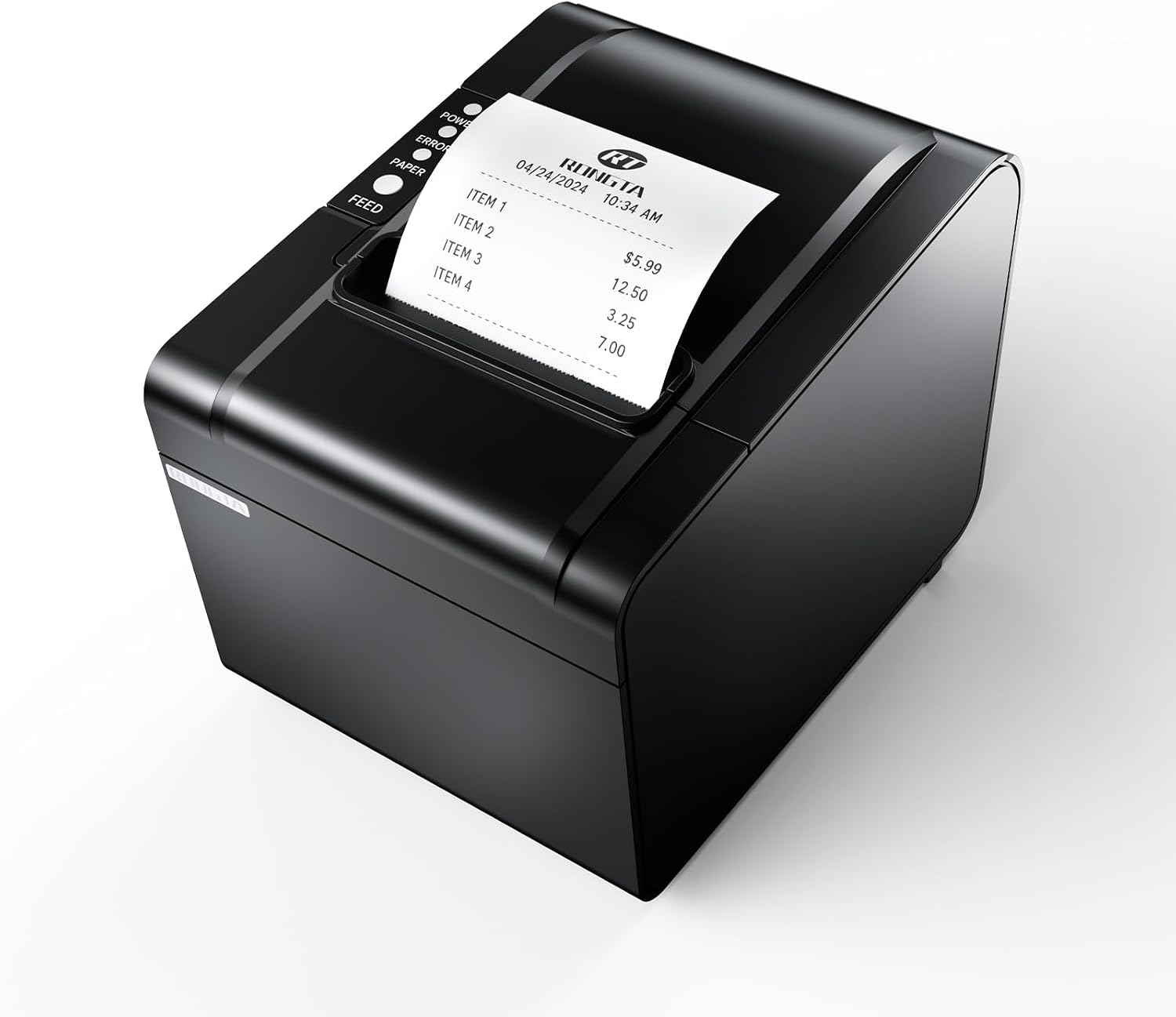
Most printers used in homes, offices, retail stores, and creative businesses today are non-impact printers.
Some common examples include:
- Inkjet printers
- Laser printers
- Thermal printers
- Sublimation printers
Although all of these are non-impact printers, they use different printing methods and are designed for different jobs.
I. Inkjet Printers
An inkjet printer produces text and images by placing extremely small droplets of liquid ink onto paper or another compatible printing surface.
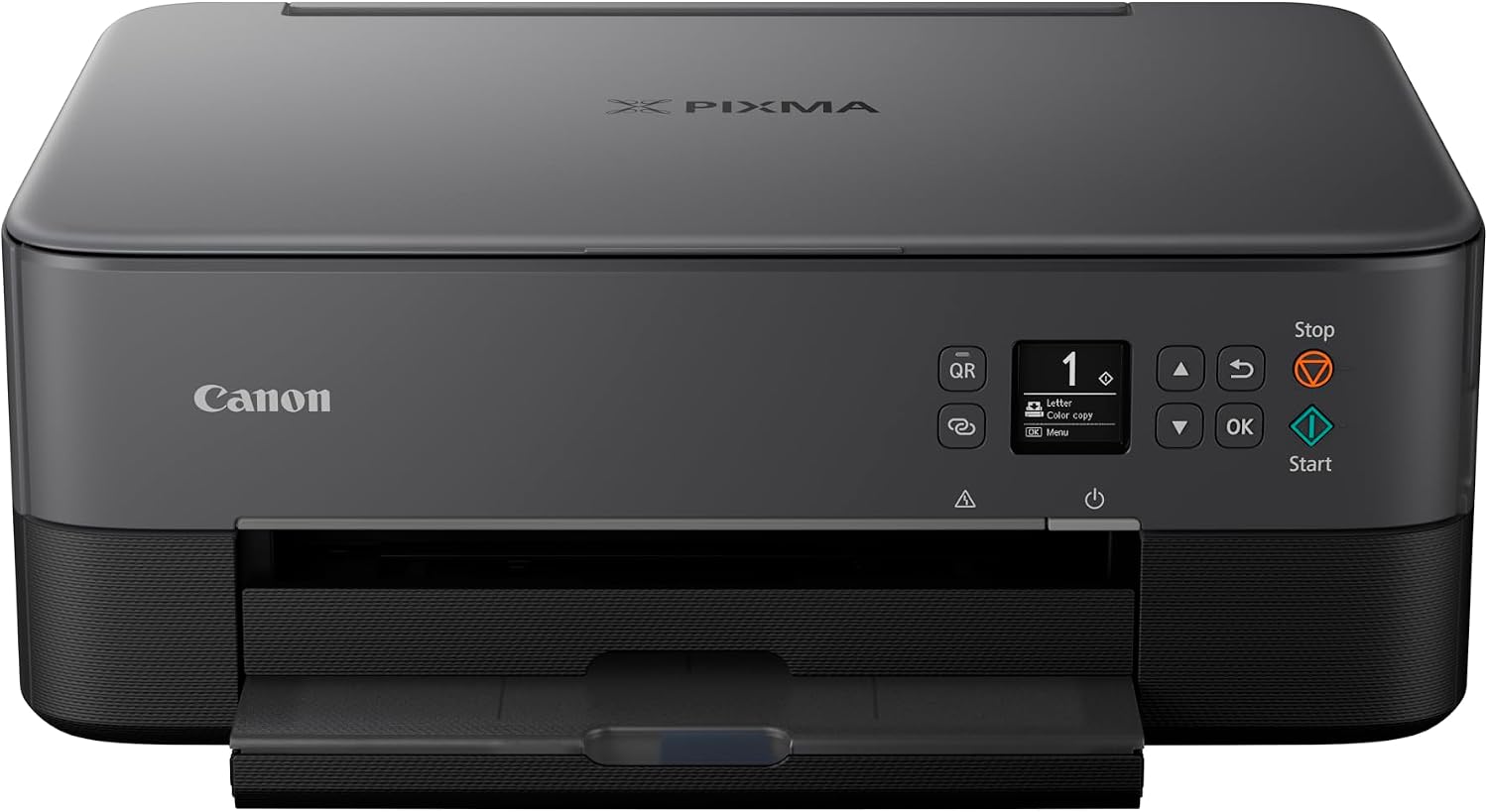
The print head contains tiny nozzles that release controlled amounts of ink as it moves across the page. These small droplets combine to create letters, photographs, graphics, and other images.
Inkjet printers are widely used in homes, schools, small offices, and creative applications. They are available in many different sizes and price ranges, from basic home printers to advanced photo and business models.
Advantages
- Many inkjet printers have a relatively low purchase price.
- They can produce high-quality color prints.
- They are well suited to photographs and graphics.
- They can print on different types of compatible paper and media.
- They are available in compact models for home use.
- They can handle documents containing both text and graphics.
Disadvantages
- Some models are slower than laser printers for large text-heavy print jobs.
- Ink costs can become significant when printing frequently.
- Ink can dry or clog when a printer is left unused for long periods.
- Some inkjet prints can be affected by moisture, depending on the ink and paper.
- Running costs vary considerably between cartridge and ink-tank systems.
II. Laser Printers
A laser printer uses an electro-photographic process to create printed documents.
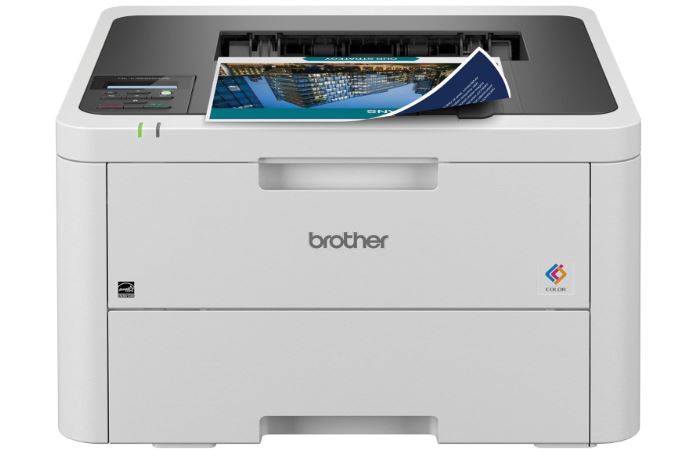
A laser or another light source creates an electrostatic image on a photosensitive drum. Toner, which is a fine powder, is attracted to the appropriate areas of the drum. The toner is then transferred to the paper and fused using heat and pressure.
This process allows laser printers to produce sharp text and handle large numbers of documents efficiently. They are widely used in offices, schools, businesses, banks, and other places where text documents are printed regularly.
Advantages
- They can print large numbers of documents quickly.
- They produce sharp text.
- Toner cartridges can provide a high page yield.
- They are suitable for regular and high-volume office printing.
- Toner is generally resistant to smudging after it has been fused to the paper.
- Monochrome laser printers are particularly useful for text-heavy documents.
Disadvantages
- The initial purchase price can be higher than some basic inkjet printers.
- Color laser printers can cost more than monochrome models.
- Toner cartridges can have a high upfront replacement cost.
- They use heat during the printing process.
- They are designed mainly for conventional document printing rather than specialized processes such as dye sublimation.
III. Thermal Printers
A thermal printer uses heat as part of the printing process.
There are two common types of thermal printing: direct thermal and thermal transfer.
Direct thermal printers use heat-sensitive paper. The print head heats selected areas of the paper, causing those areas to change color.
Thermal-transfer printers use a heated print head to transfer material from a ribbon onto a compatible surface.
Thermal printers are commonly used for receipts, shipping labels, barcode labels, tickets, product labels, and other applications where fast and reliable printing is required.
Advantages
- Direct thermal printing does not require conventional ink cartridges.
- Many thermal printers are compact.
- They can operate relatively quietly.
- They can print labels and receipts quickly.
- They are simple to operate for their intended applications.
- They are useful in retail, shipping, logistics, healthcare, and other industries.
Disadvantages
- Direct thermal printing is not normally used for conventional full-color document printing.
- Special thermal paper or compatible media is required.
- Direct thermal prints can fade or change when exposed to heat, light, or environmental conditions.
- Thermal-transfer printers require a ribbon.
- They are designed mainly for specialized printing jobs rather than general-purpose document printing.
IV. Sublimation Printers
A sublimation printer is a specialized printer used to produce designs for transfer onto compatible materials, particularly polyester fabrics and specially coated hard products.
Sublimation printing is commonly used for customized products such as T-shirts, mugs, tumblers, mouse pads, phone cases, signs, photo panels, and other products made with suitable polyester or polymer-coated materials.
The process is different from ordinary inkjet printing.
A sublimation printer uses specially formulated dye-sublimation ink to print a design onto sublimation transfer paper. The printed transfer is then placed against a compatible product and exposed to controlled heat and pressure, usually with a heat press.
During this process, the dye changes from a solid state into a gas and enters the polyester material or polymer coating. When the material cools, the dye remains within the material or coating instead of forming a conventional layer of ink on the surface.
This process is why sublimation printing is widely used for customized apparel and personalized products.
What Can You Print With a Sublimation Printer?
Sublimation printers can be used to create designs for many customized products, including:
- Polyester T-shirts
- Polyester apparel
- Mugs
- Tumblers
- Mouse pads
- Phone cases
- Photo panels
- Signs
- Personalized gifts
- Other compatible sublimation blanks
However, sublimation is not suitable for every material.
For fabric printing, white or light-colored polyester is commonly preferred. Sublimation ink is transparent rather than opaque, so the color of the fabric affects the appearance of the final design.
Hard products also need to be compatible with sublimation, usually because they have a suitable polymer coating.
Does a Sublimation Printer Need a Heat Press?
In a typical sublimation setup, the printer is only one part of the process.

First, the design is printed onto sublimation transfer paper. The printed paper is then placed against the compatible blank product. A heat press applies controlled heat and pressure to transfer the design.
A basic sublimation setup may include:
- Sublimation printer
- Sublimation ink
- Sublimation transfer paper
- Heat press
- Sublimation blanks
- Computer
- Design software
The equipment required can change depending on the product being made. For example, someone producing mugs may need equipment designed specifically for mug transfers, while apparel printing requires a suitable heat press.
Advantages
- They can produce bright, detailed, full-color designs.
- They work well with polyester fabrics and compatible coated products.
- The transferred dye becomes part of the polyester material or polymer coating.
- They are useful for customized clothing and personalized products.
- They can be used for shirts, mugs, tumblers, mouse pads, and other compatible blanks.
- They are useful for small businesses producing customized products.
Disadvantages
- They require compatible polyester fabrics or specially coated products.
- A heat press is normally required to complete the transfer.
- They are not suitable for every type of fabric or material.
- The cost of a sublimation setup includes more than the printer itself.
- White and light-colored polyester materials are generally preferred for apparel.
- Sublimation ink, transfer paper, blanks, and other supplies add to the operating cost.
Impact vs. Non-Impact Printers
The main difference between impact and non-impact printers is how they create the printed output.
| Feature | Impact Printers | Non-Impact Printers |
| Printing method | Uses physical contact with a ribbon or printing mechanism | Prints without striking the paper |
| Noise | Usually louder | Usually quieter |
| Examples | Dot matrix, daisy wheel, line printer | Inkjet, laser, thermal, sublimation |
| Graphics | Limited on many models | Better suited to graphics and images |
| Multi-part forms | Can produce them | Generally not designed for them |
| Common uses | Specialized and legacy applications | Home, office, retail, creative, and commercial applications |
Which Printer Is Right for You?
The right printer depends on what you print, how often you print, the quality you need, and how much you want to spend on the printer and its supplies.
For general home and family printing, an inkjet or ink-tank printer from Epson, Canon, or HP is usually a practical option. If you print frequently, an ink-tank model such as the Epson EcoTank or Canon MegaTank can be a better choice than a traditional cartridge printer because the refillable ink system is designed for higher print volumes.
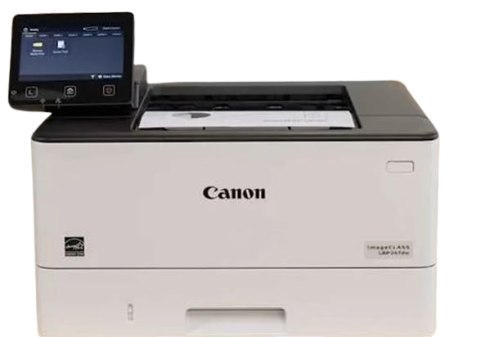
For home offices and businesses that mostly print documents, a Brother or Canon laser printer is often a better fit. A monochrome laser printer works well when most of your printing consists of contracts, invoices, reports, forms, and other text-heavy documents. If you also need color documents, a color laser printer is worth considering.
For receipts, shipping labels, product labels, and barcodes, a dedicated thermal printer is more suitable than a regular inkjet or laser printer. Thermal printers are made for these types of jobs and can save you from maintaining a full-size document printer for label printing.
For photography and detailed color graphics, a photo-focused inkjet printer is a better option. Epson and Canon offer printers for everything from everyday photo printing to more demanding photographic work.
For sublimation printing, the requirements are different. If you are making shirts, mugs, mouse pads, tumblers, awards, or other personalized products, a dedicated dye-sublimation printer is a better starting point than a regular inkjet printer.
The Epson SureColor F170 is a good option for beginners and small businesses that want a dedicated desktop sublimation printer. It is designed specifically for dye-sublimation printing and can be used with soft and rigid sublimation products.
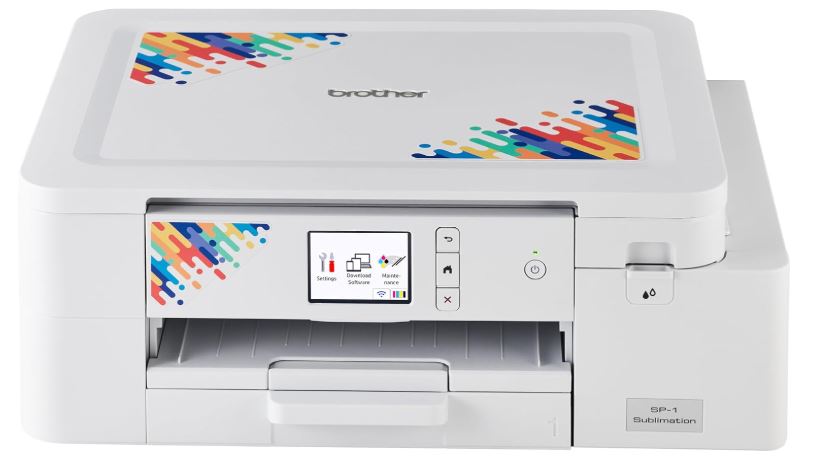
The Brother SP1 Sublimation Printer is another option for beginners and small-scale customization. It is designed for sublimation printing on polyester garments and compatible coated products.
For a small sublimation business, either printer can be a practical starting point, but the rest of the setup also matters. You will need sublimation transfer paper, suitable blanks, and a heat press. If you expect to produce a much larger number of products, a larger-format sublimation printer may be a better investment as your business grows.
What Should You Consider Before Buying?
The printer price is only one part of the cost. Before buying, check the price of replacement ink or toner, expected page yield, paper or other media requirements, print speed, print quality, maintenance, connectivity, available space, and the amount you expect to print.
Someone who prints 20 pages a month does not need the same printer as an office producing hundreds of pages every week. The same applies to sublimation. Someone making a few shirts at home can start with a small desktop sublimation printer, while a business producing hundreds of products may need a faster, larger-format system.
For occasional home documents, an affordable inkjet or ink-tank printer can handle everyday work; for regular office documents, a Brother or Canon laser printer is a better fit for speed and higher print volumes; for photos, an Epson or Canon photo inkjet can provide the detail and color needed for photographic prints; for receipts, shipping labels, and barcodes, a thermal printer is made for the job; and for customized shirts, mugs, tumblers, mouse pads, and other compatible products, a dedicated sublimation printer such as the Epson SureColor F170 or Brother SP1 is a practical starting point. The best choice ultimately comes down to your printing volume, the material you need to print on, the quality you expect, the features you actually need, your available budget, and the ongoing cost of ink, toner, paper, sublimation supplies, and maintenance.
Frequently Asked Questions
What is a printer?
A printer is an output device that converts digital information from a computer or another device into a physical copy, such as a document, photograph, graphic, label, or other printed material.
What are the two main types of printers?
The two broad categories are impact printers and non-impact printers. Impact printers use physical contact during printing, while non-impact printers produce output without striking the paper with an ink ribbon.
What is the difference between an inkjet and laser printer?
An inkjet printer places tiny droplets of liquid ink onto the printing surface, while a laser printer uses toner and an electro-photographic printing process. Inkjet printers are often used for color images and photographs, while laser printers are commonly used for fast, high-volume document printing.
What is a sublimation printer used for?
A sublimation printer is mainly used to create designs that are transferred onto compatible polyester fabrics and polymer-coated products. Common examples include customized shirts, mugs, tumblers, mouse pads, and other personalized products.
Can a sublimation printer print on cotton?
Standard dye-sublimation printing is not designed for direct printing onto ordinary cotton fabric. Sublimation works best with polyester or specially prepared materials that can accept sublimation dye.
Does a sublimation printer need a heat press?
Yes. A typical sublimation setup requires a heat press or another suitable heating system to transfer the design from sublimation paper onto the compatible product.
Is a thermal printer the same as a sublimation printer?
No. Both are non-impact printing technologies, but they use different processes and serve different purposes. Thermal printers are commonly used for receipts, labels, tickets, and barcodes, while sublimation printers are used to transfer dye-based designs onto compatible polyester and coated products.
Which type of printer is best for home use?
There is no single printer that is best for every home. An inkjet printer can be a good choice when a household needs color documents and photographs, while a monochrome laser printer may be more suitable when most printing consists of text documents.
Which printer is best for business use?
The best choice depends on the type and volume of work. Laser printers are commonly used for high-volume documents, thermal printers are useful for labels and receipts, and sublimation printers are suitable for businesses producing customized products on compatible materials.
What is the difference between impact and non-impact printers?
Impact printers create output by physically striking an ink ribbon or printing mechanism, while non-impact printers use methods such as ink droplets, toner, heat, or dye transfer without striking the paper.
Which printer produces the highest quality images?
The answer depends on the type of image and the intended material. High-quality inkjet printers are commonly used for detailed photographs and graphics, while sublimation printers are designed for transferring colorful designs onto compatible polyester and coated products. Printer resolution, ink, media, and the original image all affect the final result.
Are sublimation printers inkjet printers?
Many desktop sublimation printers use an inkjet-based printing mechanism, but they differ from ordinary inkjet printers because they use specialized sublimation ink and a transfer-based printing process. Some standard inkjet models can be converted for sublimation, while dedicated sublimation printers are designed specifically for the process.
On This Page
Quick Takeaways
- A printer is a peripheral output device that takes information from a computer or another digital device and produces a physical copy of it.
- Printers are generally divided into two main categories: impact printers, such as dot matrix, daisy wheel, and line printers, and non-impact printers, such as inkjet, laser, thermal, and sublimation printers.
- Impact printers physically strike an ink ribbon against paper, while non-impact printers produce output without physical contact and are generally quieter.
- Important printer features to consider include color capability, resolution, printing speed, and memory.
- The right printer for you depends on what you want to print, how often you print, the required print quality, and your budget.
FAQ Quick Links
- What is a printer?
- What are the two main types of printers?
- What is the difference between an inkjet and laser printer?
- What is a sublimation printer used for?
- Can a sublimation printer print on cotton?
- Does a sublimation printer need a heat press?
- Is a thermal printer the same as a sublimation printer?
- Which type of printer is best for home use?
- Which printer is best for business use?
- What is the difference between impact and non-impact printers?
- Which printer produces the highest quality images?
- Are sublimation printers inkjet printers?