Best Sublimation Printers for T-Shirts
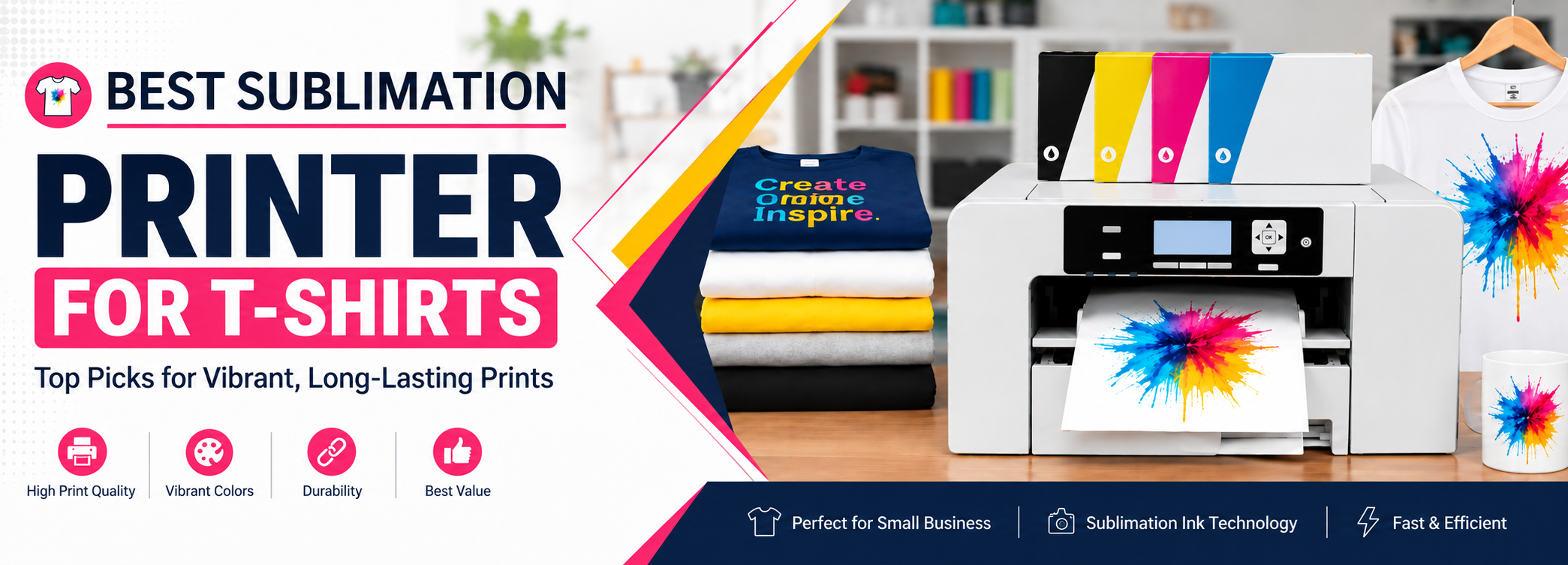
Sublimation printer for T-shirt printing is one of the latest printing technologies. It has the ability to print graphics onto fabric and produce high-resolution prints, which makes it suitable for different types of printing.
You can print images, logos, and designs on a wide range of fabrics and materials, including T-shirts, sweatpants, polo shirt uniforms, giveaways, and personalized gifts for special days. With sublimation printing, sublimation printers have become popular for graphic design and hobbies because they produce high-resolution images that are long-lasting and fade-resistant.
Here is the list of the best sublimation printers for T-shirts that you can buy today. These are reliable and easy-to-use machines.
How Sublimation Printing Works
A sublimation printer is a printer that uses heat to turn special dye-sublimation ink into a gas, which then bonds directly into the fibers of a material rather than sitting on top of it as a layer of ink. This is different from a regular inkjet printer, which prints ink onto the surface of paper or fabric.
The process starts by printing your design onto sublimation transfer paper using sublimation ink. That printed sheet is then placed against the T-shirt and pressed with a heat press. The heat and pressure turn the ink into a gas, which permeates the fabric’s fibers and then solidifies as it cools, becoming part of the material itself.
Because the ink bonds with the fibers instead of sitting on top of them, sublimated prints do not crack, peel, or fade the way some other T-shirt printing methods can, and the design does not add any noticeable texture to the fabric.
Sublimation works best on polyester and polyester-blend fabrics, since the dye needs synthetic fibers to bond with. Cotton and other natural fibers do not accept sublimation ink the same way, which is why sublimation T-shirts are typically 100% polyester or a high-polyester blend.
White and other light-colored shirts are generally preferred for sublimation because the ink is translucent rather than opaque. On a white or light fabric, colors print bright and accurate; on a dark shirt, the base color of the fabric shows through and mutes or shifts the printed colors.
You also need a heat press (rather than a household iron) to get consistent, even heat and pressure across the whole design, which is what allows the ink to transfer fully and evenly into the fabric.
There are two general paths to sublimation printing: a purpose-built sublimation printer like the ones on this list, which is designed from the ground up to use sublimation ink, or a regular inkjet printer that has been converted by refilling it with sublimation ink instead of standard ink. A purpose-built printer is simpler to set up and maintain, while a converted printer can be a lower-cost way to get started if you already own a compatible inkjet printer.
Which printer makes sense for you depends on a few things: how large your designs typically are, how much printing volume you expect, your budget, and whether you would rather have a simple, purpose-built setup or are comfortable managing a converted printer and its ink system.
- Sawgrass Virtuoso SG1000
- Epson EcoTank ET-2720
- Epson SureColor F-170
- Sawgrass Virtuoso SG500
Top Picks
Best Sublimation Printer for T-Shirts, Reviewed
1. Sawgrass Virtuoso SG1000
The Best Sublimation Printer for T-Shirts

The Sawgrass SG1000 is a desktop dye-sublimation printer.
This is an ideal printer for growing businesses, enabling you to create products locally and sell them globally.
This is a good option for apparel, soft surfaces, and small and medium-sized photo panels.
The SG1000 prints up to 11 × 17 inches (28 × 43 cm) with the standard tray. The SG1000 is energy-efficient and prints with high resolution. It also allows Wi-Fi connectivity, with an additional single roll bar to improve print quality and reduce paper movement.
This gives you higher-quality products with long-lasting, vibrant images. The SG1000 allows you to print on media up to 13 × 51 inches (330 × 1295 mm).
The SG1000 also has its own automatic maintenance cycle for trouble-free printing.
Specifications
|
Maximum Media Size: |
|
297 × 431 mm sheet, standard A3-size media |
|
330 × 482 mm with optional bypass tray |
|
330 × 1295 mm with optional bypass tray |
|
Display Panel: LCD |
|
Interface: Wi-Fi / USB 2.0 High Speed |
|
Voltage: 220 / 240V |
|
Unit Dimensions: 529(W) × 360(D) × 213(H) mm |
|
Unit Weight: 16 kg |
|
Box Dimensions: 700(W) × 550(D) × 340(H) mm |
|
High Speed: 15 seconds (600 × 600 dpi) |
|
High Quality: 29 seconds (600 × 600 dpi) |
|
Advanced Photo: 48 seconds (1200 × 1200 dpi) |
|
Ultra Fine Photo: 6 minutes 40 seconds (4880 × 1200 dpi) |
|
Physical Dimensions: 21 × 14.25 × 8.5 inches |
|
Display Resolution: 1024 × 768 pixels at 100% zoom |
Pros
Cons
The new SG1000 is upgraded from the SG800. If you already have the SG800, you can use the same bypass tray with the SG1000 if you purchase the tray for larger printing.
The Sawgrass sublimation printer comes with an Advanced Photo mode that allows you to print at 4880 × 1200 dpi. It uses SubliJet UHD inks for vibrant and realistic colors, with accurate blacks and neutral grays.
Its standard printing size is up to 11 × 17 inches. With the addition of a bypass tray, it can expand its maximum media size from a 13 × 19-inch sheet to 13 × 51-inch roll material. This is a large printing size for a desktop sublimation printer.
The upgrades from the SG500 and SG1000 are similar in many areas. The SG1000 comes with Wi-Fi capabilities that improve ease of use and mobility. It also comes with a single roll bar that helps reduce paper movement.
There is also an option to purchase a standard set of inks to make this printer more accessible.
The new SubliJet UHD inks are designed to provide richer and more vibrant colors on both soft and hard surfaces.
The SG1000 has CreativeStudio with built-in product templates and thousands of ready-to-use designs. An individual account is included with every Sawgrass printer purchase.
Buying Guide for Sawgrass Virtuoso SG1000
Print Quality: The SG1000 printers are specially designed for dye sublimation. Using Sawgrass SubliJet UHD inks, the SG1000 printer produces vibrant and realistic ultra-fine photos with high-resolution printing of up to 4880 × 1200 dpi.
Speed: The SG1000 is faster than older Sawgrass models, meaning you can print a higher number of prints per hour depending on the printing mode.
Compatibility: The SG1000 by Sawgrass is compatible with smart devices through Wi-Fi networks and can also be connected with a USB cable.
Highlighted Features of Sawgrass Virtuoso SG1000
High Resolution: If you want high-definition print quality, the SG1000 can print up to 4880 × 1200 dpi in Ultra Fine Photo mode.
Automatic Self-Maintenance: This printer has an automatic self-maintenance system that helps you print your products without wasting time on maintenance problems.
Backward Compatibility: The SG1000 has backward compatibility with SG800 accessories. If you already purchased a bypass tray for the SG800, you may be able to continue using it with the SG1000 without purchasing another one.
Print Manager: In the SG1000, Print Manager works in the background and controls the flow of color information from digital artwork. It can make adjustments to color information and ink usage automatically.
Why I Recommend the Sawgrass SG1000
The Sawgrass SG1000 is my personal choice when a sublimation printer is needed for home use and larger printing requirements. Traditional inkjet printers, regular ink, and copy paper will not provide the same results as a printer and ink system designed for sublimation.
To achieve successful sublimation prints, you need the appropriate printer, sublimation ink, and transfer paper. Sawgrass printers and inks are designed for sublimation printing and can provide high-quality results for products such as T-shirts, mugs, bags, and other suitable materials.
Read Full Review Check Current Price2. Epson EcoTank ET-2720
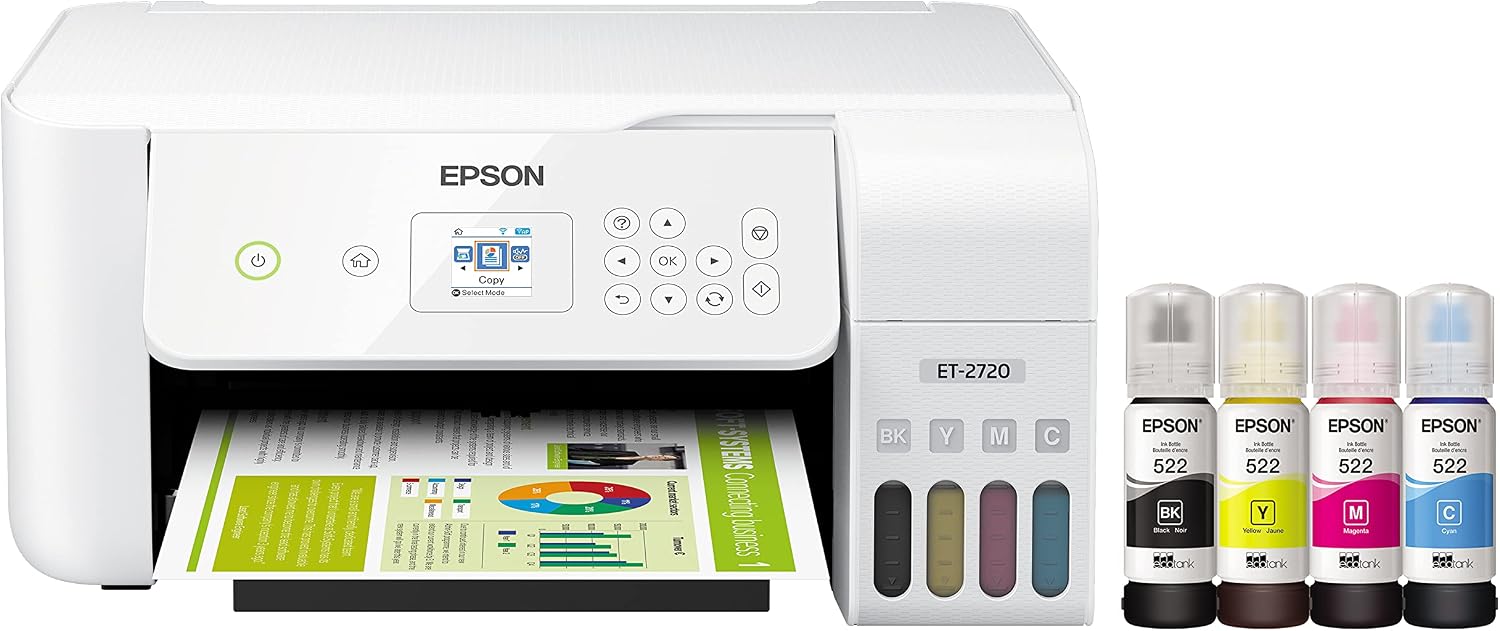
The Epson EcoTank ET-2720 is an inkjet printer that is best for large printing. This printer has an outstanding page yield, although it doesn’t have a high-resolution flatbed scanner and lacks an automatic document feeder.
Because there is no ADF, it can be time-consuming to place all the pages of a document onto the flatbed individually. Its photo quality is good for printing graphics for assignments and reports, but the color quality can be a little poor, so it may not be suitable for exact color printing.
It makes up for this with good print quality and low running costs.
Specifications
|
Printing Technology:4-color (CMYK) drop-on-demand MicroPiezo® inkjet technology |
|
Maximum Print Resolution:5760 × 1440 optimized dpi |
|
ISO Print Speed: |
|
Black: 10.5 ISO ppm |
|
Color: 5.0 ISO ppm |
|
Minimum Ink Droplet Size:3 droplet sizes as small as 3 picoliters |
|
Ink Type:EcoTank Ink Bottles |
|
Ink Palette:Cyan, Magenta, Yellow, Black |
|
Ink Configuration:4 individual ink bottles |
|
Replacement Ink:522 Black ink bottle (65 mL) |
|
522 Cyan, Magenta, and Yellow ink bottles (65 mL) |
|
Ink Yield Information: |
|
522 Black Ink Yield: 4,500 pages |
|
522 Color Ink Yield: 7,500 pages |
|
Operating Systems: |
|
Windows 10 |
|
Windows 8 and 8.1 (32-bit, 64-bit) |
|
Windows 7 (32-bit, 64-bit) |
|
Mac OS X 10.6 – macOS 10.12.x |
|
Weight: 13.2 lb |
Pros
Cons
Epson EcoTank ET-2720 comes with enough ink for a large number of prints and has a replacement ink set. The replacement ink bottles have enough ink to print up to 4,500 pages in black and a high number of color pages.
Clogging issues can take several attempts to fix before printing again, so this printer requires consistent maintenance to prevent clogging.
The Epson EcoTank ET-2720 has a low build quality. It is a compact and lightweight printer, making it convenient for smaller spaces.
The ET-2720 can have paper jams when handling paper, and it is not easy to scan thicker items such as books because the scanner lid cannot extend to accommodate them.
The Epson ET-2720 has a passable screen that allows you to see the display whether you are seated or standing.
The Epson ET-2720 has a low printing speed. Black text pages are not much quicker, while color pages are slow to print. It can take almost a minute and a half to print one 4 × 6-inch photo.
The Epson ET-2720 has wireless connectivity through Wi-Fi Direct or Wi-Fi through your router. If you are using a mobile device, you can also use Apple AirPrint or Mopria Print Service. It does not allow you to use an Ethernet cable.
Buying Guide for Epson EcoTank ET-2720
Print Quality: ET-2720 gives good-quality prints and offers high resolution. It can provide borderless printing up to 4 × 6 inches.
Speed: The ET-2720 supports printing speeds of up to 10 pages per minute for black printing under standard conditions.
Compatibility: ET-2720 is compatible with smart devices through Wi-Fi networks. You can also use Apple AirPrint or Mopria Print Service for other printing options.
Highlighted Features of Epson EcoTank ET-2720
Cartridge-Free: The EcoTank ET-2720 does not use traditional ink cartridges. You do not need to buy expensive cartridges to keep the printer running. The refillable ink tank system allows you to refill the printer when needed.
Reduces Waste: ET-2720 can reduce cartridge waste because its refillable ink system uses bottles instead of traditional disposable cartridges.
Easy to Set Up: Epson EcoTank ET-2720 provides a 1.44-inch color display to make the printer easy to use. Its navigation system allows you to manage your print settings properly.
Is the Epson EcoTank ET-2720 Good for Sublimation?
The Epson EcoTank ET-2720 is a regular inkjet printer rather than a purpose-built sublimation printer. It can be considered for sublimation after conversion if the specific printer and sublimation ink are compatible.
It can be useful for someone who wants a lower-cost printer and is comfortable with conversion and maintenance.
3. Epson SureColor F170

The Epson SureColor F170 is a purpose-built sublimation printer designed for smaller sublimation projects.
It can be used for T-shirts, mugs, mouse pads, awards, and other suitable products. It is easy to set up because it does not require the conversion process used with a regular inkjet printer.
For beginners, this printer can be useful because it is compact and specifically designed for sublimation printing.
Specifications
|
Printhead: Epson PrecisionCore microTFP printhead |
|
Nozzle Configuration: 784 nozzles (400 Black, 128 each Cyan, Magenta, Yellow) |
|
Maximum Print Resolution: 1200 × 600 dpi |
|
Ink Type: Epson T49M dye-sublimation ink bottles (4-color CMYK), 140 mL each |
|
Paper Handling: Auto-feed tray, up to 150 sheets |
|
Maximum Paper Width: 8.5 inches |
|
Maximum Sheet Size: 8.5 × 47.2 inches |
|
Display: 2.4-inch color LCD with buttons |
|
Connectivity: Hi-Speed USB, Wi-Fi (802.11 b/g/n), Wi-Fi Direct, Ethernet (10/100 Mbps) |
|
Dimensions: 14.8 × 19.8 × 7.4 inches (operating) |
|
Weight: 10.2 lb |
Pros
Cons
The F170 uses genuine Epson T49M dye-sublimation ink bottles rather than a converted inkjet ink system, which is part of why it does not need the conversion process that a standard EcoTank printer requires.
Its 150-sheet auto-feed tray means you can queue up a batch of transfers without having to reload paper for every print, which is useful if you are producing several small items in a session.
Buying Guide for Epson SureColor F170
Print Quality: The F170 uses Epson’s PrecisionCore microTFP printhead and prints at up to 1200 × 600 dpi, which is enough resolution for crisp sublimation transfers on smaller items.
Size / Media: The 8.5-inch maximum paper width makes the F170 best suited to smaller T-shirt designs, mugs, and similar products. If you regularly print large, all-over T-shirt designs, a larger-format printer like the Sawgrass SG1000 is a better fit.
Ease of Use: The F170 is purpose-built for sublimation, so there is no need to convert a standard inkjet printer or source separate sublimation ink cartridges — it works as a dedicated sublimation system out of the box.
Compatibility: The F170 connects over USB, Wi-Fi, Wi-Fi Direct, and Ethernet, so it can fit into most home or small-business network setups.
Key Features of Epson SureColor F170
Purpose-Built Dye-Sublimation Printing: The F170 is designed specifically for sublimation, so it skips the conversion process a standard inkjet printer would need.
Compact Design: Its smaller footprint makes it easy to fit on a desktop or in a small workspace.
150-Sheet Auto-Feed Tray: The auto-feed tray reduces how often you need to reload paper during a print run.
PrecisionCore Printhead: Epson’s PrecisionCore microTFP printhead is built for consistent, accurate output.
Genuine Epson Dye-Sublimation Ink: The F170 uses Epson T49M ink bottles designed specifically for sublimation on the printer’s supported materials.
Why I Recommend the Epson SureColor F170
The F170 is my pick for beginners, home users, and small businesses who want a purpose-built sublimation printer without the extra step of converting a regular inkjet printer. It is a practical starting point if you are working with smaller T-shirt designs, mugs, or other compact sublimation products.
If your main focus is large, full-front T-shirt transfers, the F170’s 8.5-inch paper width will be limiting, and a larger-format printer would serve you better. But for someone who wants to start sublimation printing with a compact, ready-to-use machine, the F170 is a solid, low-friction option.
Read Full Review Check Current Price4. Sawgrass Virtuoso SG500

The Sawgrass Virtuoso SG500 is a purpose-built sublimation printer for T-shirts and other sublimation products.
It produces highly defined, quality, and bright images and can be used for products such as T-shirts, mugs, bags, coasters, phone cases, drinkware, plaques, signs, and more.
The SG500 is not a converted regular printer. It is designed for sublimation and uses a dedicated sublimation ink system.
Its compact size makes it suitable for home use, crafters, and small businesses that do not need the larger printing area of the SG1000.
Specifications
|
Maximum Standard Print Size: 8.5 × 14 inches |
|
With Optional Bypass Tray: up to 8.5 × 51 inches |
|
Design: Compact desktop sublimation printer |
|
Connectivity: Ethernet, USB, and 2.4 GHz Wi-Fi |
|
Ink System: Dedicated Sawgrass sublimation ink system with SubliJet support |
|
System Requirements: Windows 8 or later, or Mac 10.13 or later |
|
Warranty: Sawgrass currently backs new SG500 printers with a 3-year or 100,000-print warranty (printers purchased before October 1, 2025 carry a 2-year warranty) — confirm current terms with Sawgrass before purchase. |
Pros
Cons
Like the rest of the Virtuoso line, the SG500 is not a converted inkjet printer — it is built around Sawgrass’s own sublimation ink system, so there is no separate conversion kit or third-party ink to source.
The optional bypass tray is worth considering if you print longer items such as banners or extended designs, since it extends the SG500’s media length from the standard 14 inches up to 51 inches.
Buying Guide for Sawgrass Virtuoso SG500
Print Quality: The SG500 uses Sawgrass’s purpose-built sublimation system, giving it consistent, high-quality output on supported blanks and fabrics.
Print Size: Standard printing covers up to 8.5 × 14 inches, and the optional bypass tray extends that to 8.5 × 51 inches for longer media.
Ease of Use: Because it is designed specifically for sublimation, the SG500 does not require converting a standard inkjet printer or sourcing separate sublimation ink.
Connectivity: The SG500 supports Wi-Fi, USB, and Ethernet connections, giving you flexibility in how it fits into your workspace.
Key Features of Sawgrass Virtuoso SG500
Purpose-Built Sublimation System: The SG500 is designed from the ground up for sublimation, not adapted from a standard inkjet printer.
Compact Desktop Design: Its smaller footprint suits home studios and small workspaces.
Wi-Fi, Ethernet, and USB Connectivity: Multiple connection options make it easy to fit into most setups.
Optional Bypass Tray: Extends maximum media length from 14 inches up to 51 inches for longer designs.
Sawgrass Ink Ecosystem: Built around Sawgrass’s own sublimation ink and software support.
Why I Recommend the Sawgrass Virtuoso SG500
The SG500 is a strong choice if you want a compact, purpose-built sublimation setup for home use, crafting, or a small business, especially for smaller and medium-sized T-shirt designs and other sublimation products. It skips the hassle of converting a standard inkjet printer, and Sawgrass’s ink and software ecosystem is set up specifically for sublimation work.
If you regularly need the larger 11 × 17-inch (or bypass-tray) print area for bigger T-shirt designs, the Sawgrass SG1000 is the better fit. But for someone starting out with smaller and medium-format sublimation projects who does not need the SG1000’s larger media size, the SG500 is an easier and more compact way to get started.
Read Full Review Check Current PriceFrequently Asked Questions
Which Sublimation Printer Should You Buy?
The printer you buy depends on your budget, T-shirt design size, print quality, workload, and the type of setup you want.
For a beginner working with small T-shirt designs, mugs, bags, and other small sublimation products, I would recommend the Epson SureColor F170 because it is easy to set up and does not require conversion.
If you want higher print resolution and a dedicated sublimation system, the Sawgrass SG500 is a better option, although its ink is more expensive.
For larger T-shirt designs, the Sawgrass SG1000 is the better choice because it can handle larger media. If you need a larger format and have a higher workload, the Epson SureColor F570 Pro is more suitable.
For someone with a limited budget, the Epson EcoTank ET-2720 can be considered after conversion, but you should also consider the cost of sublimation ink, transfer paper, heat press equipment, and maintenance.
If your main requirement is large T-shirt designs, higher production, and better printing flexibility, spend more on the appropriate larger-format printer. If you are starting at home and want to keep the setup simple, the Epson SureColor F170 is the practical starting point.