Best Epson EcoTank Printers for Sublimation
Epson EcoTank printers are popular among people who want a low-cost printing system because they use refillable ink tanks instead of traditional cartridges. Some EcoTank models can be converted for sublimation, although they are regular inkjet printers and are not purpose-built sublimation printers.
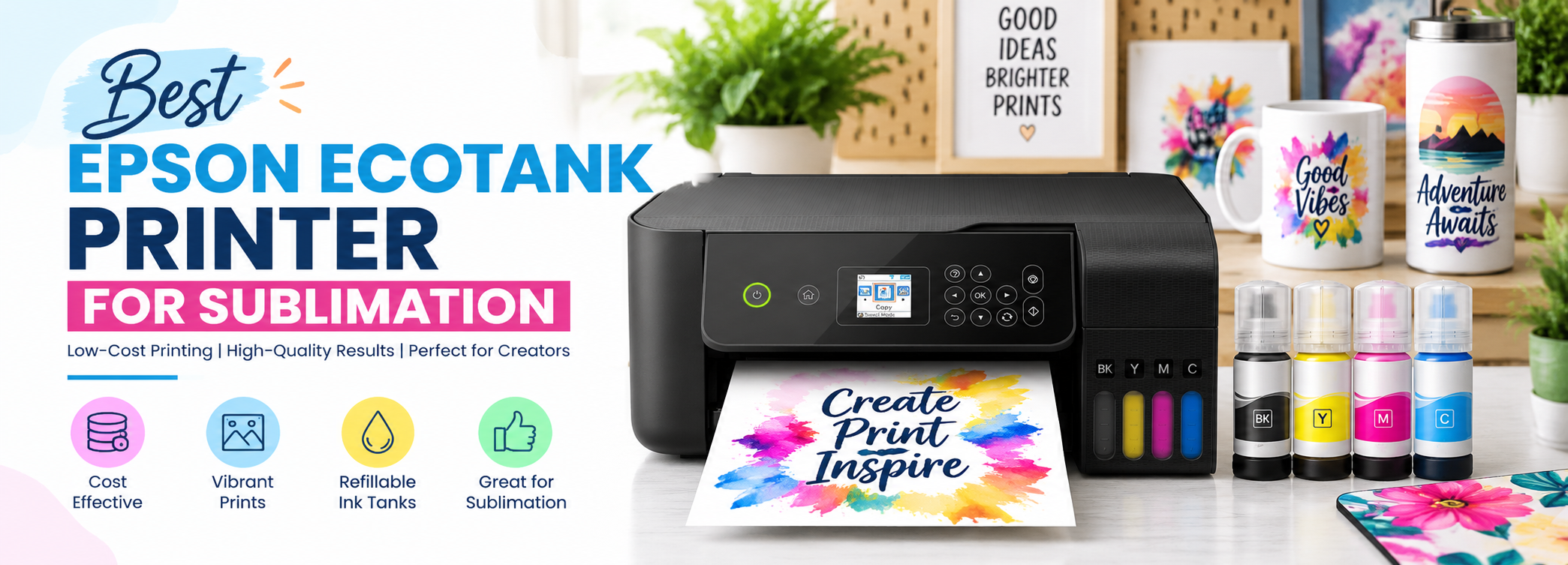
After converting files with compatible sublimation ink, an EcoTank printer can be used to produce transfer designs for products such as T-shirts, towels, and other suitable polyester materials. The large ink tanks can also be useful for people who need to print a higher number of designs without frequently replacing cartridges.
Epson has several EcoTank models with different print sizes, speeds, ink capacities, and features. The right printer depends on design size, how much you plan to print, and the space available.
The Epson EcoTank printers discussed below include the ET-2720, ET-15000, ET-16600, ET-2800, and ET-2400. This guide compares the best Epson EcoTank printers for sublimation, with recommendations for T-shirts, small businesses, large-scale printing, small projects, and larger print designs.
Top Picks
Best Epson EcoTank Printers for Sublimation, Reviewed
Epson EcoTank ET-2720
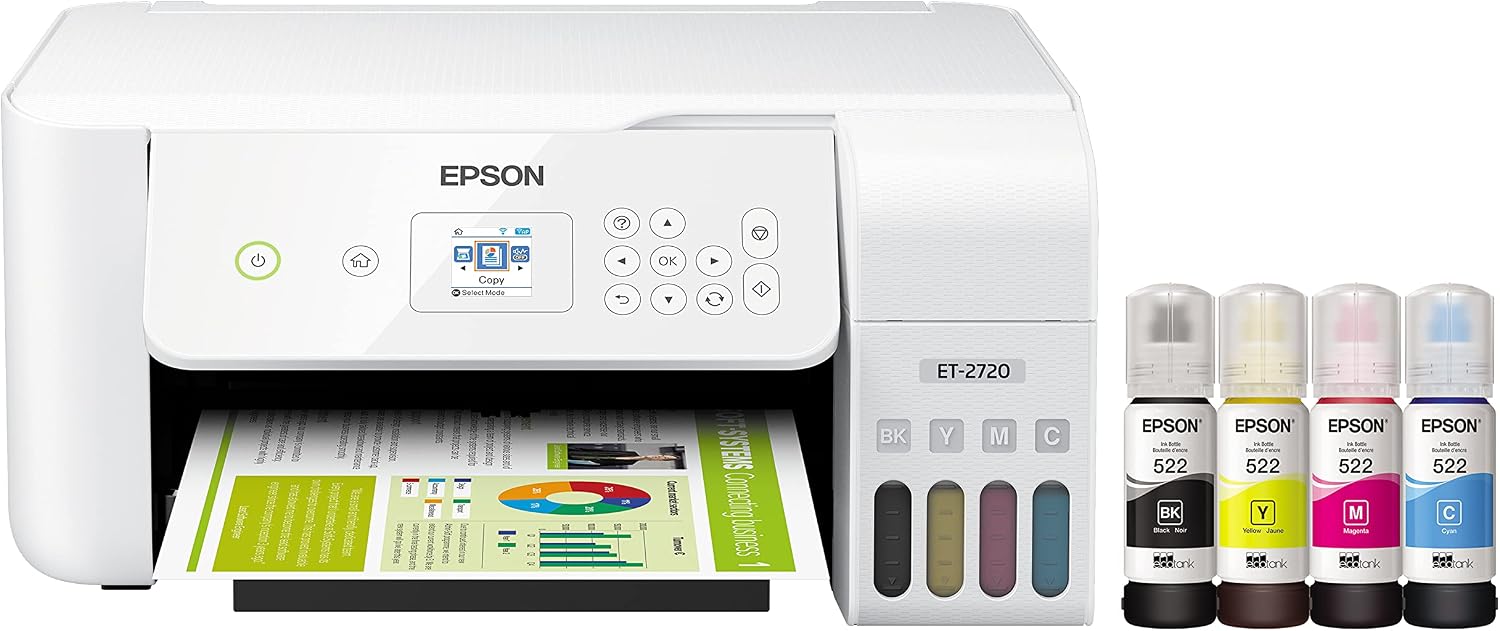
The Epson EcoTank ET-2720 is a wireless all-in-one supertank printer with refillable ink tanks. It can print, scan, and copy, making it useful for home and small-office printing.
The ET-2720 has a compact design and uses four individual ink bottles. Epson rates its replacement ink set at up to 4,500 black pages and 7,500 color pages under its stated test conditions. It also supports wireless printing from smartphones and tablets.
The ET-2720 is not a sublimation printer from the factory. It can be converted for sublimation when the printer is compatible with the conversion method and sublimation ink being used. Once converted, it should be treated as a dedicated sublimation printer rather than switching back and forth between regular ink and sublimation ink.
Specifications
|
Printing Technology: 4-color (CMYK) drop-on-demand MicroPiezo inkjet technology |
|
Maximum Print Resolution: 5760 × 1440 optimized dpi |
|
Minimum Ink Droplet Size: As small as 3 picoliters |
|
ISO Print Speed: Black: 10.5 ISO ppm; Color: 5.0 ISO ppm |
|
Ink Type: EcoTank ink bottles |
|
Ink Configuration: 4 individual ink bottles |
|
Ink Palette: Cyan, Magenta, Yellow, Black |
|
Replacement Ink: 522 Black ink bottle, 65 mL; 522 Cyan ink bottle, 65 mL; 522 Magenta ink bottle, 65 mL; 522 Yellow ink bottle, 65 mL |
|
Ink Yield: Black: up to 4,500 pages; Color: up to 7,500 pages |
|
Connectivity: Hi-Speed USB; Wi-Fi; Wi-Fi Direct |
|
Weight: 8.8 lb |
|
Dimensions: 14.8 × 13.7 × 7 inches when stored |
Pros
Cons
Epson currently lists the ET-2800 as the replacement product for the ET-2720.
Epson EcoTank ET-15000

The Epson EcoTank ET-15000 is a wide-format wireless all-in-one printer. It is a more suitable choice than the smaller EcoTank models when larger transfer designs are required.
The ET-15000 can print up to 13 × 19 inches and uses four individual ink bottles. It also has a larger paper-handling system than the smaller EcoTank models. Epson lists the printer with a maximum print resolution of 4800 × 1200 optimized dpi and ISO print speeds of 17 ppm for black and 9 ppm for color.
The ET-15000 is a regular inkjet printer, so it must be converted for sublimation. It is not supplied as a purpose-built sublimation printer.
For T-shirt printing, the larger paper size is one of its main advantages. A larger transfer can be prepared without being restricted to the smaller media sizes supported by compact EcoTank models.
Specifications
|
Maximum Print Resolution: 4800 × 1200 optimized dpi |
|
ISO Print Speed: Black: 17 ISO ppm; Color: 9 ISO ppm |
|
2-Sided ISO Print Speed: Black: 7 ISO ppm; Color: 5 ISO ppm |
|
Minimum Ink Droplet Size: As small as 3.8 picoliters |
|
Ink Palette: Cyan, Magenta, Yellow, Black |
|
Ink Configuration: 4 individual ink bottles |
|
Replacement Ink: 502 Black ink bottle, 127 mL; 502 Cyan, Magenta, and Yellow ink bottles, 70 mL each |
|
Ink Yield: Black: up to 7,500 pages; Color: up to 6,000 pages |
|
Connectivity: USB; Wi-Fi; Ethernet; Wi-Fi Direct |
|
Scanner: Flatbed and automatic document feeder |
|
Weight: Approximately 26.46 lb |
|
Maximum Print Size: 13 × 19 inches |
Pros
Cons
Epson EcoTank Pro ET-16600
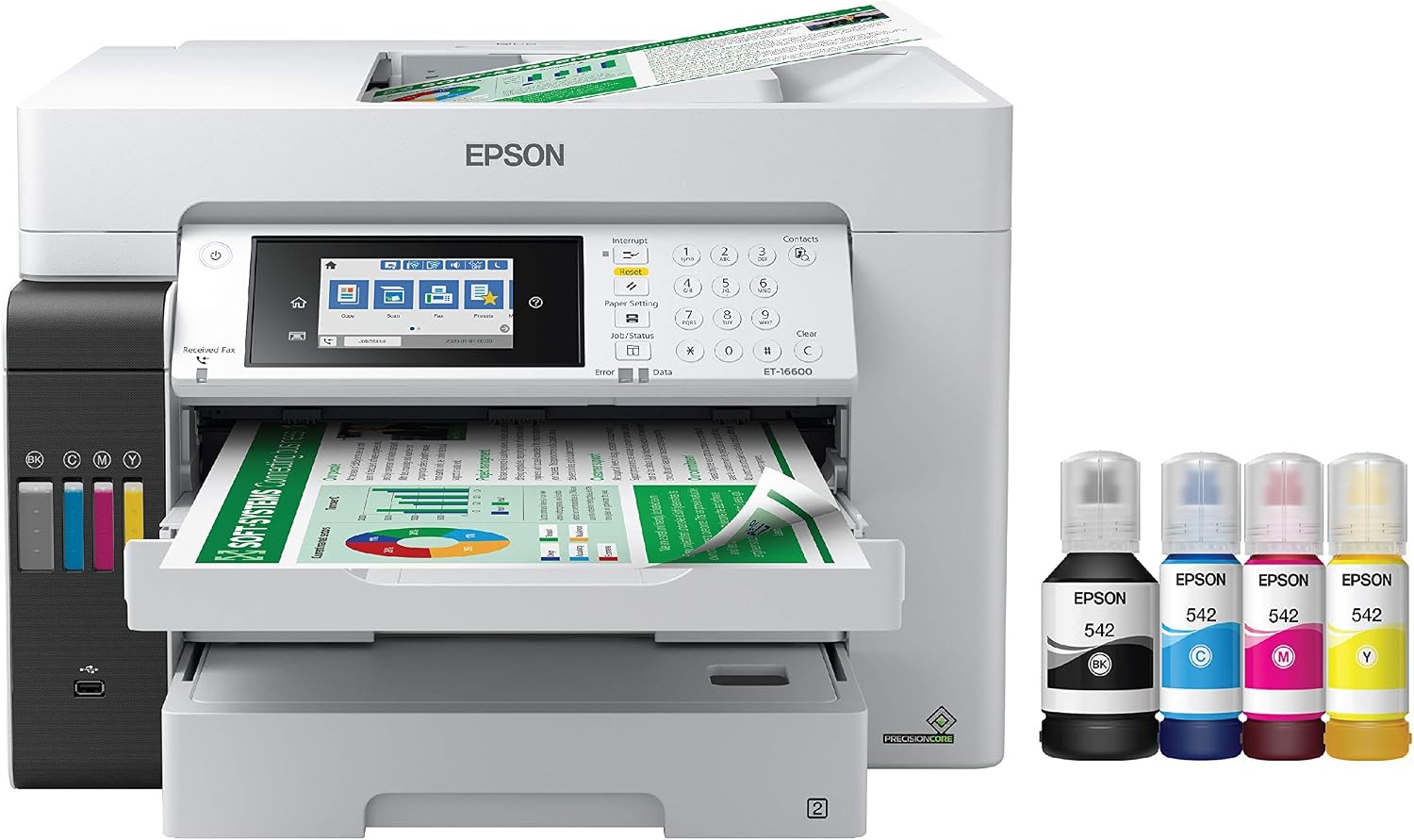
The Epson EcoTank Pro ET-16600 is a wide-format all-in-one printer designed for high-volume document printing. It has large refillable ink tanks, a 500-sheet paper capacity, automatic two-sided printing, an automatic document feeder, and wireless and Ethernet connectivity.
The ET-16600 uses Epson DURABrite pigment ink and has a maximum print resolution of 4800 × 1200 optimized dpi. Its ISO print speed is 25 ppm for black and 12 ppm for color. It can print up to 13 × 19 inches.
However, this printer should not be treated as a sublimation conversion candidate. Epson specifically states that the ET-16600 is designed for pigment inks only and warns that using dye inks may damage the printer and is not covered by the warranty.
That makes the ET-16600 useful as a wide-format EcoTank printer for documents and other compatible printing work, but it is not a suitable recommendation for converting to sublimation.
Specifications
|
Printing Technology: 4-color all-pigment 4-in-1 |
|
Maximum Print Resolution: 4800 × 1200 optimized dpi |
|
ISO Print Speed: Black: 25 ISO ppm; Color: 12 ISO ppm |
|
2-Sided ISO Print Speed: Black: 16 ISO ppm; Color: 9 ISO ppm |
|
Ink Type: DURABrite pigment ink |
|
Ink Configuration: 4 individual ink bottles |
|
Replacement Ink: 542 Black ink bottle, 127 mL; 542 Cyan, Magenta, and Yellow ink bottles, 70 mL each |
|
Ink Yield: Black: up to 7,500 pages; Color: up to 6,000 pages |
|
Paper Capacity: 500 sheets |
|
Maximum Print Size: 13 × 19 inches |
|
Connectivity: USB; Wi-Fi; Wi-Fi Direct; Ethernet |
|
Weight: 52.92 lb |
|
Warranty: 2-year limited warranty in the U.S. and Canada, with registration required for the second year |
Pros
Cons
Epson EcoTank ET-2800
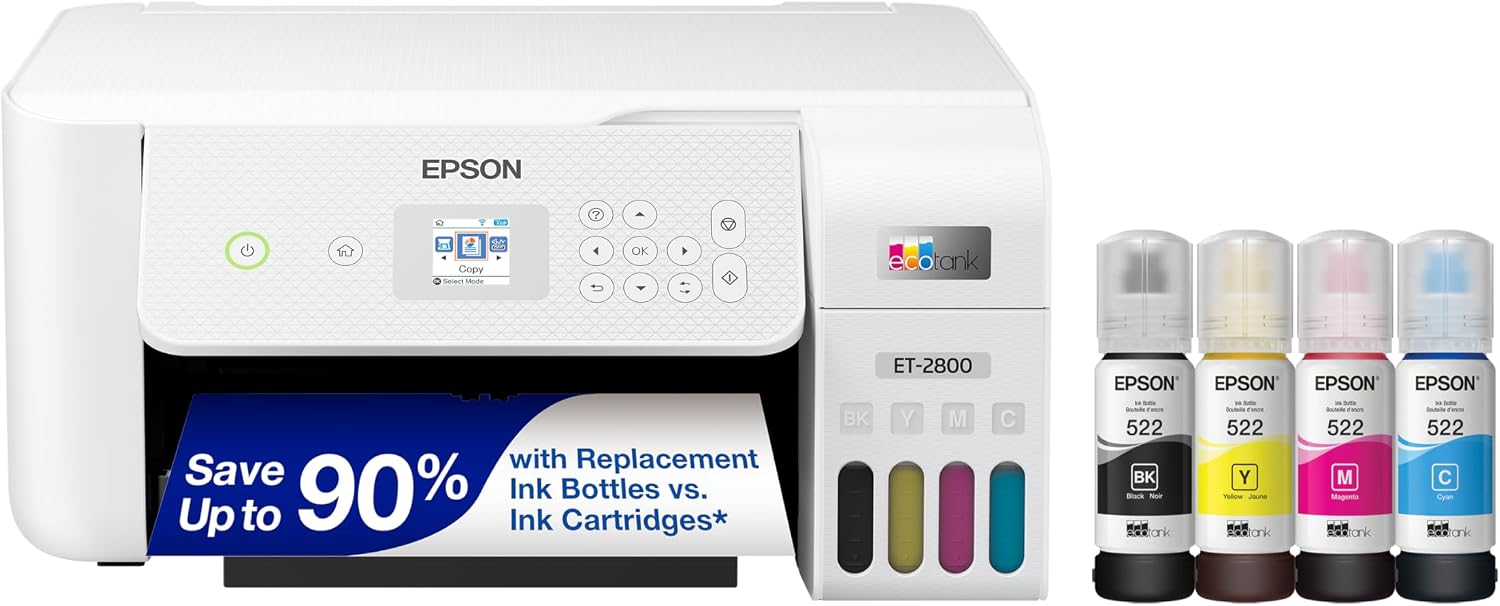
The Epson EcoTank ET-2800 is a compact wireless all-in-one printer that replaced the ET-2720 in Epson’s product lineup. It can print, scan, and copy and uses refillable ink tanks.
The ET-2800 uses four-color MicroPiezo inkjet technology with a maximum print resolution of 5760 × 1440 optimized dpi. Epson lists print speeds of 10.5 ISO ppm for black and 5.0 ISO ppm for color.
It also supports Wi-Fi, Wi-Fi Direct, and USB connectivity. Its compact design makes it convenient for a home workspace.
Like the ET-2720, the ET-2800 is not a purpose-built sublimation printer. It would need to be converted using compatible sublimation ink before being used for sublimation printing.
Specifications
|
Device Type: Multifunction printer |
|
Printing Technology: 4-color MicroPiezo inkjet |
|
Maximum Print Resolution: 5760 × 1440 optimized dpi |
|
ISO Print Speed: Black: 10.5 ISO ppm; Color: 5.0 ISO ppm |
|
Ink Configuration: 4 individual refillable ink tanks |
|
Ink Palette: Cyan; Magenta; Yellow; Black |
|
Minimum Ink Droplet Size: 3 picoliters |
|
Scanner: Color flatbed |
|
Optical Scanner Resolution: 1200 × 2400 dpi |
|
Connectivity: USB; Wi-Fi; Wi-Fi Direct |
|
Display: 1.44-inch color LCD |
|
Paper Capacity: 100 sheets |
|
Weight: Approximately 8.8 lb |
Pros
Cons
Epson EcoTank ET-2400
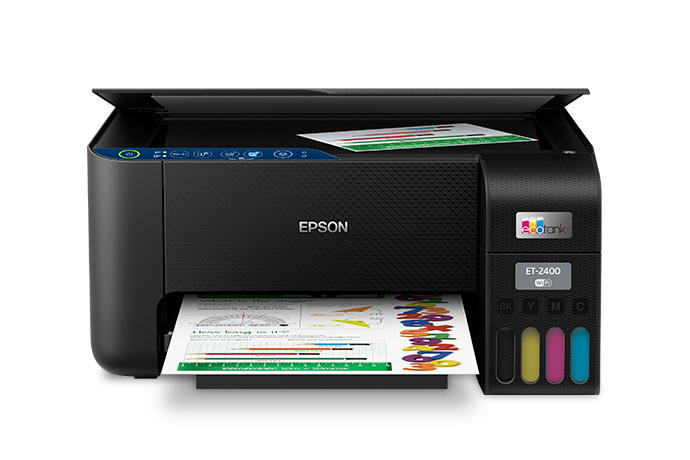
The Epson EcoTank ET-2400 is a compact all-in-one printer with refillable ink tanks. It can print, scan, and copy and is designed for home and small-office use.
The ET-2400 uses four-color MicroPiezo inkjet technology and has a maximum print resolution of 5760 × 1440 dpi. Its ISO print speed is 10 ppm for black and 5 ppm for color.
The ET-2400 is also a regular inkjet printer rather than a purpose-built sublimation printer. A compatible model can be converted for sublimation, but it should be dedicated to sublimation after the conversion.
Its compact design makes it convenient for small spaces, while its refillable tanks can help reduce the need for frequent cartridge replacement.
Specifications
|
Printing Technology: 4-color CMYK, drop-on-demand MicroPiezo inkjet technology |
|
Maximum Print Resolution: 5760 × 1440 dpi |
|
Print Speed: Black: 10.0 ISO ppm; Color: 5.0 ISO ppm |
|
First Page Out Time: Black: 7 seconds; Color: 6 seconds |
|
Ink Configuration: 4 individual ink bottles |
|
Ink Palette: Cyan; Magenta; Yellow; Black |
|
Ink Yield: Black: up to 4,500 ISO pages; Color: up to 7,500 ISO pages |
|
Connectivity: USB; Wi-Fi |
|
Monthly Duty Cycle: Up to 3,000 pages, with a recommended monthly volume of up to 500 pages |
|
Warranty: 2-year limited warranty in the U.S. and Canada, with registration required for the second year |
Pros
Cons
Which Epson EcoTank Printer Is Best for Sublimation?
The right Epson EcoTank printer depends mainly on the size of the sublimation designs and the amount of printing you plan to do.
The Epson EcoTank ET-15000 is the strongest choice from this group for larger T-shirt transfers because it can print up to 13 × 19 inches. Its larger format gives you more flexibility when preparing designs for apparel.
The Epson EcoTank ET-2800 is better suited to a small home setup where compact size is important. It is also the newer replacement for the ET-2720.
The Epson EcoTank ET-2400 can be considered for smaller projects and limited workloads. Its refillable ink tanks and compact design make it convenient for a home workspace.
The Epson EcoTank ET-2720 can still be useful when you already own the printer or find one at a suitable price, but Epson now lists the ET-2800 as its replacement.
The Epson EcoTank Pro ET-16600 should not be selected for sublimation conversion. Although it supports 13 × 19-inch printing and has large ink tanks, Epson specifies that the printer is designed for pigment inks and warns against using dye inks.
What Should You Consider Before Converting an EcoTank Printer for Sublimation?
An EcoTank printer is not automatically a sublimation printer simply because it uses refillable ink tanks. The printer needs to be compatible with sublimation ink and the conversion process.
Before converting one, consider the following:
|
Printer compatibility: Check that the exact EcoTank model is suitable for the conversion you plan to use. |
|
Sublimation ink: You need compatible sublimation dye ink. Regular Epson ink should not be mixed with sublimation ink. |
|
Transfer paper: Sublimation designs need suitable sublimation transfer paper. |
|
Design size: Check the maximum paper size before choosing a printer. This is especially important for large T-shirt designs. |
|
Maintenance: A converted printer requires regular use and proper maintenance to help reduce problems caused by ink drying or printhead clogging. |
|
Total setup cost: The printer is only one part of the setup. You also need sublimation ink, transfer paper, a heat press, and suitable blank products. |
Frequently Asked Questions
Conclusion
Epson EcoTank printers can be a useful starting point for sublimation when a compatible model is properly converted and dedicated to sublimation printing. Their refillable ink tanks can make them practical for people who need to produce a larger number of transfers without relying on traditional cartridges.
Among the models discussed here, the Epson EcoTank ET-15000 is the strongest choice for larger T-shirt designs because it supports printing up to 13 × 19 inches. The ET-2800 is a better fit for a compact home setup, while the ET-2400 can work for smaller projects and lower workloads. The ET-2720 remains relevant when it is already available, although Epson lists the ET-2800 as its replacement.
The ET-16600 is different from the other models in this list. Its wide-format capability and large ink tanks may look attractive for sublimation, but Epson specifies that it uses pigment ink and warns against dye inks, so it should not be selected for sublimation conversion.
The printer is only one part of a sublimation setup. A suitable sublimation ink, transfer paper, heat press, and appropriate polyester products are also required. Choosing the EcoTank model according to the size of the designs and the amount of printing you plan to do will give you a more practical setup.
Related Guides
Stay Updated
Get the Latest Printer Guides & Tips
Join our newsletter for new reviews, guides, and expert tips.
No spam. Unsubscribe anytime.