Printer Review
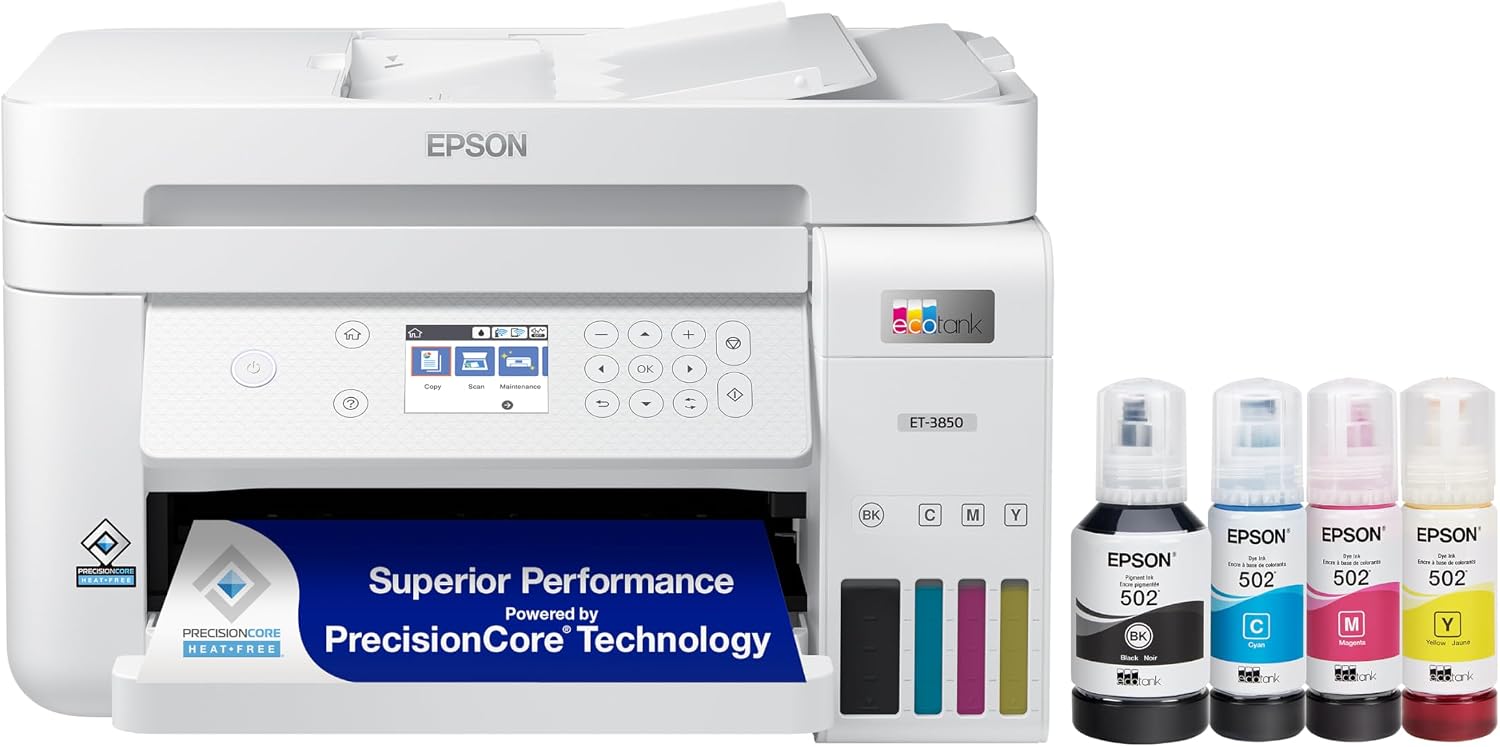
Epson EcoTank ET-3850
An all-in-one ink-tank printer for home and small-business printing.
★
Our Verdict
The Epson EcoTank ET-3850 is a well-rounded ink-tank all-in-one for home and small-business printing. Its refillable tank system keeps running costs low compared with cartridge printers, and features like automatic duplex printing, a 30-sheet automatic document feeder, and both wired and wireless connectivity make it a practical choice for everyday print, copy, and scan tasks. It is not a dedicated sublimation printer — some users convert EcoTank models for sublimation use with third-party ink, but Epson does not support this, and it is not a substitute for a purpose-built sublimation system for anyone doing that work regularly.
✅
Pros
❌
Cons
Who It’s Best For
Best For
Not the Best Fit
Key Features
A closer look at what the Epson EcoTank ET-3850 offers, per Epson’s official specifications.
Print TechnologyPrecisionCore MicroPiezo inkjet
Print Speed15.5 ppm black / 8.5 ppm color (ISO)
Max Resolution4800 x 1200 dpi
ScannerFlatbed + 30-sheet ADF, 1200 x 2400 dpi
Ink SystemEpson 502 bottles (7,500 / 6,000 pg)
ConnectivityUSB, Ethernet, Wi-Fi 4, Wi-Fi Direct
Display2.4″ color LCD
Dimensions / Weight16.4″ x 19.8″ x 10.0″, 14.8 lb
Overview
The Epson EcoTank ET-3850 is an ink-tank all-in-one printer built for home and small-business printing, using refillable ink tanks instead of traditional cartridges.
Epson EcoTank printers are popular among people who want a low-cost printing system because of these refillable tanks. Some EcoTank models can be converted for sublimation, although they are regular inkjet printers and are not purpose-built sublimation printers — after conversion with compatible sublimation ink, an EcoTank printer can be used to produce transfer designs for products such as T-shirts, towels, and other suitable polyester materials.
Ink Tank & Running-Cost Considerations
The ET-3850 uses Epson’s 502 ink bottles instead of cartridges: one black bottle (127 mL) is rated for up to 7,500 pages, and each color bottle (70 mL) for up to 6,000 pages. Epson states the printer ships with enough ink in the box to cover roughly two years of ink for an average user, which is one of the main reasons ink-tank printers like this appeal to households and small offices that print regularly.
Print, Copy & Scan Features
Beyond printing, the ET-3850 includes a flatbed and 30-sheet automatic document feeder (ADF) scanner with up to 1200 x 2400 dpi hardware resolution (9600 dpi interpolated), and it can copy 1–99 sets without a computer. Rated copy speeds are about 11 pages per minute in black and 5.0 pages per minute in color.
Paper Handling & Media Considerations
The main paper cassette holds up to 250 sheets, and the printer supports paper sizes from small photo formats up to Legal, plus long banner-style media up to 8.5 x 47.2 inches through manual feed. Automatic two-sided (duplex) printing is supported at roughly 6.5 ppm in black and 4.5 ppm in color.
Connectivity & Setup
Connection options include Hi-Speed USB, 10/100 Mbps Ethernet, Wi-Fi 4 (802.11 b/g/n), and Wi-Fi Direct for printing without a router, and the printer can be managed through Epson’s Smart Panel app. Per Epson’s official specification sheet, listed supported operating systems include Windows 7 through Windows 10 and macOS 10.6.8 through macOS 10.15.x — check Epson’s driver download page for the most current OS compatibility before buying if you’re on a newer system.
Sublimation Use & Limitations
Because EcoTank printers use piezoelectric print heads, some of Epson’s ink-tank models can technically be converted to run third-party sublimation ink instead of standard Epson ink. However, this use is not supported or endorsed by Epson, will affect your printer’s warranty, and community conversion guides most commonly reference smaller EcoTank models such as the ET-2800 and ET-2760 rather than the ET-3850 specifically. If sublimation printing is your main use case, a purpose-built sublimation printer is a safer and more reliable choice than converting a general-purpose EcoTank printer.
Maintenance & Print-Quality Considerations
Like other EcoTank models, the ET-3850 uses Epson’s PrecisionCore MicroPiezo printheads, which push ink through vibration rather than heat — the same head design Epson uses across its EcoTank lineup. The printer carries a 2-year limited warranty in the US and Canada, extendable to a second year when registered and used with genuine Epson ink.
Specifications
|
Type |
Ink-tank all-in-one |
|
Paper size |
A4 / Legal |
|
Best for |
Home and small-business printing |
|
Sublimation use |
Requires conversion and compatible sublimation ink — not purpose-built for sublimation |
Popular Alternatives
Other Epson EcoTank models worth considering, based on manufacturer specifications.
Best for budget / light use
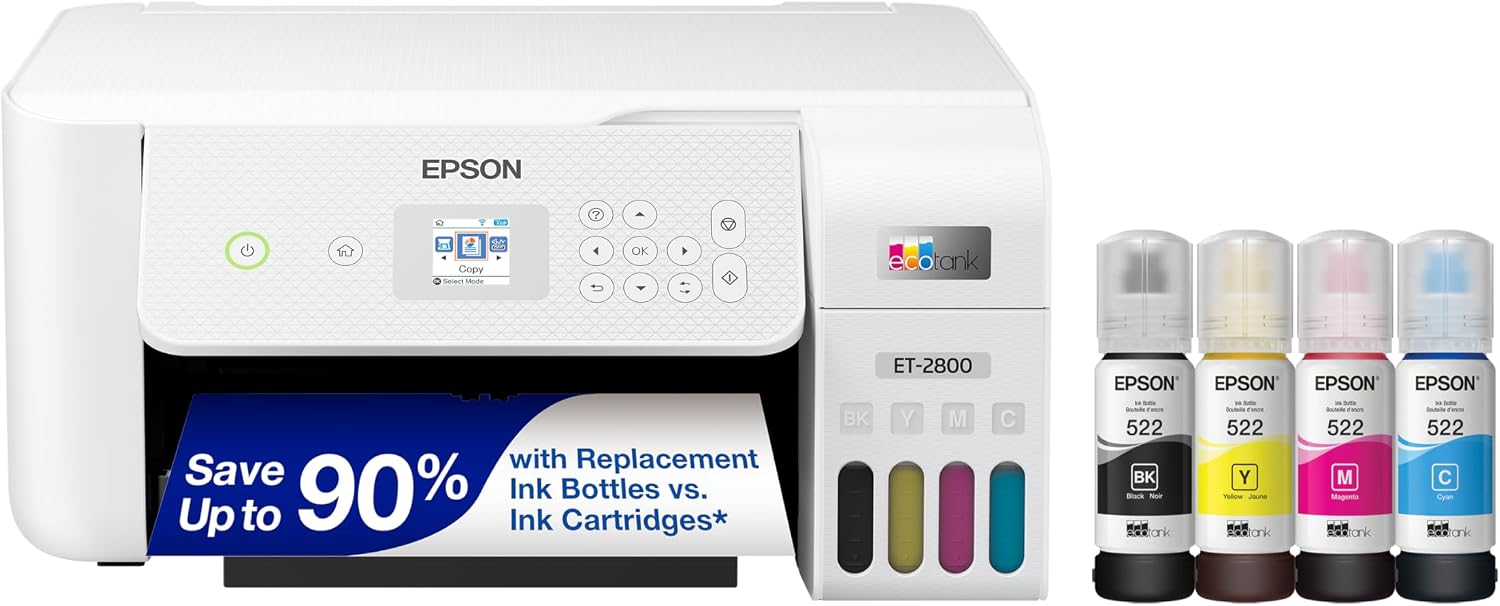
Epson EcoTank ET-2800
A smaller, more affordable EcoTank option for very light home use. It drops the automatic document feeder and duplex printing found on the ET-3850, and its paper tray is smaller (100 sheets vs. 250), but it costs less and still uses the same refillable-tank ink system.

Best for higher-volume / wide-format
Epson EcoTank ET-15000
A larger EcoTank model built for small-business and wide-format needs, supporting paper up to 13 x 19 inches (borderless up to 11 x 17), a bigger 270-sheet total paper capacity, and faster ADF-based duplex copying — a better fit for offices that print more or need larger formats than the ET-3850 supports.
Epson ET-3850 vs Popular Alternatives
See how the ET-3850 compares to other Epson EcoTank models.
Editor’s Pick: ET-3850
|
Feature |
ET-3850 |
ET-2800 |
ET-15000 |
|---|---|---|---|
|
Print Speed (Color) |
8.5 ppm |
5.0 ppm |
9 ppm |
|
Automatic Document Feeder |
30-sheet |
None |
35-sheet |
|
Duplex Printing |
Yes (auto) |
No |
Yes (auto) |
|
Paper Input |
250 sheets |
100 sheets |
270 sheets |
|
Max Paper Size |
Legal / banner to 47.2″ |
Legal |
Up to 13 x 19″ (borderless 11×17″) |
|
Best For |
Home & small-business |
Light/basic home use |
Small business / wide format |
Buying Advice
Not sure which EcoTank model fits your needs? Quick recommendations based on the specifications above.
Best for Everyday Home & Office Use
Epson EcoTank ET-3850
Best for Budget / Light Use
Epson EcoTank ET-2800
Best for Higher-Volume / Wide-Format
Epson EcoTank ET-15000
Frequently Asked Questions
Related
Stay Updated
Get the Latest Printer Guides & Tips
Join our newsletter for new reviews, guides, and expert tips.
No spam. Unsubscribe anytime.