Best Sublimation Printers
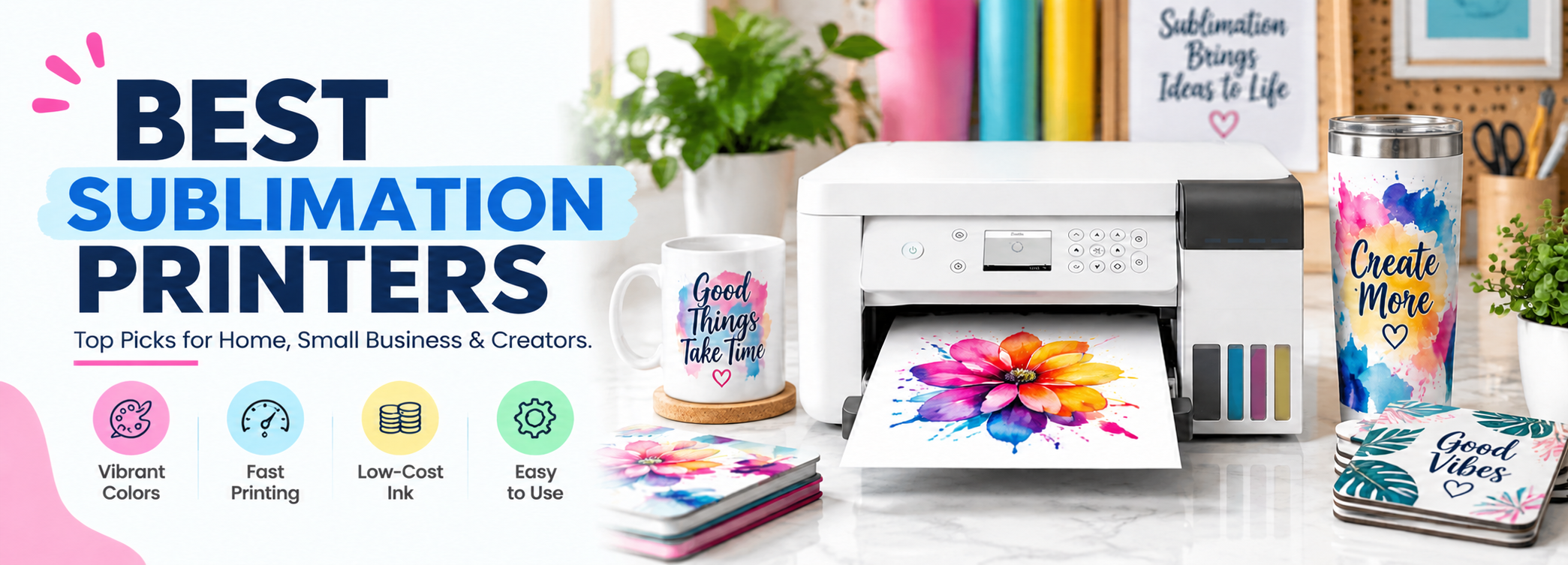
The best sublimation printer depends largely on what you plan to print, how much you print, and the size of your designs. A printer that works well for mugs, shirts, and other small products may not be suitable for larger designs or a busy business. Sublimation printers are used to print vibrant, long-lasting designs on products such as garments, mugs, mouse pads, phone cases, ornaments, socks, and other sublimation-ready items. The design is printed onto sublimation transfer paper with special ink and then transferred to the product using a heat press. When heated to the right temperature, the ink turns into a gas and bonds with the material.
If you are new to sublimation printers and want to find the right printer, there are several options to consider. Some printers are designed specifically for sublimation, while others are standard inkjet or photo printers that have been used for sublimation conversion. The right choice depends on the products you plan to print, the print size you need, and how much you plan to produce.
The right sublimation printer depends on the type of products you plan to make, print size, image quality, printing volume, and your budget. Some printers are better suited to beginners and small projects, while others are designed for larger prints and higher workloads. There are several types of printers to consider, including models designed specifically for sublimation and standard inkjet or photo printers that can be converted for sublimation use. The best option for you will depend on the products you want to make, the print size you need, your expected printing volume, and your budget.
We’ve selected and compared the best sublimation printers for different needs, from easy-to-use options for beginners and small projects to larger models suited to businesses and higher-volume production.
List of Best Sublimation Printers
01 — Epson SureColor F-170
Best for: Small products & easy setup
02 — Sawgrass SG500 Sublimation Printer
Best for: Small business — mugs & apparel
03 — Sawgrass Virtuoso SG800
Best for: Larger-format apparel designs
04 — Canon SELPHY CP1300
Best for: Portable photo printing
05 — Mimaki TS100-1600
Best for: High-volume commercial textile production
06 — Epson Expression Photo HD XP-15000
Best for: Wide-format designs (13×19)
07 — Epson WorkForce WF-7210
Best for: Budget-friendly large-format conversion
08 — Epson EcoTank ET-2800
Best for: Low-cost sublimation conversion
09 — Epson EcoTank ET-15000
Best for: Wide-format low-cost conversion
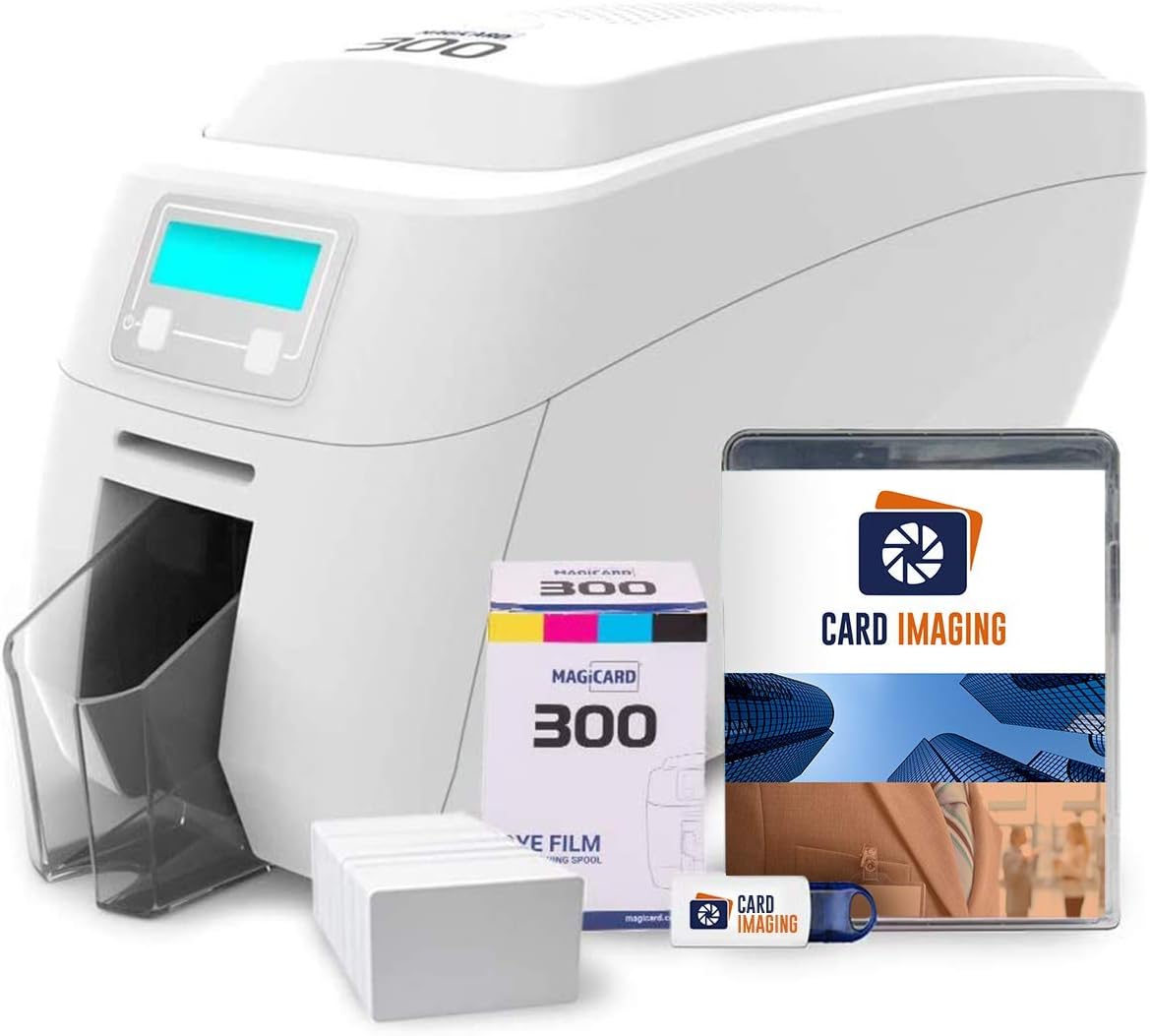
10 — Magicard 300 Dual Sided ID Card Printer
Best for: ID card printing (schools & businesses)
Top Picks
Best Sublimation Printers, Reviewed
Epson SureColor F-170 Sublimation Printer
Best for: Small products & easy setup

The Epson SureColor F-170 dye sublimation printer is a good way to get started with printing socks, ornaments, mugs, coasters, and other small sublimation pieces.
The F-170 is designed specifically for dye sublimation and uses Epson genuine dye-sublimation ink. It uses four ink colors: Cyan, Magenta, Yellow, and Black.
The printer includes a 150-sheet auto-feed tray and supports Epson DS Multi-Use transfer paper for soft and rigid substrates. It also supports USB, Ethernet, and wireless connectivity.
Specifications
|
Category: Sublimation Inkjet Printer |
|
Brand: Epson |
|
Compatible Devices: Mac, PC |
|
Ink Configuration: CMYK |
|
Ink Capacity: 140 mL per color |
|
Paper Size: Up to A4 |
|
Input Paper Capacity: Up to 150 sheets |
|
Nozzle Configuration: 784 nozzles |
|
Connectivity: USB, Ethernet, and wireless |
Pros
Cons
The Epson F-170 is a practical desktop option for small sublimation work. Its dedicated sublimation ink system also removes the need to convert a regular inkjet printer.
The printer is suitable for small products such as mugs, coasters, ornaments, phone cases, socks, and smaller apparel designs. The 140 mL ink bottles provide a useful amount of ink for a desktop sublimation printer, while the 150-sheet input tray makes it easier to handle multiple transfer sheets during production.
The main limitation is the print size. A business producing large T-shirt graphics, banners, or large textile panels will need a wider-format printer.
The PrecisionCore printhead provides accurate ink placement and clear detail. Epson also lists Precision Droplet Control as one of the F-170’s print-quality features.
The F-170 uses Epson’s dye-sublimation ink system and is supplied as a complete sublimation printing solution. Epson DS Multi-Use transfer paper can be used for soft and rigid sublimation applications.
The printer uses high-capacity ink bottles with an auto-stop filling system designed to make refilling easier. USB, Ethernet, and integrated wireless connectivity are also available.
Sawgrass SG500 Sublimation Printer
Best for: Small business — mugs & apparel

Another brand that deals with sublimation printers is Sawgrass. The SG500 is designed for producing small sublimation products with high-quality and vibrant images.
The SG500 was introduced as an upgrade to the SG400. It supports media up to 8.5 × 14 inches, with additional media flexibility available through its optional bypass tray.
It uses four-color sublimation ink: Cyan, Magenta, Yellow, and Black.
Specifications
|
Category: Dye Sublimation Printer |
|
Brand: Sawgrass |
|
Compatible Device: PC |
|
Ink Configuration: CMYK |
|
Print Media: Sublimation transfer paper |
|
Maximum Standard Media: 8.5 × 14 inches |
|
Input Paper Capacity: 100 sheets |
|
Connectivity: Wi-Fi and USB |
|
Output: Color |
|
Duplex: Automatic |
Pros
Cons
The SG500 fits comfortably on a desktop and works well for small sublimation operations.
Its 8.5 × 14-inch standard media size is suitable for many smaller products. The printer can be used for mugs, mouse pads, phone cases, socks, small apparel graphics, and other compatible products.
Wi-Fi connectivity makes it convenient for a home office or small production workspace.
The SG500 is designed to produce detailed sublimation transfers with vibrant colors. It can be used for a wide range of compatible products, including fabric, ceramic mugs, bags, cases, plates, socks, and other sublimation-ready items.
The printer can produce transfers for polyester fabric and other suitable sublimation textiles. Its automatic maintenance features also help reduce manual maintenance requirements.
Sawgrass Virtuoso SG800 Dye Sublimation Printer
Best for: Larger-format apparel designs
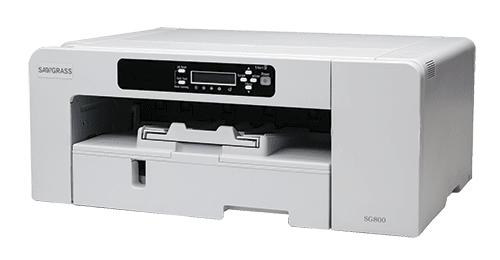
The Sawgrass Virtuoso SG800 is a larger-format sublimation printer from Sawgrass. It was designed for users who needed more media space than the smaller SG400 and SG500 models.
The SG800 can be used for T-shirts, socks, pillowcases, caps, bags, mugs, oven mitts, and other sublimation products.
Its larger format also allows users to place several smaller designs on one sheet or produce larger apparel graphics.
Specifications
|
Maximum Standard Media: A3 / 11 × 17 inches |
|
Ink Set: CMYK |
|
Ink Delivery System: Cartridge-based |
|
Maximum Resolution: Up to 1200 × 1200 dpi |
|
Operating System: Windows and Mac |
|
Software: Sawgrass CreativeStudio, Adobe Photoshop, Adobe Illustrator, CorelDRAW |
Pros
Cons
The SG800 is useful when a larger print area is required.
The 11 × 17-inch format is suitable for many apparel applications, while the optional bypass tray provides additional media size.
A larger sheet can also be useful when producing multiple smaller products at the same time.
The printer can be installed on Windows or Mac computers and uses Sawgrass sublimation inks designed for vibrant images and detailed output.
It can be used for products such as fabric, ceramic items, socks, bags, cups, and other sublimation-ready products.
Because the SG800 is an older model, anyone purchasing one should check current availability, ink supplies, replacement parts, and support before making a purchase.
Canon SELPHY CP1300
Best for: Portable photo printing
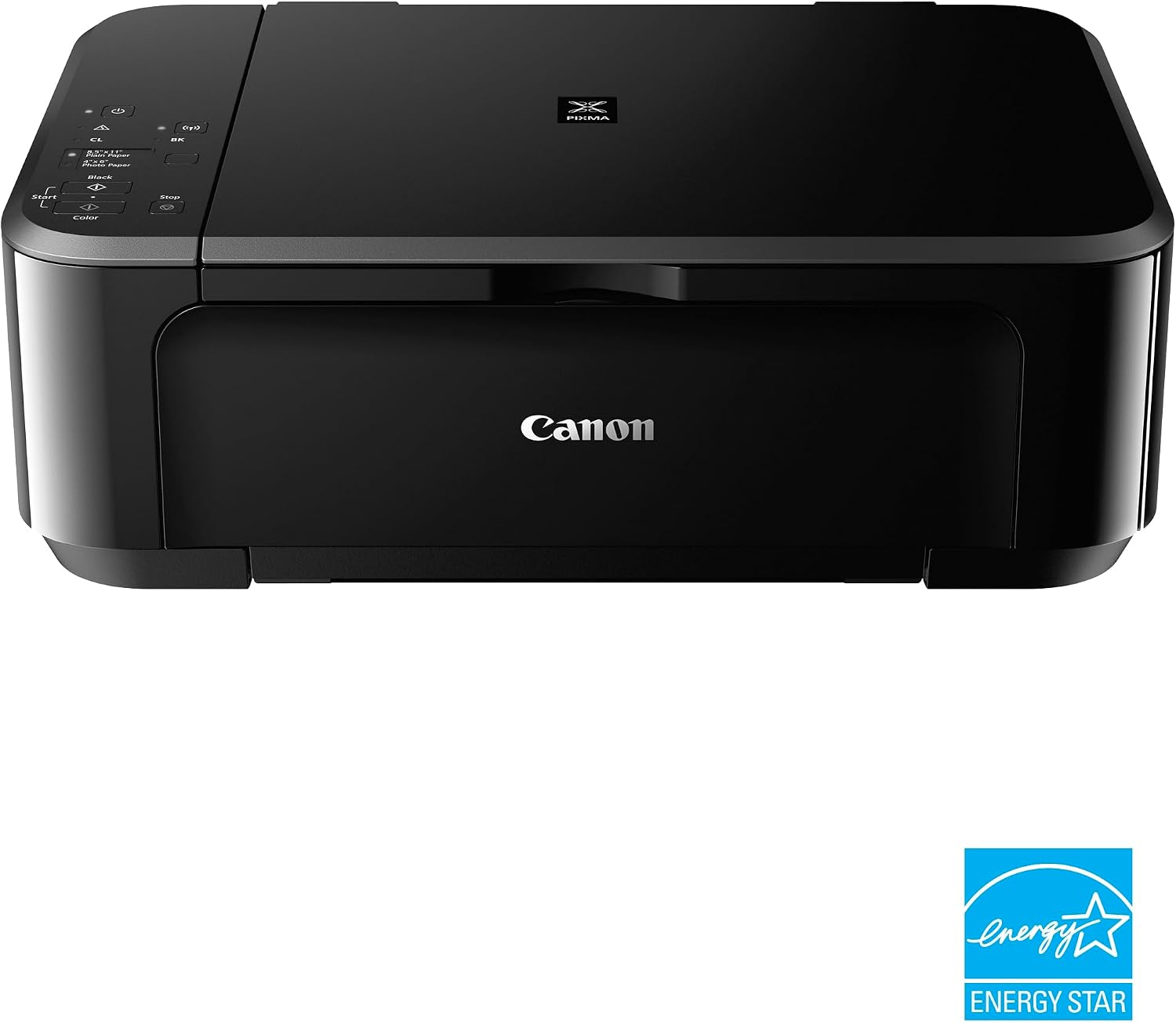
The Canon SELPHY CP1300 is a compact wireless photo printer that uses dye-sublimation technology.
The printing process uses a thermal dye-sublimation system with an overcoating that protects the finished photo. Canon lists a maximum resolution of 300 × 300 dpi and a postcard-size 4 × 6-inch print time of approximately 47 seconds.
The CP1300 is designed for photo printing rather than making sublimation transfers for T-shirts, mugs, and other sublimation blanks.
It can connect to smartphones, computers, cameras, USB devices, and memory cards.
Specifications
|
Printing Technology: Dye-Sublimation Thermal Transfer |
|
Color Type: Color |
|
Print Resolution: 300 × 300 dpi |
|
Print Speed: Approximately 47 seconds for a 4 × 6-inch photo |
|
Surface Finish: Glossy |
|
Interface: USB |
|
Wireless: Wi-Fi |
|
Memory Card: SD/SDHC/SDXC |
|
Display: 3.2-inch LCD |
|
Operating Systems: Windows, macOS, iOS, Android |
|
Weight: Approximately 1.9 lb |
Pros
Cons
The CP1300 is useful for home photo printing, events, parties, and portable photo applications.
You can print photographs from compatible smartphones, computers, cameras, USB devices, and memory cards. Its small size makes it easy to carry and use where space is limited.
The printer can connect to compatible devices through Wi-Fi. A 4 × 6-inch postcard-size photo takes approximately 47 seconds.
The CP1300 supports postcard, card, square label, and other dedicated photo media. Its dye-sublimation thermal process also includes an overcoating designed to protect the finished print.
Mimaki TS100-1600 Sublimation Printer
Best for: High-volume commercial textile production
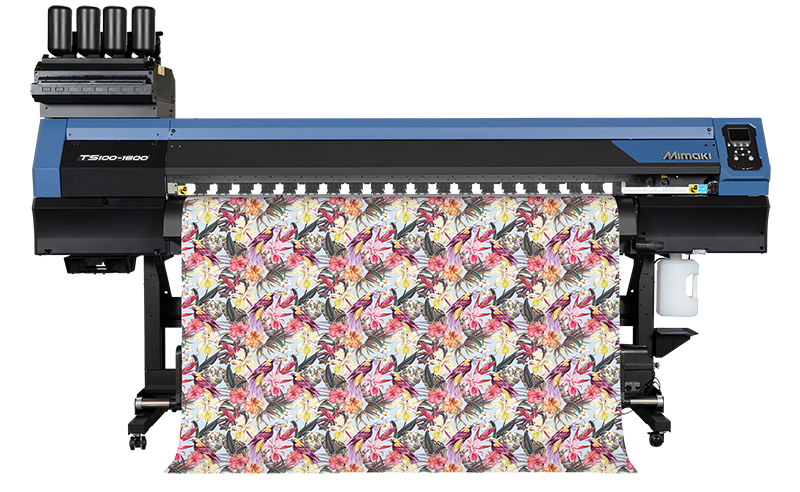
Mimaki TS100-1600 is a roll-based sublimation transfer printer designed for textile production.
It includes Mimaki technologies designed to improve print quality, productivity, and production stability. The machine has a maximum print width of 1,610 mm (63.4 inches) and uses Sb610 sublimation ink in one-liter bottles.
The printer was designed for applications such as sports apparel, flags, interior fabrics, fashion textiles, and other sublimation products.
Mimaki has discontinued the TS100-1600 and lists it as End of Sale. It can still be relevant when evaluating existing or used equipment, but businesses purchasing a new production printer should consider current models.
Specifications
|
Print Head: On-demand piezo head |
|
Print Resolution: 360, 600, 720, and 900 dpi |
|
Ink Type: Sb610 sublimation ink |
|
Ink Capacity: 1-liter bottles |
|
Maximum Print Width: 1,610 mm / 63.4 inches |
|
Maximum Media Width: 1,620 mm / 63.8 inches |
|
Maximum Roll Weight: 45 kg / 99 lb |
|
Interface: USB 2.0 / Ethernet 1000BASE-T |
|
Weight: 166 kg / 366 lb |
|
Ink Set: Sb610 CMYK |
Pros
Cons
The TS100-1600 supports different print modes, with Mimaki listing speeds of up to 70 m²/h in the fastest mode.
The printer is designed for businesses producing larger volumes of sublimation transfers. It can be used for sportswear, fashion garments, flags, interior fabrics, and other textile products.
Mimaki included NCU, NRS, MAPS4, and DAS technologies to help maintain print quality and stable operation. DAS automatically adjusts dot position and feeding amounts that can affect print quality, while MAPS4 helps reduce banding and uneven color printing.
NCU monitors nozzle conditions, while NRS can compensate for defective nozzles to help maintain printing. The printer supports Mimaki’s RasterLink and TxLink software.
The printer uses Sb610 sublimation ink supplied in one-liter bottles, which is suitable for higher-volume production.
Epson Expression Photo HD XP-15000
Best for: Wide-format designs (13×19)
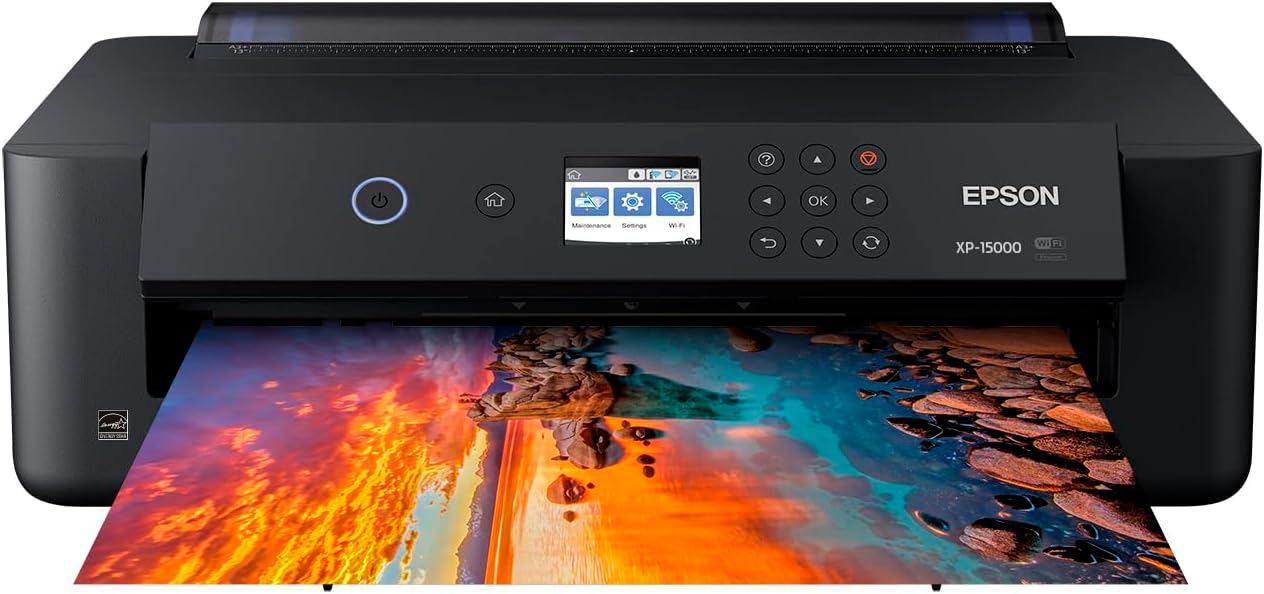
The Epson Expression Photo HD XP-15000 is a wide-format photo printer.
It supports paper sizes up to 13 × 19 inches and uses a six-color Claria Photo HD ink system. The printer can connect through USB, Wi-Fi, and Ethernet.
The XP-15000 has been used by some sublimation users as a conversion printer, but its standard configuration is designed for photo printing.
Specifications
|
Printing Type: Inkjet |
|
Brand: Epson |
|
Model: XP-15000 |
|
Connectivity: Wireless and Ethernet |
|
Maximum Paper Size: 13 × 19 inches |
|
Ink System: Six-color Claria Photo HD Ink |
|
Maximum Resolution: Up to 5760 × 1440 optimized dpi |
|
Output: Color |
|
Recommended Use: Professional photo printing |
Pros
Cons
The 13 × 19-inch print area gives the XP-15000 an advantage for larger designs.
The printer can be useful for users who understand sublimation conversion and want a wide-format desktop machine.
The standard XP-15000 is designed around Epson’s Claria Photo HD ink system. Anyone converting the printer needs to use an appropriate sublimation workflow rather than treating the standard printer as a ready-to-use sublimation machine.
The printer supports media up to 13 × 19 inches. Its six-color Claria Photo HD system includes red and gray inks for a wider color range and improved black-and-white photo printing.
The XP-15000 provides a wide printing format while remaining suitable for a desktop workspace. It also supports wireless printing as well as wired connectivity.
Epson WorkForce WF-7210
Best for: Budget-friendly large-format conversion
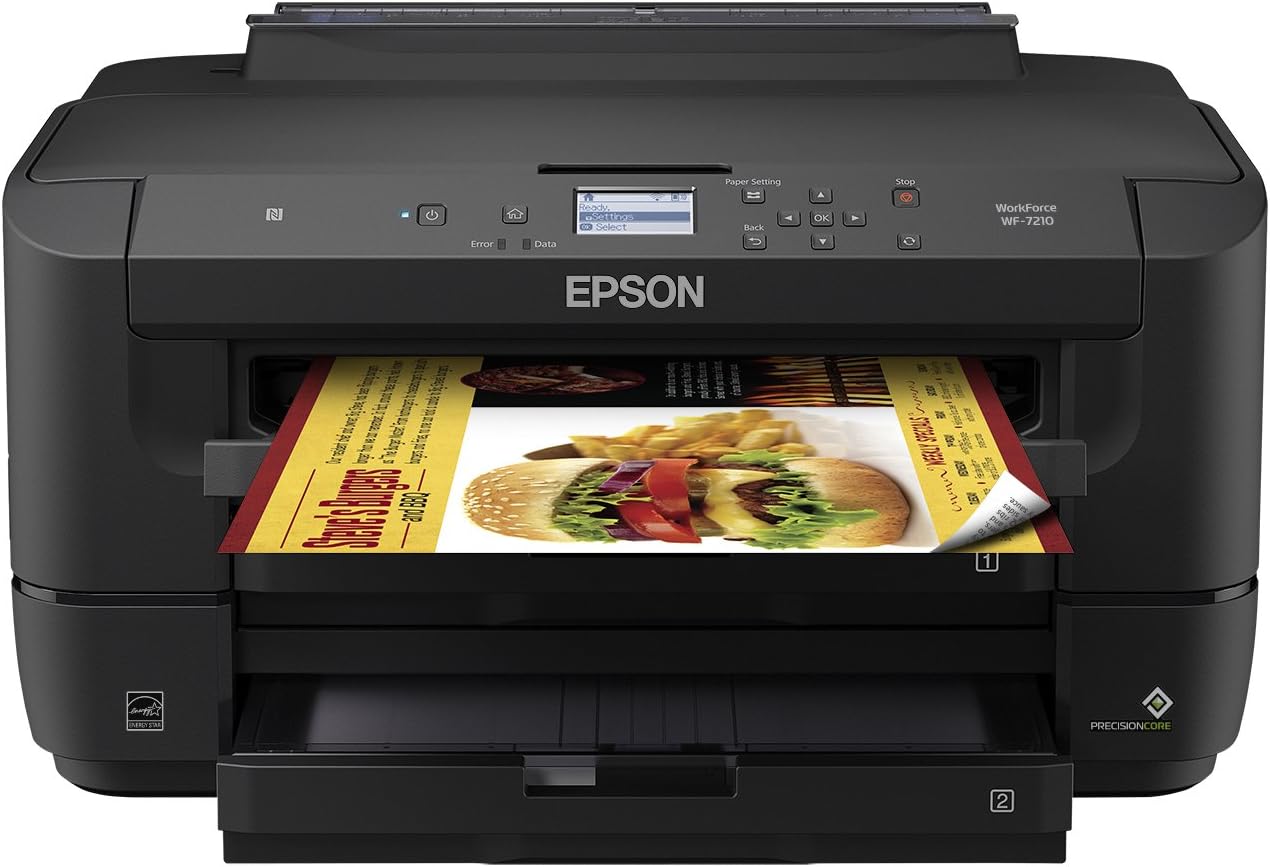
The Epson WorkForce WF-7210 is a large-format inkjet printer that supports paper sizes up to 13 × 19 inches.
It takes up more desk space than a standard home printer because of its larger paper capacity and wide-format printing capability.
The printer supports 13 × 19-inch borderless printing and automatic duplex printing for compatible media.
Specifications
|
Printing Technology: Inkjet |
|
Brand: Epson |
|
Model: WF-7210 |
|
Connectivity: Wi-Fi Direct, NFC, Ethernet, USB |
|
Maximum Print Resolution: 4800 × 2400 dpi |
|
Black ISO Speed: 18 ppm |
|
Color ISO Speed: 10 ppm |
|
2-Sided Black Speed: 8.7 ppm |
|
2-Sided Color Speed: 6.0 ppm |
|
Ink Palette: Cyan, Magenta, Yellow, Black |
|
Weight: 32.8 lb |
Pros
Cons
The WF-7210 is a standard inkjet printer, so its original ink system should not be confused with a dedicated sublimation ink system.
The main reason this printer has been considered for sublimation is its large paper size. The 13 × 19-inch format provides more room for larger transfer designs.
Because it is an older model, availability and conversion supplies should be checked before buying one for a new sublimation setup.
The printer supports borderless prints up to 13 × 19 inches. Two trays provide up to 500 sheets of capacity, with a rear feed for specialty media.
Wi-Fi Direct, Ethernet, USB, and NFC provide several connection options. The printer can also automatically print on both sides of compatible paper.
Epson EcoTank ET-2800
Best for: Low-cost sublimation conversion
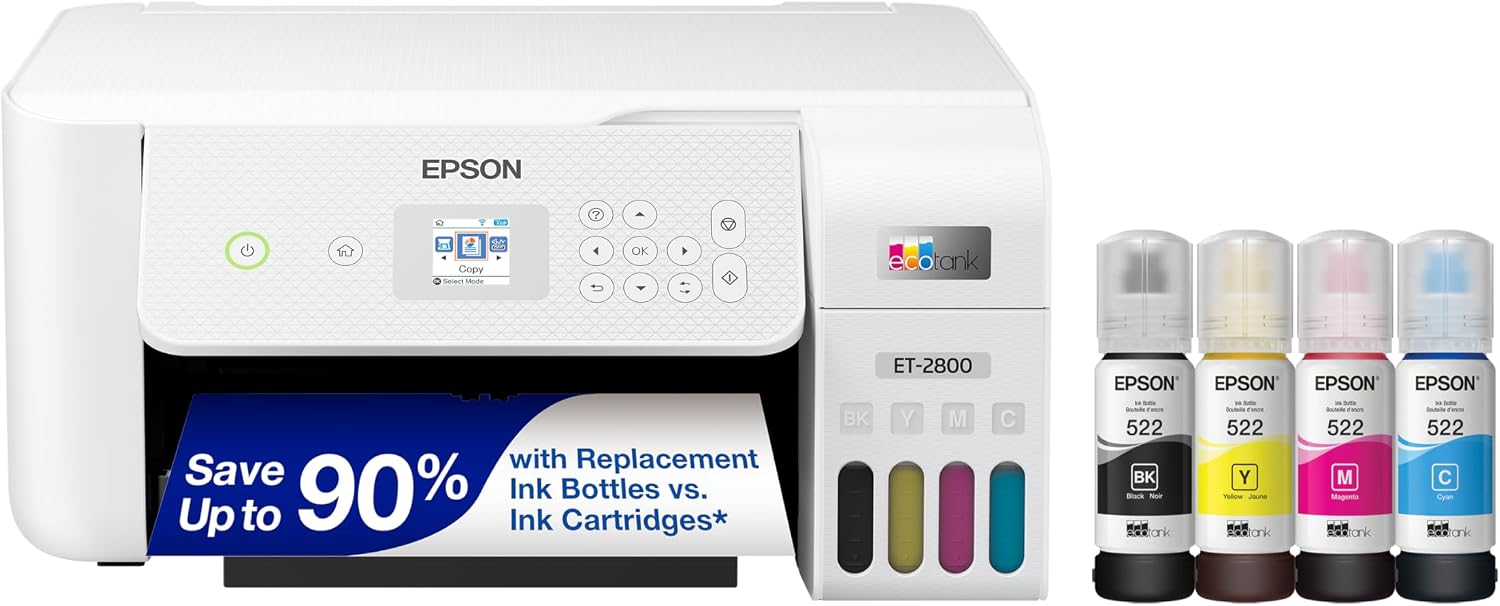
The Epson EcoTank ET-2800 is a cartridge-free inkjet all-in-one printer designed for home and small-office use.
The EcoTank system uses refillable ink tanks instead of traditional cartridges. This makes the model attractive to some users considering sublimation conversion.
The standard ET-2800, however, is an ordinary EcoTank inkjet printer and is not a dedicated dye-sublimation printer.
Specifications
|
Brand: Epson |
|
Product Type: Inkjet Printer |
|
Printing Ability: Color |
|
Double-Sided Printing: Manual |
|
Functionality: Printer, Scanner, Copier |
|
Input Capacity: 100 sheets |
|
Mobile Printing: Yes |
|
Operating System Compatibility: Windows, macOS |
|
Wireless Connectivity: Wi-Fi |
|
Ink System: EcoTank refillable tanks |
|
Configuration: Four-color built-in tanks |
|
Black Print Speed: 10 ppm |
|
Color Print Speed: 5 ppm |
Pros
Cons
The printer includes an 8.5 × 11.7-inch flatbed scanner with a 1200 dpi optical scan resolution.
The ET-2800 can be attractive for people considering a low-cost sublimation conversion because of its refillable ink tanks.
However, the standard printer is designed for ordinary Epson EcoTank ink. It should not be treated as a sublimation printer without a proper conversion and compatible sublimation supplies.
For someone who wants a simple sublimation setup, a printer designed specifically for sublimation is easier to manage.
The EcoTank system uses refillable ink bottles rather than traditional cartridges. The printer provides color printing for everyday documents and photos, along with scanning and copying.
The flatbed scanner provides up to 1200 dpi optical scan resolution, and Wi-Fi connectivity allows computers and compatible mobile devices to connect to the printer.
Epson EcoTank ET-15000
Best for: Wide-format low-cost conversion

The Epson EcoTank ET-15000 is a larger all-in-one EcoTank printer.
The ET-15000 includes an automatic document feeder, built-in fax, Ethernet connectivity, and a larger paper capacity. It can print up to 13 × 19 inches through its rear feed.
It is also a cartridge-free printer that uses refillable ink bottles.
Specifications
|
Printing Technology: Inkjet |
|
Brand: Epson |
|
Color: White |
|
Connectivity: Wi-Fi, Ethernet, USB |
|
Compatible Devices: PC, laptops |
|
Recommended Use: Office, home |
|
Maximum Print Size: 13 × 19 inches |
|
Maximum Print Resolution: 4800 × 1200 optimized dpi |
|
Input Tray Capacity: Up to 250 sheets |
|
Black ISO Speed: 17 ppm |
|
Color ISO Speed: 9 ppm |
|
Ink Palette: Cyan, Magenta, Yellow, Black |
|
Ink Configuration: Four individual ink bottles |
|
Functions: Print, scan, copy, fax |
Pros
Cons
The ET-15000 can print larger media than the ET-2800, which makes it more interesting for people considering a wide-format sublimation conversion.
The combination of refillable ink tanks and 13 × 19-inch printing is the main reason this printer has been popular among users considering conversion projects.
The larger format provides more room for T-shirt transfers and other designs.
However, the standard ET-15000 is an office-oriented EcoTank printer. Its regular ink system is not the same as a dedicated dye-sublimation system.
The printer supports Wi-Fi, Ethernet, USB, and mobile printing. It can print, scan, copy, and fax, making it useful in an office environment.
The printer supports up to 4800 × 1200 optimized dpi and can automatically print on both sides of compatible documents. Compatible voice-control features can also provide hands-free printing commands.
Which Sublimation Printer Should You Choose?
The right printer depends on the products you plan to make and the amount of printing you expect to do.
For small sublimation products, a compact printer such as the Epson SureColor F-170 or Sawgrass SG500 provides a practical setup.
For larger designs, a larger-format printer gives you more space for transfer artwork.
For textile production, a roll-based production printer is more appropriate than a desktop machine.
Printers such as the Epson XP-15000, WorkForce WF-7210, ET-2800, and ET-15000 need to be treated differently because their standard configurations are ordinary inkjet printers rather than dedicated sublimation systems.
The Canon SELPHY CP1300 and Magicard 300 use dye-sublimation technology, but their applications are photo printing and ID-card printing respectively.
What Should You Consider Before Buying a Sublimation Printer?
Print Size
Consider the size of the products you plan to make.
Mugs, coasters, ornaments, and smaller products do not require the same print area as large T-shirt graphics or textile panels.
Ink Cost
Ink is an ongoing part of the operating cost.
Compare the cost and availability of compatible ink, transfer paper, maintenance supplies, and replacement parts rather than considering only the printer’s purchase price.
Production Volume
A hobbyist producing a few mugs each week has different requirements from a business producing hundreds of transfers.
Higher-volume operations should pay attention to:
- Print speed
- Ink capacity
- Media handling
- Maintenance
- Reliability
- Service and support
- Software
- Workflow
Substrate Compatibility
Sublimation does not work on every material.
Polyester fabrics and specially coated hard substrates are commonly used.
Mugs, phone cases, ornaments, aluminum panels, and other hard products need a suitable sublimation coating.
Heat Press
The printer is only one part of a sublimation setup.
You also need a suitable heat press or heat-transfer equipment for the products you plan to make. Mugs, shirts, caps, and flat products may require different equipment or attachments.
Color Management
The design shown on a monitor may not look the same after printing and pressing.
Ink, transfer paper, printer settings, color profiles, substrate, temperature, pressure, and pressing time can all affect the finished result.
Frequently Asked Questions
OUR RECOMMENDATION
Conclusion
Dye sublimation printers come in different sizes and are designed for different types of printing. A compact printer such as the Epson SureColor F-170 or Sawgrass SG500 can handle many small sublimation products, while larger-format machines are better suited to larger apparel designs and textile production.
Before buying a printer, consider the products you plan to make, the size of the designs, expected printing volume, ink costs, substrate compatibility, and the heat-press equipment required for the finished product.
For beginners, a dedicated sublimation printer can provide a simpler setup. Standard inkjet printers that are used for conversion can offer other advantages, but they require more knowledge about ink compatibility and the conversion process. The right choice depends on your printing requirements, available workspace, and production needs.
If you are new to sublimation printers and want to find the right printer, there are several options to consider. Some printers are designed specifically for sublimation, while others are standard inkjet or photo printers that have been used for sublimation conversion. The right choice depends on the products you plan to print, the print size you need, and how much you plan to produce.
In this article, you will find a selection of sublimation printers along with their specifications, pros, cons, features, and other information to help you compare the different options and choose a printer that fits your sublimation printing needs.