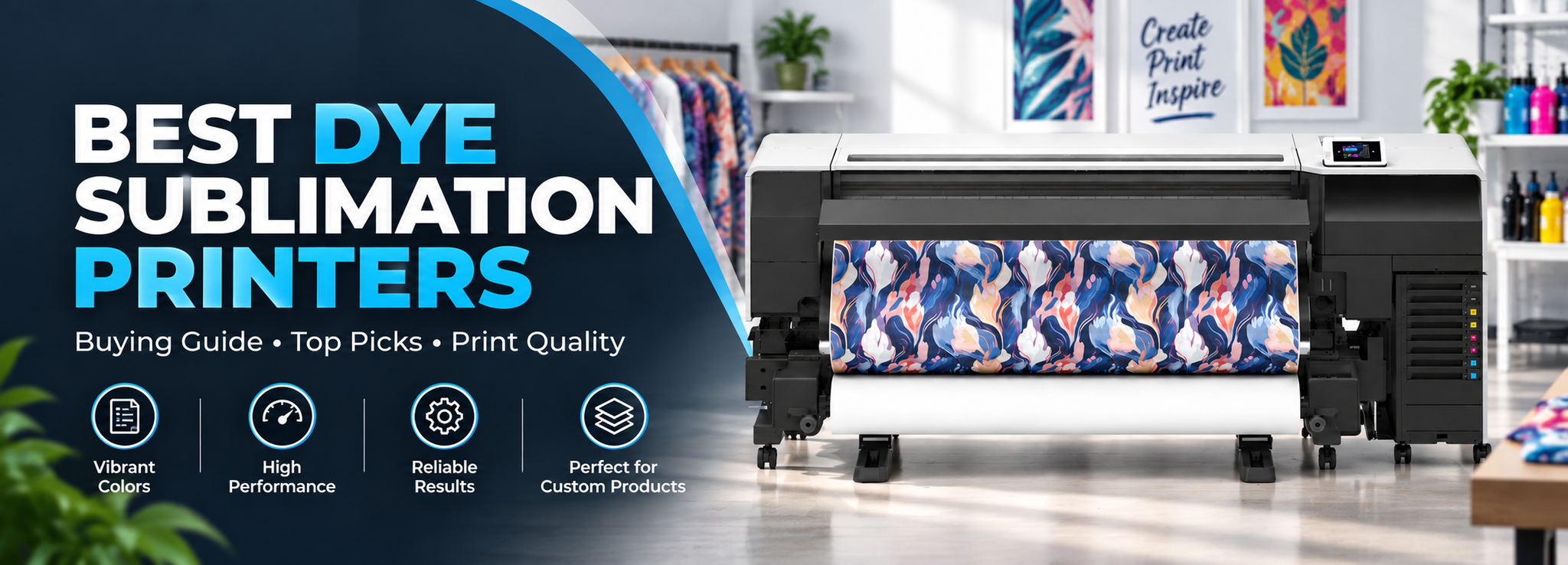
Best Dye Sublimation Printers
Dye Sublimation is a process of printing on different objects easily, and you can print images or decals onto specific materials to create your artwork using special inks and special paper. You then apply this transfer to specially receptive products, such as garments or mugs, using a heat press.
Dye sublimation can be used on a variety of products, including fabric, mugs, mouse pads, phone cases, folders, cutting boards, and much more.
Dye sublimation is a process where you print. At the correct temperature the ink turns into a gas and fuses into the product, giving a long-lasting, vibrant image.
For someone new to sublimation printers, choosing the best sublimation printer depends on the type and size of products you plan to print, the amount of printing you need to do, and whether you need a compact desktop printer or a larger production machine.
In this article, you will find the top sublimation printers, along with detailed information about their specifications, features, pros and cons, and the type of printing they are best suited for.
List of Best Sublimation Printers
01 — Epson SureColor F-170
Best for: Best Sublimation Printer for Beginners
02 — Sawgrass SG500 Sublimation Printer
03 — Sawgrass SG1000
Best for: Current Large-Format Sawgrass Option
04 — Canon SELPHY CP1300
Best for: Compact Photo Dye-Sublimation Printer
05 — Mimaki TS330-1600
Best for: Current Professional Textile Sublimation Printer
Top Picks | Best Dye Sublimation Printers Recommendation
1. Epson SureColor F-170
Check Current Price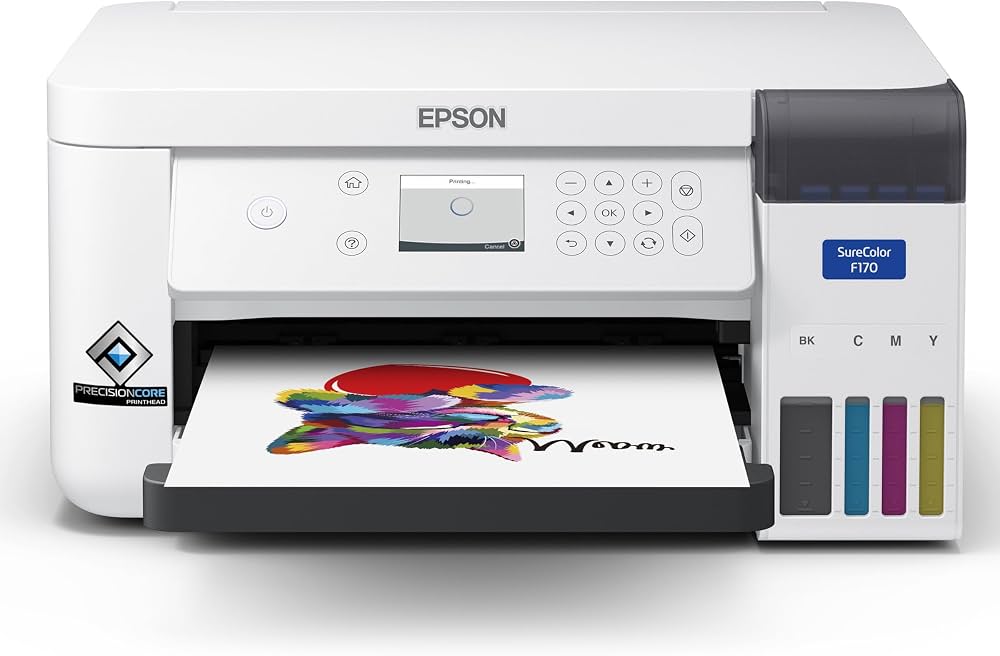
The Epson SureColor F-170 dye sublimation printer is the best way to get started printing socks, ornaments, mugs and any other small sublimation pieces. It’s not just the outstanding print quality that makes the Epson F-170 stand out in this space. F-170 is a great choice for small-piece sublimation.
The F-170 is Epson’s purpose-built desktop sublimation printer. Epson’s current specifications list genuine Epson dye-sublimation ink, a 150-sheet auto-feed tray, PrecisionCore technology, and support for Windows and Mac printing software.
It uses four ink colors: Cyan, Magenta, Yellow, and Black.
Epson SureColor F-170 is supported by a printer driver for Mac & PC. The version of the application and operating system may limit maximum length.
Specifications
|
Category: Sublimation Inkjet Printer |
|
Brand: Epson |
|
Compatible Device: Mac, PC |
|
Max Print Resolution: 1200 × 600 dpi |
|
Ink Capacity: 140 ml × 4 |
|
Maximum Paper Width: 8.5 inches |
|
Maximum Sheet Size: 8.5 × 47.2 inches |
|
Paper Type: Epson DS Multi-Use transfer paper |
|
Input Paper Capacity: Up to 150 sheets |
|
Nozzle Configuration: 784 nozzles |
|
Connectivity: USB, Wi-Fi, Wi-Fi Direct and Ethernet |
Pros and Cons
Pros
Cons
Epson F-170 is a strong option in dye sublimation printing. It brings Epson’s purpose-built sublimation technology to the desktop sublimation space. For someone who needs a small sublimation printer, it provides a straightforward way to start printing on products such as mugs, mouse pads, awards, and other compatible blanks.
Things to Consider
The Epson SureColor F-170 is an inexpensive sublimation printer that comes with a set of 140 mL ink cartridges. This gives you six times more ink, which means you can produce more products such as phone cases, beer steins, cutting boards, and oven mitts. You can produce up to 2,000 mugs with the initial ink included with the Epson F-170.
How Much Does the Ink Cost When You Need to Refill the Epson F-170?
You will need to buy 140 mL of ink for $18. That means the cost of Epson ink is about 13 cents per milliliter. With the Epson F-170, you can print approximately 38 coasters.
Key Features
Print Quality
PrecisionCore printhead offers Precision Droplet Control for outstanding clarity.
Genuine Epson Dye-Sublimation Ink Technology
Epson SureColor F-170 produces strong color saturation and high color contrast with genuine Epson dye-sublimation ink.
Versatile Media Support
Includes a 150-sheet auto-feed tray for added efficiency.
Replace Ink Less Often
High-capacity ink bottles with auto-stop make filling easier and less messy.
Tackle a Variety of Print Jobs
Epson DS Multi-Use transfer paper is designed for images on both soft and rigid materials.
Reliable Performance
The printer is backed by Epson service and support.
Is the Epson SureColor F-170 Good for Beginners?
Yes. The F-170 is particularly suitable for beginners because it is a complete, purpose-built dye-sublimation system rather than a conventional inkjet printer that needs to be converted. Epson currently positions it for products such as awards, mugs, mousepads and other small sublimation applications.
Is the Epson SureColor F-170 worth it?
Epson SureColor F-170 is a good, inexpensive sublimation printer for small printing substrates. It has good printing quality for soft and hard surfaces such as mugs and T-shirts. It is one of the simplest choices for someone starting with small-format sublimation.
2. Sawgrass SG500 Sublimation Printer
Check Current Price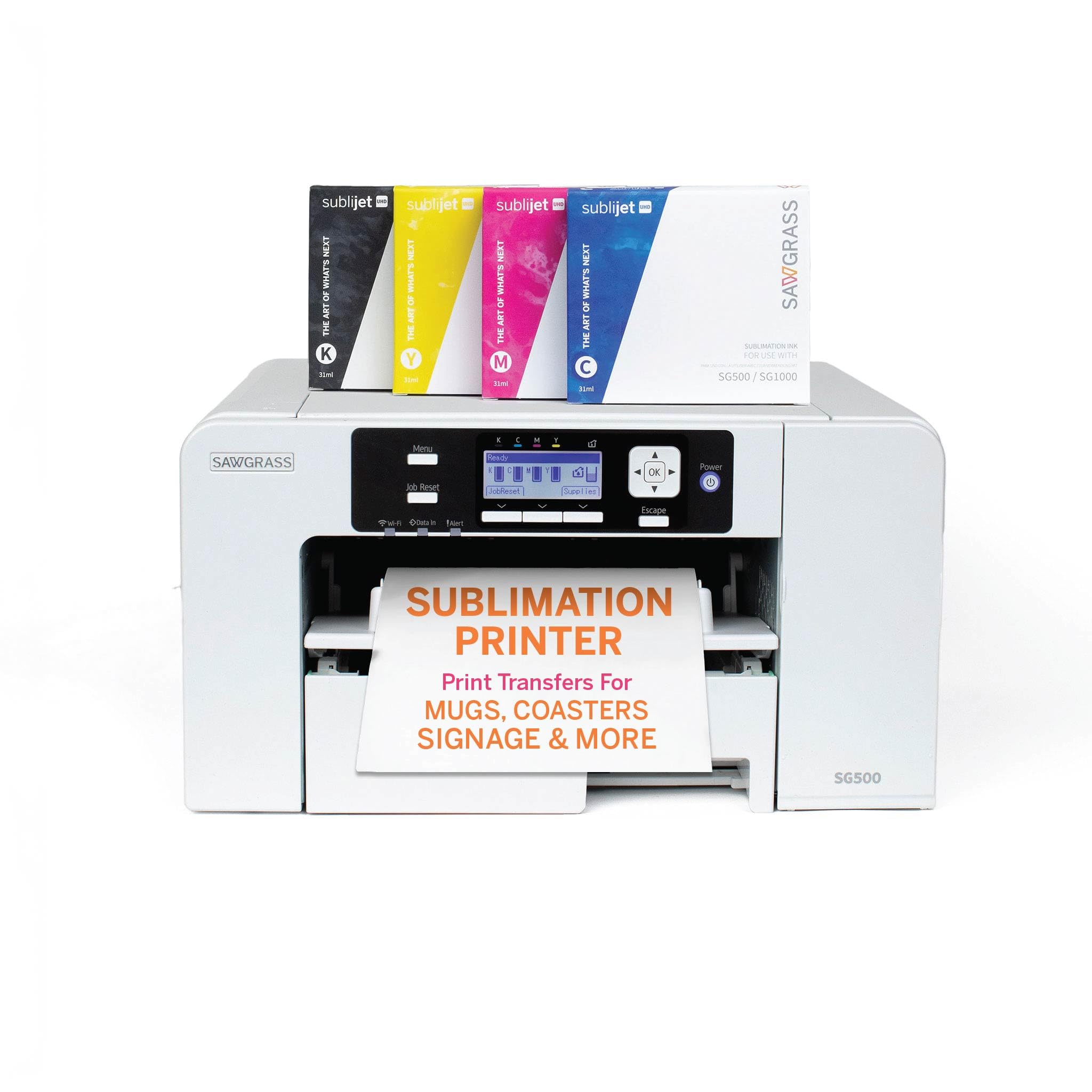
Sawgrass SG500 is designed for high-resolution, vibrant images and easy desktop sublimation printing. The SG500 is an upgrade from the SG400. The SG500 supports media up to 8.5 × 14 inches in its main tray, while the SG1000 supports larger A3/Tabloid media. Sawgrass also offers a bypass tray option.
Sawgrass describes it as a compact printer for side hustles and home studios, with SubliJet and VersiFlex systems available.
Specifications
|
Category: Dye Sublimation Printer |
|
Brand: Sawgrass |
|
Maximum Standard Print Size: Up to 8.5 × 14 inches / A4-Legal |
|
Ink System: SubliJet / VersiFlex |
|
Ink Configuration: Cyan, Magenta, Yellow, and Black |
|
Connectivity: Wi-Fi and USB |
|
Primary Use: Small-format sublimation |
|
Best For: Home studios, hobbyists, and small businesses |
Pros and Cons
Pros
Cons
Sawgrass currently explains that SubliJet is intended for mugs, drinkware, polyester apparel, phone cases, and coated hard goods. At the same time, its VersiFlex system is designed for applications including cotton and natural fabrics.
Things to Consider
The SG500 fits comfortably on a desktop and prints on media up to 8.5 × 14 inches. Working with a Wi-Fi connection makes it able to connect to compatible smartphones, tablets, computers, laptops, and other Wi-Fi devices.
The original article also highlighted Sawgrass Academy, CreativeStudio, and print-management tools. Sawgrass has updated its software ecosystem since the original article, so current users should rely on the current Sawgrass software and support resources rather than the older CreativeStudio workflow described in the original version.
The SG500 and SG1000 currently use the same core printer components and differ mainly in the paper sizes they support.
Key Features
Outstanding Printing Results
Sawgrass SG500 is a strong choice for high-quality small-format sublimation printing.
Multi Tasking
Sawgrass SG500 can be used for products such as fabric, ceramic mugs, bags, cases, and other compatible sublimation products.
Printing on Fabric
I like this printer because it can print on polyester fabric efficiently.
High Resolution
The SG500 has a high-resolution mode. Sawgrass continues to position the SG500 as a professional sublimation printer for high-quality results.
Automatic Maintenance
Automatic maintenance is one of the advantages of the SG500. The current Sawgrass lineup also emphasizes its purpose-built design and no-clog technology.
Is the Sawgrass SG500 Good for Beginners?
Yes. The SG500 is a good choice for a beginner who wants a dedicated desktop sublimation system. It is compact enough for a home studio and is specifically positioned by Sawgrass for users starting a side hustle or home-based setup.
Is the Sawgrass SG500 worth it?
If you are thinking about purchasing a sublimation printer, the Sawgrass SG500 is a strong choice for high-resolution printing. It is a valuable printer for small business, hobby and home use because it has the main elements required for a dedicated sublimation workflow.
3. Sawgrass SG1000
Check Current Price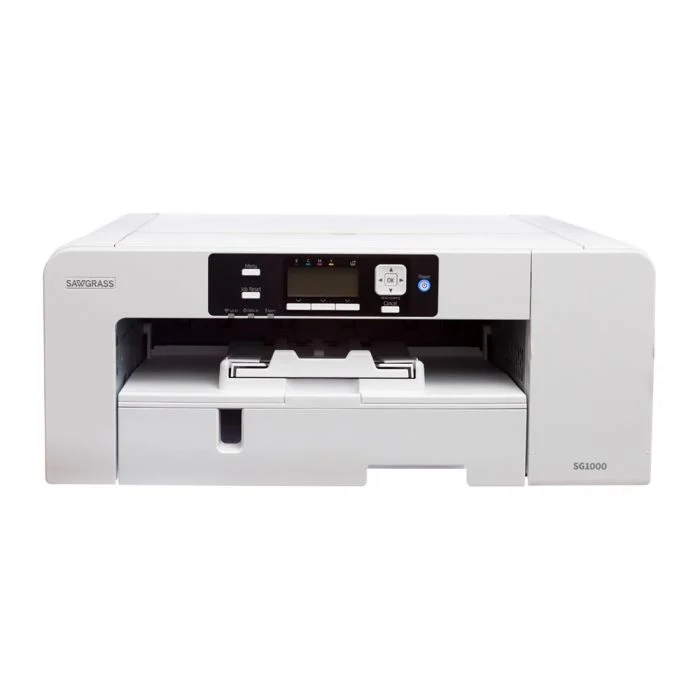
The SG800 is no longer the current Sawgrass model, so the current model is the SG1000. The Sawgrass SG1000 is the larger desktop option for users who need more media size than the SG500. Sawgrass describes it as the model for scaling up, producing larger designs, and handling higher-volume production.
Specifications
|
Category: Desktop Dye Sublimation Printer |
|
Brand: Sawgrass |
|
Print Size: Up to 11 × 17 inches / A3 |
|
Ink System: SubliJet / VersiFlex |
|
Ink Configuration: CMYK |
|
Connectivity: Wi-Fi and USB |
|
Primary Use: Larger sublimation transfers and higher-volume desktop work |
Pros and Cons
Pros
Cons
Things to Consider
The original SG800 discussion made an important point: the business requirement should determine the printer. You need to decide whether you want T-shirts and soft goods or hard-surface products such as bottles, plaques, and trophies.
That reasoning still applies to the SG1000.
The SG1000’s main tray supports up to A3/Tabloid media, while the SG500 supports up to A4/Legal. Sawgrass also offers bypass tray options.
Key Features
Larger Print Area
The SG1000 provides more room for larger apparel designs and for nesting smaller images on one sheet.
SubliJet HD Ink
Sawgrass positions SubliJet UHD as its professional sublimation system for mugs, drinkware, polyester apparel, phone cases, and coated hard goods.
Compatibility
You can install and use the printer with compatible Windows and Mac workflows.
Versatile
A wide variety of compatible sublimation surfaces can be used, including polyester fabrics and coated hard goods.
Economical Workflow
Automatic maintenance and software-assisted color management help make the printing workflow easier to manage.
Is the Sawgrass SG1000 Good for Beginners?
The SG1000 can work for a beginner, but it makes more sense when the user already knows that larger print sizes will be needed. Someone starting with mugs and other small products may be better served by the SG500.
The Sawgrass SG1000 is the current large-format desktop replacement for the SG800 from the original article. It is a good choice when you need more printing area for apparel and other larger sublimation products.
4. Canon SELPHY CP1300
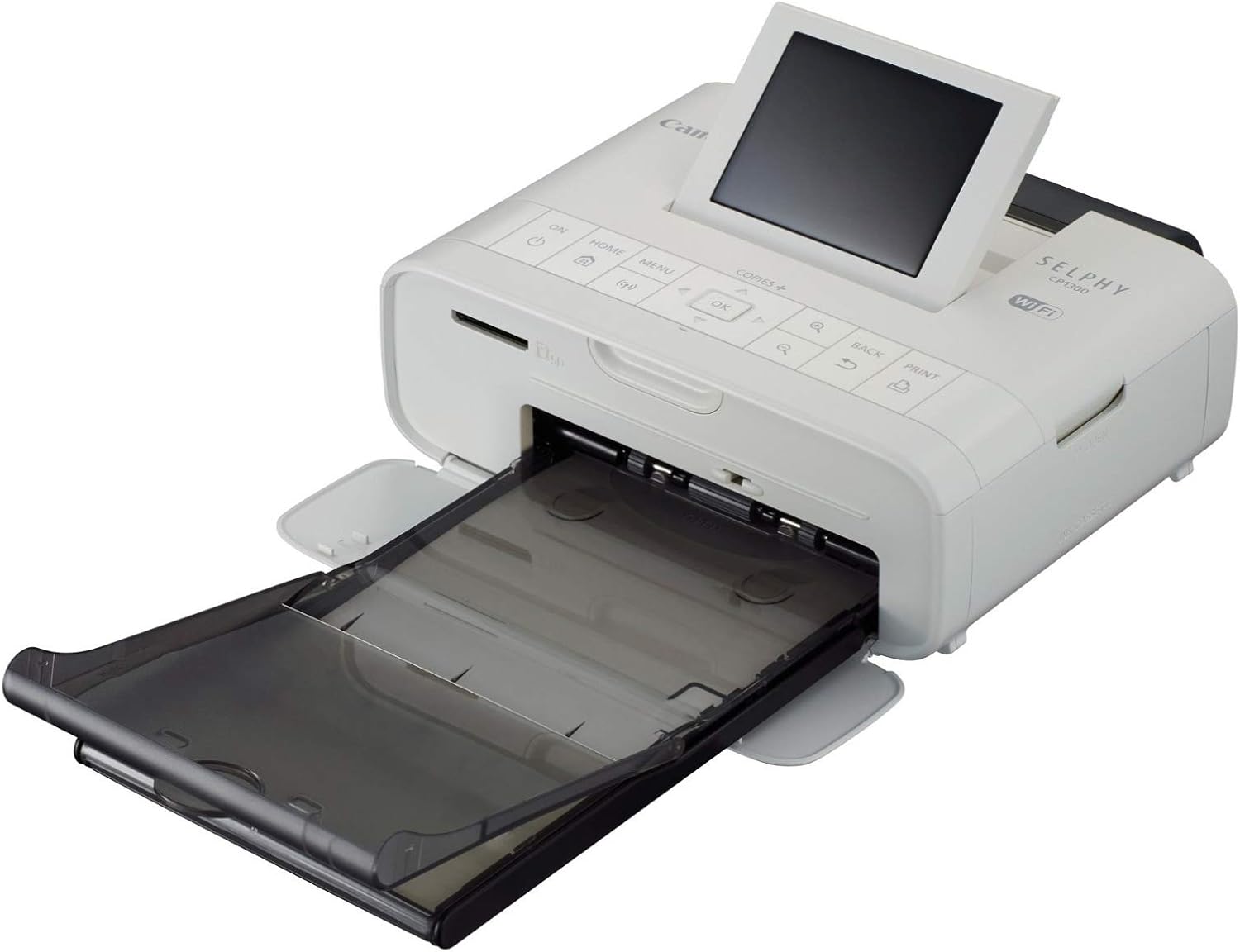
The Canon SELPHY CP1300 dye-sublimation printer has great photo prints. It is a wireless compact photo printer and is Stylish and compatible with smart devices, cameras, SD cards, and USB. The fast WiFi photo printer makes it ideal for unique prints.
It looks exactly like the kind of print you would get from a lab, except it’s in your home now.
The printer is a Wi-Fi device. It’s designed to connect to your wireless network, after which you can print from pretty much any other device that is connected to your network, so you will be able to print from your laptop, iPad, and smartphones.
You can’t just print wirelessly; you can print directly if you prefer. There is a port for connecting USB media or a compatible camera, and there is also an SD card slot on the front.
What’s cool about this printer is this is a dye sublimation printer, and what that means is it doesn’t use liquid ink in the same way as an inkjet printer. It uses a cartridge with dye-coated film that passes through the printer during the thermal printing process. Different colors are laid down during the process, and you end up with a dry print.
The printer can create its own local Wi-Fi network, allowing you to connect a smartphone directly to the printer. There is also an optional battery pack. It is fairly quiet.
Canon’s current support page still lists the CP1300 and confirms its dye-sublimation printing method, Wi-Fi functionality, 3.2-inch LCD, SD card support, and approximately 47-second 4 × 6-inch print speed.
Specifications
|
Printing Technology: Dye Sublimation / Thermal Transfer |
|
Color Type: Color |
|
Ink Palette: CMYK |
|
Print Resolution: 300 × 300 dpi |
|
Print Speed: Approximately 47 seconds for a 4 × 6-inch photo |
|
Surface Finish: Glossy |
|
Interface: USB |
|
Wireless: Wi-Fi |
|
Direct Printing: Canon PRINT app, PictBridge, USB, Wi-Fi Direct and SD card |
|
Operating Systems: Android, Windows, iOS and macOS |
|
Display: 3.2-inch LCD |
|
Optional Battery: Yes |
Pros and Cons
Pros
Cons
The dye-sublimation process produces a dry print as it exits the printer; the dye is transferred through the thermal process rather than being a wet inkjet print.
Things to Consider
Canon SELPHY CP1300 provides fast and lab-quality prints. It can work wirelessly because it is compatible with smart devices such as smartphones and laptops through Wi-Fi.
Printing Results
Canon SELPHY CP1300 gives great printing results. The prints have a protective coating that provides resistance to water and handling.
Speed
The printing speed of CP1300 is fast. When printing on 4 × 6 photo paper, it can produce an image in about a minute. Canon currently lists approximately 47 seconds for a 4 × 6-inch borderless photo.
Easy to Use
It is very easy to use. You can print photos directly from smart devices, laptops, USB flash drives, memory cards, cameras, or a computer.
Key Features
Advanced Features
The CP1300 has a USB flash drive and SD card slot for direct printing from memory devices. It also includes Wi-Fi and Wi-Fi Direct for wireless printing. Wireless printing requires the Canon PRINT app, and mobile-device printing is also available when the device is PictBridge compatible.
The printer does not include a mini USB Type-B cable, even though it has the corresponding port.
Value
Canon sells an optional battery pack for the CP1300, which Canon rates for up to 54 prints per charge. This is useful for portable printing when access to a power outlet is not available. The battery is sold separately.
Another useful feature is Party Shuffle, which allows users to create collages using photos sent from multiple devices.
Interface
After connecting through Wi-Fi, you can select the photos you want to print and choose between border or borderless printing, brightness correction, color adjustment, cropping, date printing, DPOF, ID photo printing, and index printing. Image optimization options include brightness correction and scene detection.
When printing from a memory card or USB flash drive, you can also select different layouts, including Shuffle layout, and choose from various print sizes directly from the LCD.
Fast and Lasting Prints
Each print can be completed in less than a minute for common postcard-sized output. Canon’s specifications list approximately 47 seconds for a 4 × 6-inch photo.
The built-in dye-sublimation technology uses a special coating designed to protect the print from splashes and spills. Canon also states that prints can last for up to 100 years when stored under appropriate photo-album conditions.
All-Around, Smart Photo Printer
The SELPHY CP1300 is designed around remote and portable photo printing. It is easy to transport, does not take up much room, and can be used for printing in different locations.
Is the Canon SELPHY CP1300 Good for Beginners?
It is easy to use and suitable for someone who wants a compact photo printer. It is not the right choice for the typical T-shirt, mug, or polyester transfer sublimation workflow.
Is the Canon SELPHY CP1300 worth it?
I was impressed with the speed and quality, and reckon it’d be a great complement to an existing larger-format printer when you only need postcard photo prints. The color is pretty and outstanding. It is easy to use and gives you confidence in printing photos at home without taking up much room.
5. Mimaki TS330-1600
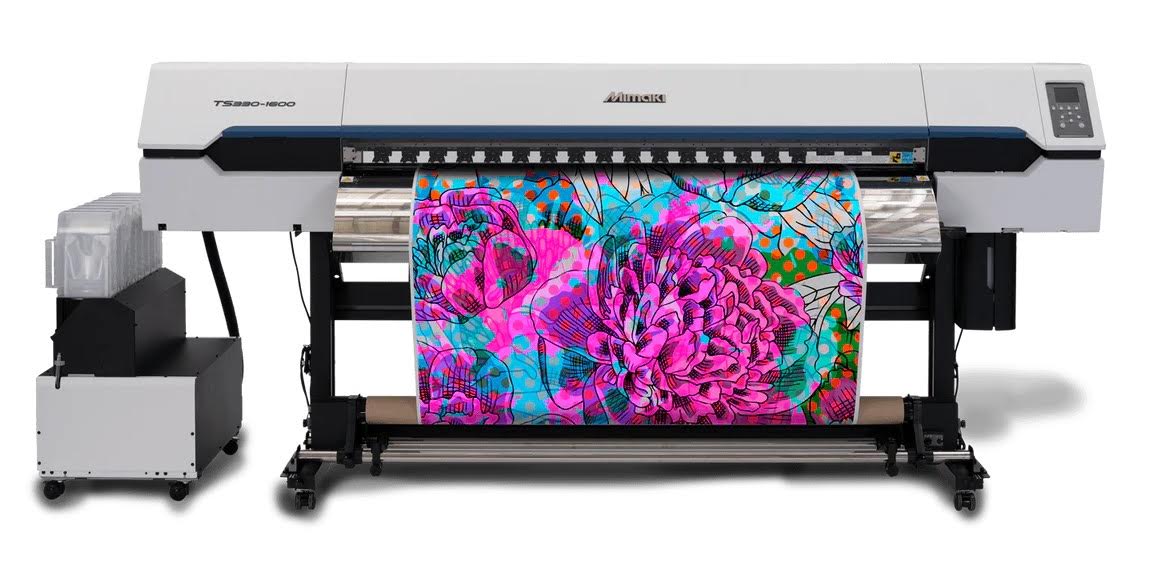
Mimaki now lists the TS100-1600 as End of Sale, so the TS330-1600 is the appropriate current model to discuss for professional textile sublimation.
The original reasoning still applies: this category is for professional roll-based sublimation rather than a small home printer.
The Mimaki TS330-1600 is a professional water-based dye-sublimation printer with a maximum print width of 1,610 mm. Its specifications support sublimation inks, 2-liter ink packs or a 10 kg ink-tank option, and resolutions up to 1,200 dpi.
Specifications
|
Print Head: On-demand piezo head |
|
Print Resolution: 300, 600, 900, and 1200 dpi |
|
Ink Type: Sublimation ink |
|
Ink Capacity: 2 L ink pack / 10 kg ink tank |
|
Maximum Print Width: 1,610 mm / 63.4 inches |
|
Maximum Media Width: 1,620 mm / 63.8 inches |
|
Maximum Roll Weight: 45 kg / 99.2 lb |
|
Interface: Ethernet 1000BASE-T / USB 2.0 Hi-Speed |
|
Ink Colors: Depending on configuration, including black, magenta, yellow, light black, light cyan, light magenta, violet, orange, and fluorescent colors |
Pros and Cons
Pros
Cons
Mimaki’s NCU, NRS, MAPS, and DAS technologies are also worth discussing because they contribute to the production-focused capabilities of its textile printing systems. However, the exact specifications of these technologies should not be transferred from the TS100-1600 to the TS330-1600 without verification.
Things to Consider
The TS100-1600 was described as an affordable professional roll-based sublimation printer for small and large businesses. That reasoning is still useful, but the TS100-1600 itself is no longer the current model.
The current TS330-1600 should be evaluated instead. It is designed around professional textile production and supports a 1.6-meter print width.
Printing Quality
Mimaki’s current TS330-1600 supports resolutions up to 1,200 dpi and uses its professional textile printing platform for stable output.
Speed
The TS100-1600 was quoted at up to 753 square feet per hour. That figure belongs to the older TS100-1600 and should not be presented as the current TS330-1600 speed without using the current operating mode and specifications.
Professional Workflow
Mimaki’s TX Link and RasterLink software, nozzle monitoring, recovery, and print-quality systems are important considerations for a professional textile production workflow.
Key Features
Large-Format Textile Printing
The TS330-1600 is designed for textile and apparel production with a maximum print width of 1,610 mm. It supports applications such as sports apparel, fashion textiles, flags, tapestry, interior fabrics, socks, tote bags, and polyester fabrics.
High-Speed Production
The TS330-1600 is built for high-productivity textile printing. Mimaki lists a printing speed of up to 69 m²/h in Draft mode with a four-color ink set at 600 × 600 dpi and 2-pass printing. The actual production speed depends on the selected print mode, resolution, and ink configuration.
DAS and MAPS4
The printer includes Mimaki’s DAS (Dot Adjustment System), which automatically adjusts dot positioning and feed volume according to the media and printing conditions. MAPS4 (Mimaki Advanced Pass System 4) helps reduce banding and uneven color by optimizing the printing pattern between passes.
NCU and NRS
NCU (Nozzle Check Unit) uses a sensor to detect nozzle conditions and automatically cleans the nozzles when a missing nozzle is detected. NRS (Nozzle Replacement System) can use alternative nozzles when a nozzle problem cannot be resolved through cleaning, helping maintain stable image quality during production.
Variable Dot Control
The TS330-1600 uses variable dot control with a minimum ink drop size of 4 pl to produce smooth prints with less visible graininess.
Professional RIP Software
The TS330-1600 supports Mimaki’s RasterLink7 and TxLink software workflows. These provide options for different production requirements, color configurations, and print management. Current Mimaki documentation also lists TxLink5 for certain configurations.
Large Ink Capacity
The TS330-1600 supports 2-liter ink packs and a 10 kg ink-tank configuration. It uses Mimaki sublimation inks, including the Sb411 and Sb410 ink ranges. The larger ink capacity is suited to longer production runs with less frequent ink replacement.
Is the Mimaki TS330-1600 Good for Beginners?
Not for most beginners. The TS330-1600 is a professional roll-based sublimation printer designed for textile production, with a 1,610 mm maximum print width and a 241 kg machine weight. A desktop printer such as the Epson F170 or Sawgrass SG500 is much more appropriate for someone starting with small sublimation products.
Is the Mimaki TS330-1600 worth it?
The Mimaki TS330-1600 is the professional textile-production option in this list. The reasoning behind choosing a Mimaki roll-based printer for a larger business setup still makes sense, especially when the work involves apparel, sportswear, flags, fashion textiles, and other roll-based textile applications. Its large print width, high production speed, large ink capacity, nozzle monitoring and recovery systems, and print-quality technologies make it much better suited to professional production than a small desktop sublimation printer.
6. Epson Expression Photo HD XP-15000
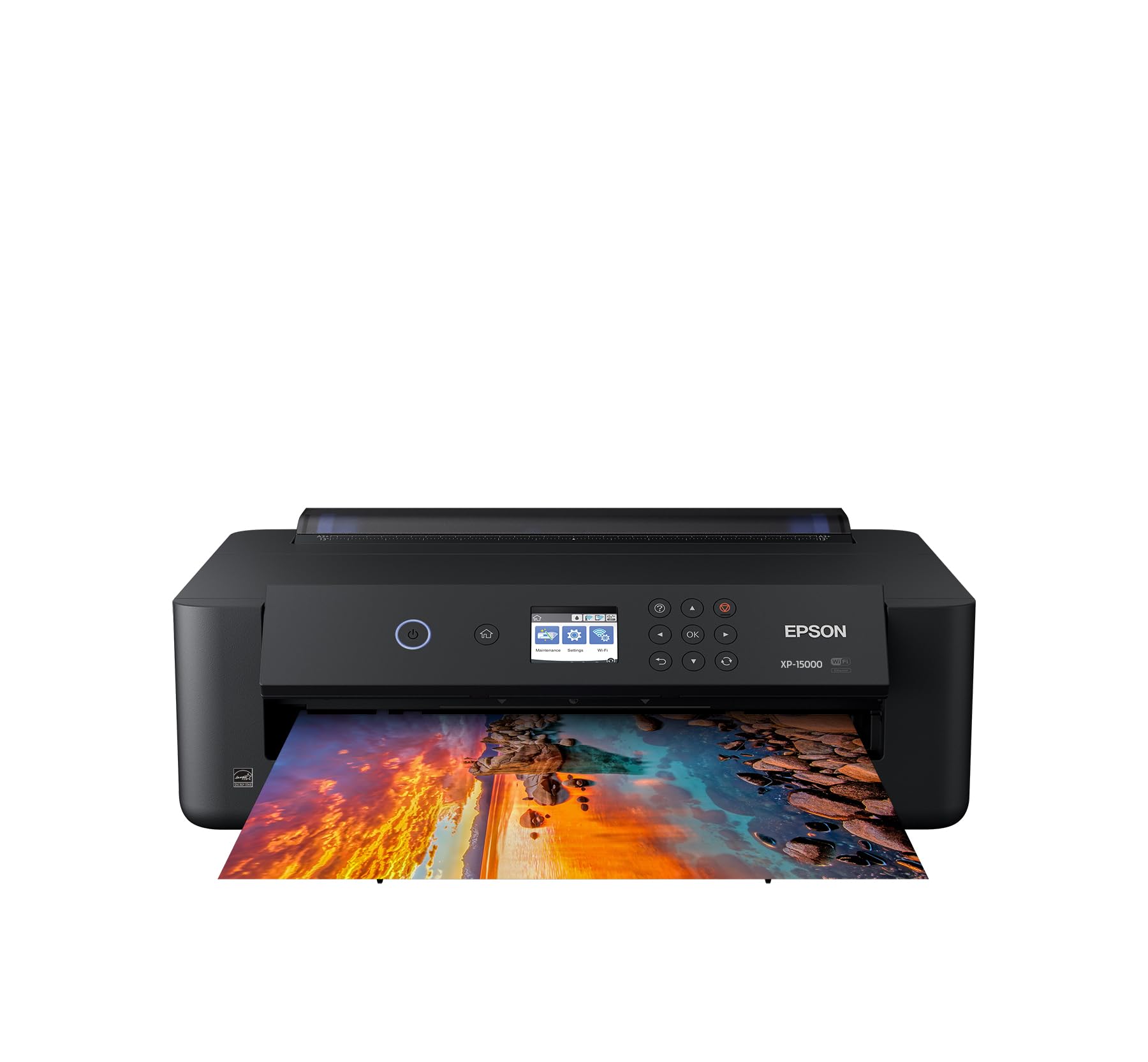
The Epson Expression Photo HD XP-15000 is a high-definition photo printer designed for printing photos, posters, signage, and other media. It supports a wired connection through high-speed USB, or you can connect wirelessly using Wi-Fi. The printer can print documents up to A3 in size, which makes it a useful option for creating signage and posters. It can print 4 × 6-inch photos quickly and supports a resolution of up to 5760 × 1440 dpi for high-quality results.
The XP-15000 remains available from Epson and supports borderless printing up to 13 × 19 inches. It uses six-color Claria Photo HD ink, including Red and Gray, and has a 50-sheet rear specialty-media tray.
One important correction is that the XP-15000 is a photo inkjet printer, not a purpose-built dye-sublimation printer. Epson specifies that it is designed for use with Epson cartridges.
Specifications
|
Printing Type: Inkjet |
|
Special Feature: Auto-Duplex |
|
Brand: Epson |
|
Connectivity: Wireless and Ethernet |
|
Model: XP-15000 |
|
Maximum Print Size: 13 × 19 inches |
|
Printer Output: Color |
|
Ink: Six-color Claria Photo HD |
|
Paper Handling: 50-sheet rear specialty-media tray and 200-sheet front tray |
It is a great option for excellent borderless prints up to 13 × 19 inches.
It uses 6-color Claria Photo HD Ink, including Red and Gray inks for a wide color gamut and enhanced black-and-white prints.
Professional projects are becoming easier with it. A 50-sheet rear tray for specialty media, including cardstock, accommodates a variety of paper finishes and borderless sizes from 4 × 6 inches to 13 × 19 inches.
The printer is compact for a wide-format A3+ printer and supports automatic two-sided document printing with a 200-sheet front tray.
Pros and Cons
Pros
Cons
Things to Consider
The XP-15000 gives outstanding printing results with a wide range of substrates and specialty media. It prints borderless and glossy results up to 13 inches wide, including borderless photos in preset and custom sizes.
The six-color Claria Photo HD inks provide smooth gradation and high-quality photo prints. Other brands of ink are not compatible according to Epson’s product information, and using inks described as compatible may affect proper or continuous operation.
Extraordinary Efficiency
The XP-15000 combines powerful performance with a compact, space-saving design. It can quickly produce gallery-quality color and black-and-white photos.
Easy to Use
The XP-15000 supports printing from iPad, iPhone, Android devices, tablets, and smartphones. It also offers Ethernet networking and features an easy-to-use 2.4-inch color LCD.
Key Features
Ultra HD Photo Print
It is a great choice for amazing borderless prints up to 13 × 19 inches, with Red and Gray inks for a wide color gamut and enhanced black-and-white prints.
Professional Projects Made Easy
The 50-sheet rear tray supports specialty media and borderless sizes from 4 × 6 inches to 13 × 19 inches.
Ultra Compact Wide Format
It is smaller than its predecessor and can fit on a work desk.
Fast Speed
Epson lists ISO speeds of 9.2 ppm black and 9.0 ppm color, with 4 × 6-inch borderless photos in as fast as 27 seconds.
Compatibility
It supports Wi-Fi and wired connectivity.
Is the Epson Expression Photo HD XP-15000 Good for Beginners?
It is a good choice for someone who wants high-quality wide-format photo printing. For dedicated sublimation, however, a purpose-built printer such as the Epson F170 or F570 is the better starting point.
Is the Epson Expression Photo HD XP-15000 worth it?
The Epson Expression Photo HD XP-15000 delivers high-quality photos in a compact wide-format design. It can be useful for photos, posters and specialty printing, but it should not be presented as a dedicated sublimation printer.
7. Epson WorkForce WF-7210
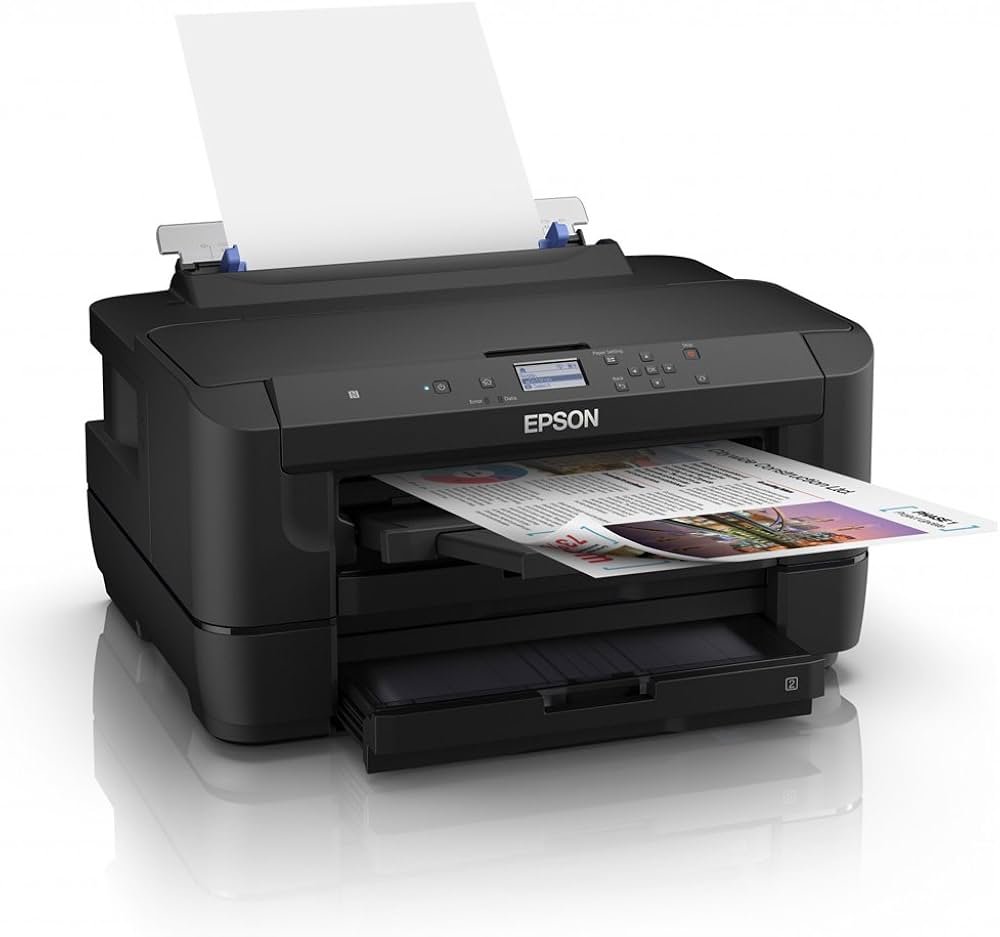
Now we are talking about a large printer from Epson called the WF-7210. It takes up an entire desk, and the reason why it is taking up an entire desk is that it supports large-format printing up to 13 by 19 inches.
It supports large-size paper versus most middle-of-the-road printers. It supports 13 × 19 borderless, which is useful for large-format work, and 11 × 17 is probably the sweet spot because it can do auto duplexing with that larger size.
It supports large paper handling with two 250-sheet trays and a rear feed for specialty media. Epson’s current product information confirms 500-sheet total capacity, 13 × 19-inch maximum paper size, 18 ISO ppm black and 10 ISO ppm color.
Specifications
|
Printing Technology: Inkjet |
|
Special Feature: Auto-Duplex |
|
Brand: Epson |
|
Connectivity: Wi-Fi Direct, NFC, Ethernet, and USB |
|
Model: WF-7210 |
|
Compatible Devices: PC |
|
Recommended Uses: Office and Home |
|
Maximum Print Resolution: 4800 × 2400 dpi |
|
ISO Print Speed: 18 ppm black / 10 ppm color |
|
2-Sided ISO Print Speed: 8.7 ppm black / 6.0 ppm color |
|
Minimum Ink Droplet Size: 3 droplet sizes, as small as 2.8 picoliters |
|
Weight: 32.8 lb |
|
Ink Palette: Cyan, Magenta, Yellow, and Black |
|
Maximum Print Size: 13 × 19 inches |
|
Paper Capacity: 500 sheets across two trays |
|
Print Longevity: Up to 84 years |
Epson currently lists the printer with four-color DURABrite Ultra pigment ink.
The WF-7210 has two paper trays that each hold about 250 sheets, allowing you to keep different paper sizes in each tray. It also has a rear feed for specialty papers. When printing 11 × 17-inch borderless pages and filling the page with ink, ink consumption can increase significantly.
This is a printer-only model rather than a copier, scanner, or fax machine. It can connect directly to a computer through USB or to a wired network through Ethernet. The printer also has a 2.2-inch display with arrow keys for navigating its settings.
Pros and Cons
Pros
Cons
The WorkForce WF-7210 is a fast, large-format printer with several connectivity options. It provides high-quality monochrome text, color graphics, and photos, making it a practical option for a small or home office. Its lack of USB thumb drive support is offset by features such as NFC printing, which allows quick printing from compatible handheld devices.
Things to Consider
The WorkForce WF-7210 is fast and has lots of connectivity options to print documents. It gives high-quality monochrome text pages and color graphics and photos for a large-format printer.
It is important to distinguish this from a purpose-built sublimation printer. Epson’s current specifications identify the WF-7210 as a conventional wide-format inkjet using DURABrite Ultra pigment ink.
Speed
The WorkForce WF-7210 has print speeds of about 18 pages per minute for monochrome pages and 10 pages per minute for color, according to Epson’s ISO specifications.
Print Quality
Epson WorkForce WF-7210 prints good-quality text and color business graphics with borderless printing up to 13 × 19 inches.
Advanced Features
The WF-7210 supports Wi-Fi, Ethernet, USB, Wi-Fi Direct, and NFC.
Key Features
Performance
The WorkForce WF-7210 is powered by PrecisionCore.
Print-Shop Quality Prints
It produces color and black text with borderless prints up to 13 × 19 inches.
Economical
Epson states that the printer uses up to 80 percent less power than color laser printers in the comparison specified by Epson.
Versatile Paper Handling
It has two trays with a combined 500-sheet capacity and a rear feed for specialty papers.
Easy Navigation and Control
It uses a 2.2-inch LCD screen.
Wireless Printing
It supports Wi-Fi Direct, Ethernet, and NFC.
Is the Epson WorkForce WF-7210 Worth It?
The Epson WorkForce WF-7210 is a wide-format printer that can print on paper up to 13 × 19 inches. The printer is about twice the size of an average multifunction printer, which makes sense considering the larger paper it can handle. The unit has two paper trays, called “cassettes,” as well as a single-sheet paper feeder in the rear. All three paper locations can hold paper up to 13 × 19 inches. Having different-sized papers loaded in the trays can be a real benefit for small and home-based businesses.
I really like that the printer can print on both sides quickly. The printer prints as fast as laser printers. It is also ENERGY STAR rated, and I appreciate this rating and its energy-conserving design. Overall, it is a great printer, and aside from not being able to scan, I would recommend it to anyone who does not need that feature. It can be a good choice for both business and home use.
8. Epson EcoTank ET-2800
Check Current Price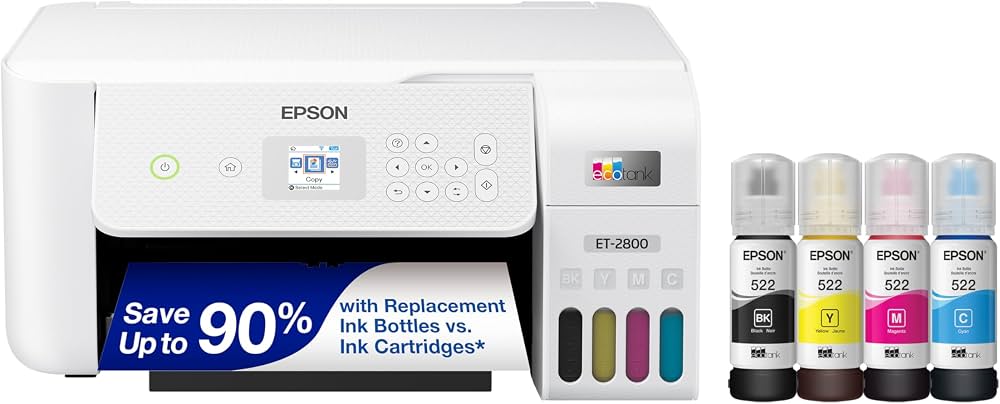
The Epson EcoTank ET-2800 is a great addition to any home or small office. The EcoTank system uses large ink reservoirs instead of cartridges. Its printing quality is excellent, and the four-color ink set enables it to create sharp and vivid documents.
The Epson EcoTank ET-2800 is a supertank printer that yields a high number of pages. For paper handling, the printer utilizes a 100-sheet input tray for letter-sized sheets, and its long-document mode can support media up to 8.5 × 47.2 inches.
Epson currently lists the ET-2800 as an everyday home printer with print, copy, and scan functions, a high-resolution flatbed scanner, wireless connectivity, and refillable EcoTank bottles. Epson states that the replacement ink bottles can save up to 90 percent compared with cartridges and provide up to 4,500 black or 7,500 color pages under its specified testing conditions.
Specifications
|
Brand: Epson |
|
Product Type: Inkjet Printer |
|
Printing Ability: Color |
|
Double-Sided Printing: Manual |
|
Functionality: Printer, Scanner, Copier |
|
Capacity: 100-sheet input tray |
|
Mobile Device Printing: Yes |
|
Operating System Compatibility: Windows and Apple |
|
Wireless Connectivity: Wi-Fi |
|
Ink: EcoTank cartridge-free ink system |
|
Configuration: 4 built-in tanks |
|
Black Print Speed: 10 ppm |
|
Color Print Speed: 5 ppm |
The ink bottle refills are inexpensive, which keeps running costs low and makes the ET-2800 a good option for bulk printing. It has a high-resolution flatbed scanner that can capture fine details. You can also scan very thick media because the entire scan lid can be detached.
Scanning and copying are enabled through the 8.5 × 11.7-inch flatbed scanner with an optical resolution of 1200 dpi. Up to 99 copies can be made at a time. Copy adjustment settings are available for density, contrast, color, sharpness, and text enhancement. These settings can be checked and quickly changed using the 1.44-inch color LCD.
The ET-2800 supports USB 2.0 and Wi-Fi connectivity, along with several mobile printing options, including Apple AirPrint, Android printing, Mopria Print Service, Epson Smart Panel, Epson iPrint, and Epson Remote Print.
Pros and Cons
Pros
Cons
Additionally, it prints great-quality photos with smooth, vibrant and fairly accurate colors. The build quality is more basic, and it prints relatively slowly. It also lacks an automatic document feeder.
Things to Consider
The ET-2800 was discussed as a sublimation option. Current Epson product information identifies it as a conventional EcoTank printer for everyday home printing, not as a dedicated dye-sublimation printer.
This distinction is important when choosing a printer.
Print Quality
The print quality of the EcoTank ET-2800 is good for conventional printing and photos.
Speed
It has print speeds of up to 10 ppm in black and 5 ppm in color.
Advanced Feature
It provides Print, Copy, and Scan functions with Wi-Fi connectivity.
Key Features
It provides affordable ink and the ability to print up to 4,500 black pages and 7,500 color pages with the included ink. The ink bottles feature a unique technology for easy filling, and the printer supports borderless photo printing. You can also print from mobile devices using Apple AirPrint, Android printing, Mopria Print Service, Epson Smart Panel, Epson iPrint, and Epson Remote Print.
Scan
The flatbed scanner has an 8.5 × 11.7-inch scanning area and supports scan-to-computer functions. Its 1200 dpi optical scan resolution produces sharply detailed digital images from original documents. The scanner also provides 48-bit internal color depth and 24-bit output for accurate color and smooth gradations.
Copy
The ET-2800 provides copy speeds of up to 10 ppm in black and 5 ppm in color, with a maximum copy size of 8.5 × 11 inches. Copy adjustment settings are available for density, contrast, color, sharpness, and text enhancement.
Connectivity and Controls
The 1.44-inch color LCD provides a clear view for checking and changing settings. High-speed USB 2.0 and wireless Wi-Fi connectivity make it easy to set up the printer. Wi-Fi Direct also allows a direct connection between a computer or smart device and the printer.
Is the Epson EcoTank ET-2800 Good for Beginners?
The ET-2800 is a good choice for someone starting with general home or small-office printing. It provides inexpensive conventional printing, easy-to-fill ink bottles, scanning and copying, and mobile connectivity. For a dedicated sublimation setup, the Epson F170 is a better choice because it is specifically designed for sublimation.
Is the Epson EcoTank ET-2800 Worth It?
The Epson EcoTank ET-2800 is great for small businesses and home offices that need inexpensive conventional printing. Its cheap ink bottle refills and high page yields make it inexpensive to maintain in the long run. It also produces good-looking, vibrant photos, with color accuracy that is suitable for everyday use.
The high-resolution flatbed scanner is useful for detailed documents and images, but the lack of an ADF (Automatic Document Feeder) makes digitizing multi-page documents more cumbersome. Overall, it is a practical conventional printer for everyday printing, scanning, and copying, but it should not be treated as a purpose-built sublimation printer.
9. Epson EcoTank ET-15000
Check Current Price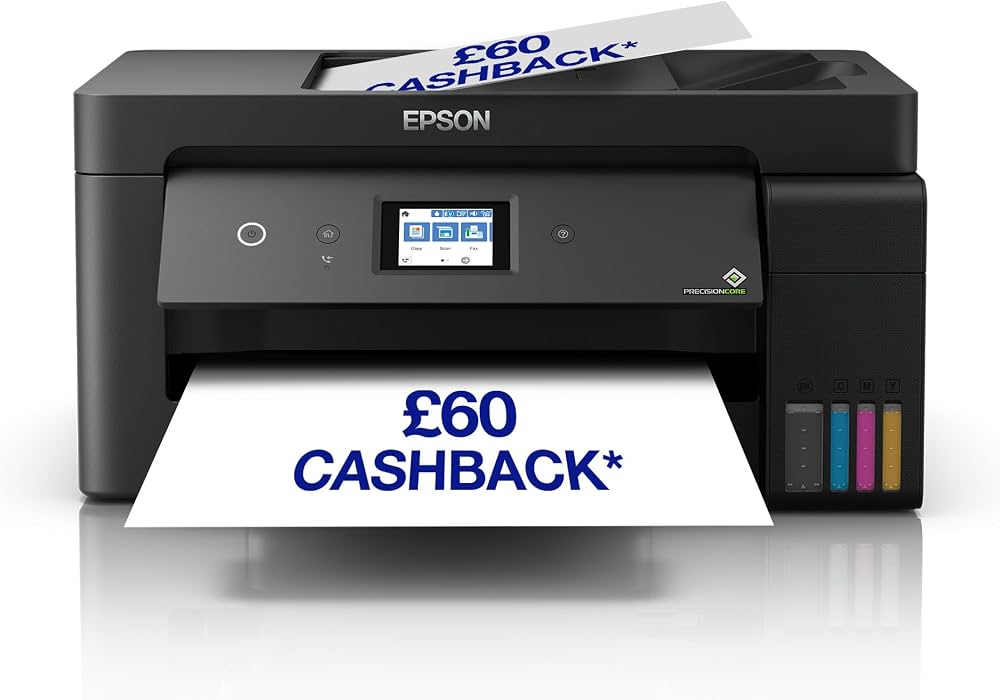
The Epson EcoTank ET-15000 is a supertank printer. The ET-15000 has an automatic document feeder for fast scanning, built-in fax, and an Ethernet port if you want to connect it directly with your computer, so it’s a good option if you need these features for your office. It also prints much faster, and its paper tray holds more paper.
The color page yield of ET-15000 is higher than many cartridge-based printers. This model is compatible with the Epson Smart Panel app, which allows you to perform printer or scanner operations from iOS and Android devices.
Epson’s current product page confirms that the ET-15000 can print up to 13 × 19 inches through the rear feed, scan up to 8.5 × 14 inches through the ADF, and use refillable EcoTank bottles.
Specifications
|
Printing Technology: Inkjet |
|
Special Feature: Cartridge-free EcoTank printing |
|
Brand: Epson |
|
Connectivity: Wi-Fi, Ethernet and USB |
|
Bluetooth: No |
|
Model: ET-15000 |
|
Compatible Devices: PC and laptops |
|
Recommended Uses: Office and home |
|
Sheet Size: 11 × 17 inches |
|
Print Size: Up to 13 × 19 inches |
|
Printer Output: Color |
|
Maximum Print Resolution: 4800 × 1200 optimized dpi |
|
Input Tray Capacity: 250 sheets |
|
ISO Print Speed: 17 ppm black / 9 ppm color |
|
2-Sided ISO Print Speed: 7 ppm black / 5 ppm color |
|
Ink Palette: Cyan, Magenta, Yellow and Black |
|
Ink Configuration: 4 individual ink bottles |
|
Weight: 26.46 lb |
The EcoTank ET-15000 uses a cartridge-free printing system with easy-to-fill, high-capacity ink tanks. Epson states that its ink system can provide high page yields, helping reduce the cost per print compared with conventional cartridge-based printing. The printer can produce prints up to 13 × 19 inches through the rear-feed tray and scan documents up to 8.5 × 14 inches through its automatic document feeder (ADF). It also features a 250-sheet front tray, a rear specialty-paper feed, a 2.7-inch color touchscreen, and hands-free voice-activated printing.
Epson inks are designed for use with Epson printers to produce crisp, smudge-resistant text. The printer has enough included ink to produce up to 6,000 pages under Epson’s stated conditions.
Pros and Cons
Pros
Cons
The Epson ET-15000 prints black-and-white pages quickly, while color documents take longer. It can automatically print two-sided, but some larger paper sizes, such as tabloid, may need to be turned over manually. Photo printing can also take more time than regular document printing.
The ET-15000 has a low cost per print because of its high page yield and relatively inexpensive replacement ink bottles. This makes everyday printing more cost-effective, particularly for users who print frequently.
Things to Consider
The ET-15000 is an EcoTank all-in-one inkjet printer rather than a dedicated dye-sublimation printer. It uses Epson’s conventional ink system and is designed for general office and photo printing.
All-in-One Printer
An all-in-one printer can print and scan documents, allowing an office or home workspace to handle several tasks with one machine. The ET-15000 combines printing and scanning in a single unit, making it useful for users who need multiple functions without separate devices.
Print Quality
The Epson EcoTank ET-15000 can produce vibrant color prints and is suitable for general office and photo printing. It provides high-resolution output and can produce colorful prints in different sizes.
Build
The Epson EcoTank ET-15000 is designed as a multifunction office printer with a rear feed for larger media. It can handle photos, documents, and different paper sizes. The printer uses a touchscreen interface that allows you to change settings and manage printer functions.
Duplex Printing
The ET-15000 supports automatic two-sided printing on supported media. Duplex printing can reduce the need to turn pages manually and can save time when printing longer documents.
Key Features
Compatibility
This printer enables printing through Wi-Fi networks and mobile devices such as iPad and iPhone using compatible services.
Multi-Functionality
It can scan, copy, fax and print in one machine.
High Resolution
It provides up to 4800 × 1200 optimized dpi for conventional printing.
Auto Duplex Printing
You can print on both sides of supported documents.
Voice-Activated Printing
The ET-15000 supports hands-free voice-activated printing.
Is the Epson EcoTank ET-15000 Good for Beginners?
It is a good general-purpose office printer for someone who needs wide-format printing, scanning, copying and faxing. It is not the best starting point for dedicated sublimation work because Epson’s current sublimation models are the F170 and F570.
Is the Epson EcoTank ET-15000 Worth It?
The Epson EcoTank ET-15000 is a reliable wide-format all-in-one printer with low conventional ink costs, high page yields, and strong office features. Its productivity and low running cost make it useful for home offices and small businesses, but it should not be described as a dedicated sublimation printer.
10. Magicard 300 Dual-Sided ID Card Printer
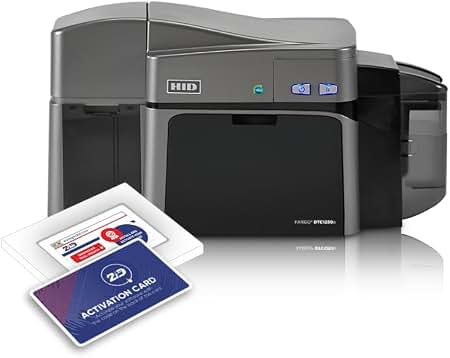
It is the latest card printer in the Magicard range and is a new and improved version of the popular Magicard models. I am going to give you my honest opinion of the machine and some of the key features such as security support and overall print quality.
One of the useful features of this machine is that you can upgrade to a dual-sided printer. It is suitable for producing up to 10,000 cards per year and is capable of producing a wide color spectrum while printing at 300 dpi.
Magicard currently lists the Magicard 300 for schools, colleges and medium-sized businesses that print up to 10,000 cards per year. It supports dye-sublimation color printing, monochrome thermal printing and rewritable technology.
Specifications
|
Printing Technology: Dye Sublimation, monochrome thermal and rewritable |
|
Special Feature: Optional auto-duplex |
|
Brand: Magicard |
|
Connectivity: USB and Ethernet |
|
Compatible Devices: PC and laptops |
|
Recommended Uses: Office and ID card printing |
|
Color: White |
|
Printer Output: Color |
|
Print Media: Card stock |
|
Input Hopper: 100 cards |
|
Output Hopper: 70 cards |
|
Printing Speed: Up to 160 full-color cards per hour |
|
Monochrome Speed: Up to 720 cards per hour |
|
Card Thickness: 20–40 mil |
|
Operating Systems: Windows and Mac |
|
Weight: Approximately 10.9 lb |
Magicard’s current specifications list 160 color cards per hour, 720 monochrome cards per hour, a 100-card input hopper, 70-card output hopper, USB and Ethernet connectivity, and optional duplex printing.
Magicard 300 Pros and Cons
Pros
Cons
The Magicard 300 offers a wide color spectrum and 300 × 300 dpi printing. Magicard says it is designed to produce photo-like images, clear logos and crisp text.
Things to Consider
The Magicard 300 is a different type of dye-sublimation printer from the Epson and Sawgrass models in this article. It uses dye-sublimation as part of a direct-to-card ID printing system rather than printing transfer paper for T-shirts, mugs or other sublimation blanks.
So, it is best suited to employee identification cards, student IDs, membership cards, conference badges and similar products.
Print Quality
It is an excellent choice for businesses in need of a reliable mid-sized ID card printer with professional-quality printing and security options.
The Magicard 300 supports 300 × 300 dpi and a wide color spectrum.
Speed
Magicard 300 prints each full-color, single-sided card with HoloKote in under 23 seconds and a resin-only card in fewer than 6 seconds. It can produce up to 160 color cards per hour.
Advanced Feature
It includes Digital Shredding and HoloKote security technology.
Key Features
Digital Shredding
The Magicard 300 is designed to make card production easier by allowing you to load the printer and start printing without having to constantly check the printer every few minutes to see whether it has run out of cards.
Magicard HoloKote®
Magicard HoloKote® is a security overlay that can be added to cards to provide an extra layer of protection and help reduce the risk of ID cards and name badges being duplicated. Up to three customized HoloKote® designs can be stored on the printer, with the first customized design available free of charge.
Full-Color Printing
The Magicard 300 can produce high-quality full-color cards in under 23 seconds, while black-only cards can be printed in fewer than 6 seconds. This makes it suitable for organizations that need to produce ID cards efficiently.
Duplex Printing
Duplex printing, also known as double-sided printing, allows information to be printed on both sides of the card. With the duplex option, there is no need to manually flip the card before printing the other side. The Magicard 300 can produce high-quality double-sided cards when upgraded with duplex printing.
Updates and Upgrades
The Magicard 300 can be kept up to date with the latest available features and fixes. This makes it easier to maintain the printer and benefit from improvements as they become available.
Improved Connectivity
The Magicard 300 provides USB 2.0 High Speed and Ethernet connectivity as standard. It can also integrate with third-party applications used locally or through cloud-based environments, providing greater flexibility for different card-printing workflows.
Flexible Future Use
The Magicard 300 can handle changing card-printing requirements, helping reduce the need for unnecessary additional spending when your card-production needs change. Its upgrade options allow the printer to support different requirements as your needs develop.
Is the Magicard 300 Good for Beginners?
Yes, for someone starting an ID-card printing operation. It is not intended for the normal T-shirt, mug or polyester transfer sublimation workflow.
Is the Magicard 300 Worth It?
The printer prints the cards and the software is user friendly. It is suitable for Employee ID cards, School ID cards, Door access cards, Membership card printing, conference badges and much more.
The current Magicard 300 remains a practical choice for schools, colleges and medium-sized businesses that need reliable ID card printing with security features.