Best Printers for Stickers
Printers are useful for making decorative pieces, exercise-book labels, customized stickers, planner stickers, and many other sticker products. A roll-feed printer can be a better choice for printing stickers in bulk, though a standard inkjet or laser printer can also work well for sticker sheets.
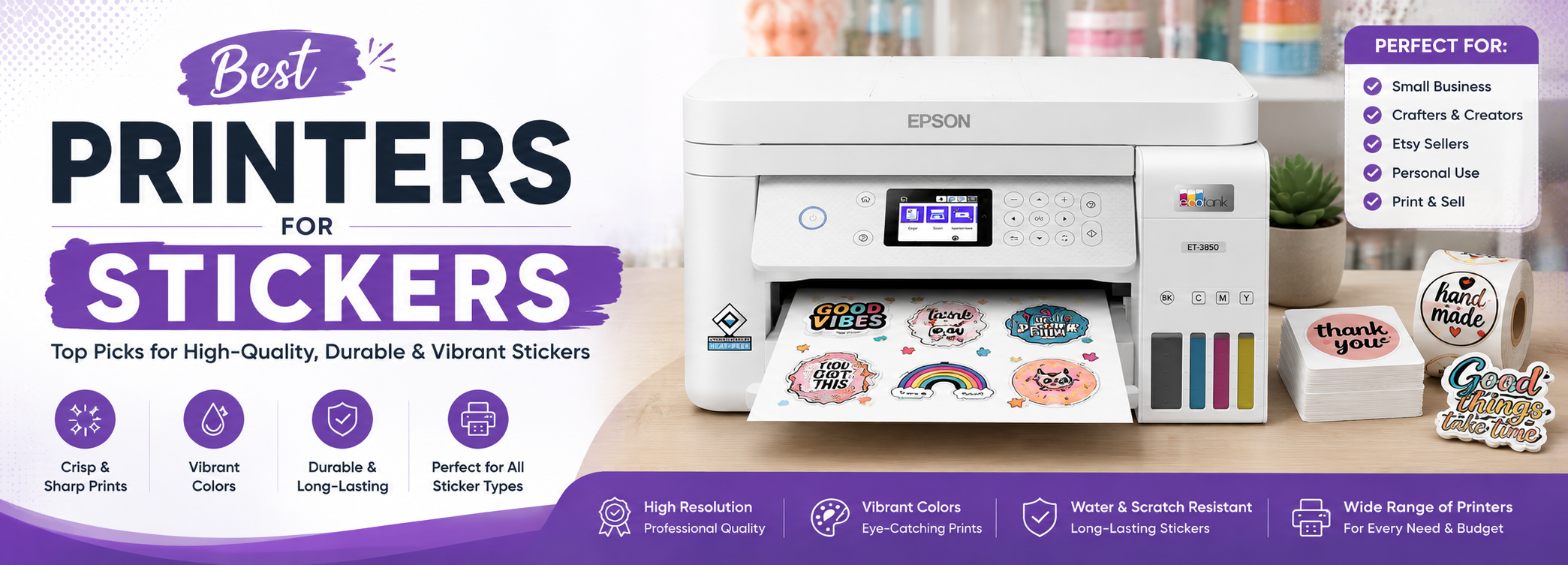
Printers are useful for making decorative pieces, exercise-book labels, customized stickers, planner stickers, and many other sticker products. A roll-feed printer can be a better choice for printing stickers in bulk than a traditional tray-based printer, especially when larger or continuous media is needed. However, a standard inkjet or laser printer can also work well for sticker sheets when the printer and sticker paper are compatible.
The type of printer you choose also affects the final result. Inkjet printers are generally better suited to colorful artwork and photo-based stickers, while laser printers can be useful when fast printing and smudge resistance are more important. The sticker material, print size, print volume, and running cost should all be considered before choosing a printer.
Top Picks
Best Printers for Stickers, Reviewed
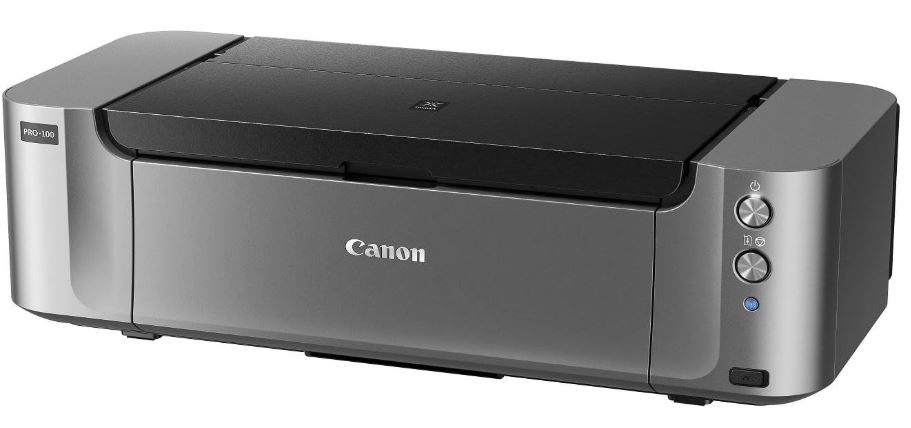
Canon PIXMA PRO-100S
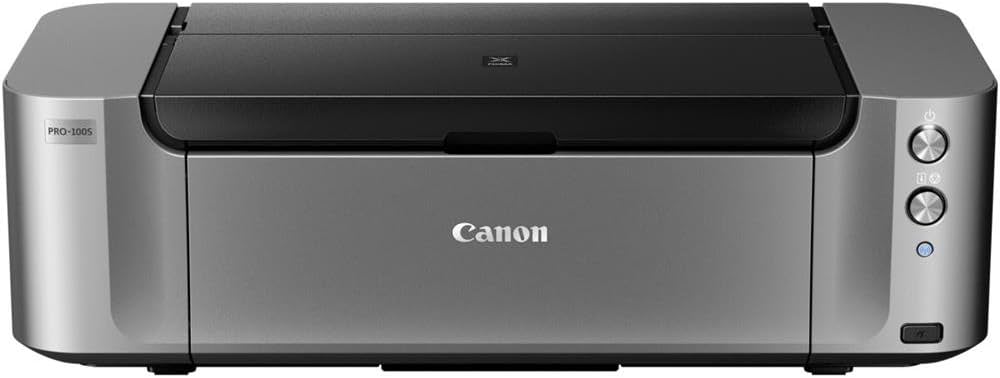
Best for: Detailed photo and color stickers
The Canon PIXMA PRO-100S was designed for high-quality photo printing, which also makes it suitable for detailed sticker artwork. The original model uses an 8-color dye-based ink system, allowing it to produce a wide range of colors for photos and graphics. It also supports paper sizes up to A3, giving you more space for larger sticker sheets.
Specifications
|
Category: Photo printer |
|
Paper capacity: 150 sheets |
|
Type: Inkjet |
|
Maximum paper size: Up to A3 |
|
Ink system: 8-color dye-based ink |
Pros
Cons
The first Pro model was introduced by Canon in 2012 for high-quality photo printing. The PIXMA PRO-100S uses an 8-ink dye-based system designed for detailed photo output. It can also print labels for CDs and DVDs and supports several wireless and cloud-based printing options.
The main disadvantage is the cost of the printer and its ink. However, the PIXMA PRO-100S can still be a good choice when professional-looking sticker images and color quality are more important than keeping running costs low.
Because the PIXMA PRO-100S is an older model, availability should also be checked before purchasing.
Read Full ReviewBrother MFC-J6955DW
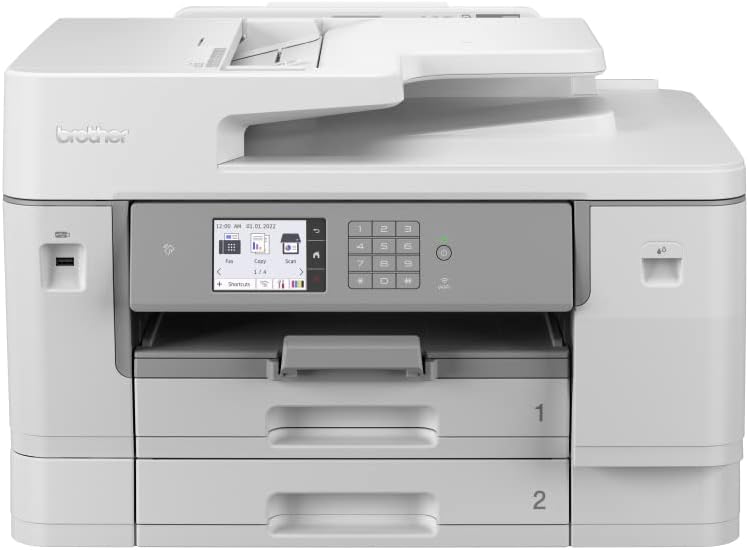
Best for: Bulk sticker sheets
The Brother MFC-J6955DW is a better fit for larger sticker-printing jobs. Its ability to print up to A3 size, its higher paper capacity, and its speed are all useful when producing sticker sheets in larger quantities.
Brother lists two 250-sheet paper trays plus a 100-sheet multipurpose tray, giving the printer substantial paper-handling capacity. It also supports inkjet and glossy media and includes automatic two-sided printing.
Specifications
|
Category: 4-in-1 all-in-one |
|
Maximum paper size: Up to A3 |
|
Print resolution: Up to 1200 × 4800 dpi |
|
Standard paper capacity: 500 sheets |
|
Multipurpose tray: 100 sheets |
|
Type: Inkjet |
Pros
Cons
The Brother MFC-J6955DW is a strong choice for the production of stickers in larger quantities. Its A3 printing capability gives you more room for larger sticker sheets, while its paper capacity means you do not have to reload the printer as often.
The printer also has a large scanning bed and an automatic document feeder, making it useful beyond sticker production. Brother rates the model for a maximum monthly duty cycle of up to 40,000 pages and a recommended monthly volume of 250 to 3,500 pages.
For a small business that needs to print sticker sheets as well as ordinary office documents, the MFC-J6955DW is one of the more practical choices in this list.
Epson EcoTank ET-3850
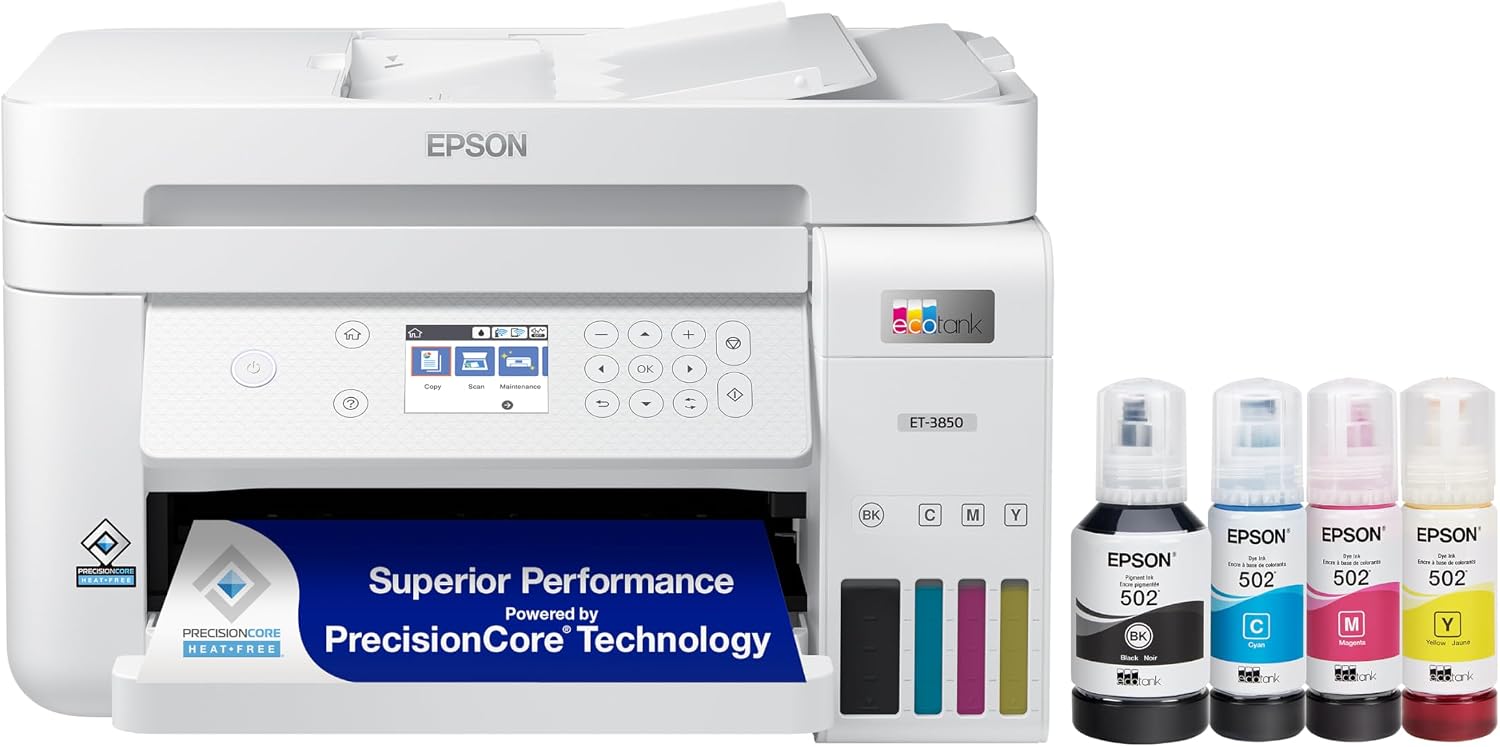
Best for: Home and small-business printing
The Epson EcoTank ET-3850 is useful for sticker printing when low ink replacement costs and everyday versatility are important. Its large ink supply, 250-sheet paper capacity, automatic document feeder, and ability to handle sticker production in bulk make it a practical choice for regular use.
The ET-3850 uses refillable ink tanks rather than traditional cartridges. Epson lists a 250-sheet paper tray, automatic document feeder, automatic two-sided printing, wireless connectivity, and a built-in scanner and copier.
Specifications
|
Category: All-in-one |
|
Paper capacity: 250 sheets |
|
Type: Ink-tank inkjet |
|
Maximum paper size: Up to A4/Legal |
|
Print resolution: Up to 4800 × 1200 dpi |
|
ISO print speed: 15.5 ppm black / 8.5 ppm color |
Pros
Cons
The ET-3850 is a practical option for home users and small businesses that need to print stickers but also want a general-purpose printer for documents, scanning, and copying.
Its refillable ink system can be useful for regular sticker printing because you do not have to replace small cartridges as frequently. Epson’s specifications list pigment black and dye-based color inks, with a four-color system.
For standard sticker sheets, the ET-3850 provides a good balance between everyday functionality and ink-tank convenience.
Read Full Review Check Current PriceHP OfficeJet Pro 8034e

Best for: Simple sticker projects
The HP OfficeJet Pro 8034e is an all-in-one inkjet printer that can be used for simple sticker printing along with normal home-office tasks. Its fast printing, vivid color output, wireless capabilities, and ease of use stand out as its main strengths.
Specifications
|
Category: All-in-one |
|
Paper capacity: 225 sheets |
|
Maximum paper size: Up to A4/Letter |
|
Type: Inkjet |
|
Print speed: Up to 20 ppm black |
Pros
Cons
The HP OfficeJet Pro 8034e was designed as a home and small-office all-in-one printer. It can print documents and color images, and its wireless features make printing from different devices convenient.
It can work for simple sticker projects when compatible sticker paper is used. However, this model is now an older product, so availability of the printer and replacement supplies should be checked before buying one in 2026.
For someone purchasing a new printer specifically for sticker production, newer models may make more sense than choosing the 8034e.
Check Current PriceEpson SureColor P900 17-Inch

Best for: Large, high-quality sticker designs
The Epson SureColor P900 is the most professional printer in this group. Its ability to handle larger paper and produce detailed images are important advantages for large sticker designs.
The P900 is a professional inkjet photo printer, not a laser printer. It supports media up to 17 inches wide and uses Epson UltraChrome PRO10 ink with 10 colors. Epson also provides support for sheet media and compatible roll media with an optional adapter.
Specifications
|
Category: Professional color photo printer |
|
Maximum media width: 17 inches |
|
Type: Professional inkjet |
|
Ink system: 10-color UltraChrome PRO10 pigment ink |
|
Printhead: 10-channel MicroPiezo AMC |
Pros
Cons
Epson’s specification sheet also highlights dedicated nozzles for photo and matte black inks, a 4.3-inch touchscreen, wireless connectivity, and support for media up to 1.5 mm thick.
You can use this printer for compatible sticker media, but its high purchase and running costs make it more appropriate for professional artwork, photography, and premium sticker production than for basic home sticker sheets.
Quick Comparison
|
Printer |
Type |
Maximum Paper Size |
Best For |
|---|---|---|---|
|
Canon PIXMA PRO-100S |
Inkjet photo printer |
A3 |
Detailed photo and color stickers |
|
Brother MFC-J6955DW |
Inkjet all-in-one |
A3 |
Bulk sticker sheets |
|
Epson EcoTank ET-3850 |
Ink-tank all-in-one |
A4/Legal |
Home and small-business printing |
|
HP OfficeJet Pro 8034e |
Inkjet all-in-one |
A4/Letter |
Simple sticker projects |
|
Epson SureColor P900 |
Professional inkjet |
17-inch wide |
Large, high-quality sticker designs |
Buying Guidance
Which Type of Printer Is Best for Stickers?
The best printer depends on the type of stickers you plan to make.
Inkjet printers are generally a good choice for colorful stickers, illustrations, photographs, and detailed artwork. They provide more flexibility for color printing and photo-quality output.
Ink-tank printers are useful when you print sticker sheets regularly and want to reduce the cost of replacing ink. The Epson EcoTank ET-3850 is an example of this type of printer.
Laser printers can be useful when fast printing and resistance to smudging are more important. However, the sticker paper must be specifically designed for laser printing because laser printers use heat during the fusing process.
For larger stickers or sticker sheets, a printer that supports A3 or wider media provides more flexibility. The Brother MFC-J6955DW supports A3 media, while the Epson SureColor P900 can handle media up to 17 inches wide.
Can Any Printer Be Used for Printing Stickers?
Many printers can print stickers, but not every printer is suitable for every type of sticker paper.
The sticker paper must match the printer’s technology and supported media. Inkjet sticker paper should be used with a compatible inkjet printer, while laser-compatible sticker paper is designed to withstand the heat generated inside a laser printer.
The final quality also depends on the sticker paper itself. A printer can produce excellent results on one type of media and weaker results on another. Glossy, matte, and specialty sticker papers can behave differently with the same printer.
For vibrant and detailed stickers, an inkjet printer is generally a good starting point. A laser printer becomes more attractive when fast output and smudge resistance are higher priorities.
Where Can You Find Blank Sticker Paper?
Blank sticker sheets are available from office-supply stores, craft suppliers, online marketplaces, and brands such as Avery. Amazon also has many blank adhesive sheets in different sizes, finishes, and materials.
Before buying sticker paper, check whether it is made for an inkjet or laser printer. Also check the sheet size, adhesive type, finish, and recommended printer compatibility.
Using the wrong sticker paper can cause problems such as smearing, poor ink adhesion, paper jams, or weak colors.
What Should You Consider Before Buying a Sticker Printer?
A printer’s maximum resolution is only one part of the decision. Consider these factors before choosing a model.
Sticker size: A4 is sufficient for many standard sticker sheets, while A3 or larger formats provide more space for larger designs.
Print volume: People who print stickers regularly should consider paper capacity, print speed, and ink cost. An ink-tank printer can be useful for reducing ongoing ink expenses.
Color quality: Photo printers with more ink colors can provide smoother color transitions and more detailed images than basic four-color office printers.
Sticker material: Make sure the printer supports the type of sticker media you intend to use. Inkjet and laser sticker papers are not interchangeable.
Running cost: The purchase price is not the complete cost of printing. Ink, toner, sticker paper, and maintenance all contribute to the overall expense.
Print size: A larger-format printer gives you more flexibility for oversized sticker sheets and artwork.
Smudge resistance: Laser printing can be useful when resistance to smudging is important, while inkjet printing generally provides more flexibility for detailed color and photo work.
Which Sticker Printer Should You Choose?
All of the printers above can be useful for sticker printing, but they serve different purposes.
Epson SureColor P900
The strongest option in this group for professional-quality artwork and larger sticker designs. Its 17-inch media support and 10-color pigment ink system make it suitable for detailed, large-format work.
Brother MFC-J6955DW
A better choice for larger quantities of sticker sheets. Its A3 support, 500-sheet standard paper capacity, 100-sheet multipurpose tray, and automatic duplex printing make it well suited to higher-volume work.
Epson EcoTank ET-3850
A practical option for home users and small businesses that want refillable ink tanks and a printer that can also handle everyday documents. Its 250-sheet tray and automatic document feeder make it convenient for regular use.
Canon PIXMA PRO-100S
Worth considering for detailed photo stickers because of its 8-color dye-based ink system and A3 support. However, its age and ink cost should be considered before buying.
HP OfficeJet Pro 8034e
Can handle simple sticker projects, but it is an older model. It makes more sense as an existing or used option than as a first choice for a new sticker-printing setup in 2026.
The final sticker quality does not depend on the printer alone. Sticker paper, printer settings, media compatibility, and the quality of the original artwork all affect the result. When a sticker does not print correctly, check the paper type, print quality setting, color settings, and printer’s recommended media.
Frequently Asked Questions
Conclusion
The best printer for stickers depends on the type of stickers you want to produce, the amount of printing you plan to do, and the quality you expect.
The Epson SureColor P900 is the strongest option in this group for professional-quality images and larger sticker designs. The Brother MFC-J6955DW is better suited to larger-volume sticker sheets, while the Epson EcoTank ET-3850 is a practical choice for home users and small businesses that want refillable ink tanks.
The Canon PIXMA PRO-100S remains useful for detailed photo-based sticker designs, although its older design and ink cost should be considered. The HP OfficeJet Pro 8034e can handle simple sticker projects, but its age makes it less attractive as a new purchase.
Whatever printer you choose, the sticker paper matters just as much as the printer. Match the paper to the printing technology, use the correct media settings, and consider the size and quantity of stickers you plan to produce before making your final decision.